
Most ecommerce businesses outgrow spreadsheet-only reporting before they realize it. The right setup depends on your sales channels, order volume, inventory, currencies, and how much automation you actually need.
For Canadian ecommerce brands, SAL Accounting brings those moving pieces into reports that are easier to trust and use. Pick the wrong setup, and you can spend more time building reports than making decisions from them.
Get a quick read on operating profitability with SAL’s Ecommerce EBITDA Calculator.
Quick Takeaways
- QuickBooks Online and Xero are accounting foundations rather than complete ecommerce reporting systems on their own.
- A2X and Link My Books are useful when Shopify, Amazon, and other channel activity needs to flow into accounting software more cleanly.
- Fathom and Syft add deeper dashboards, forecasts, KPIs, and management reporting.
- Spreadsheets can still work for simpler stores, but manual reporting becomes harder as channels and transactions grow.
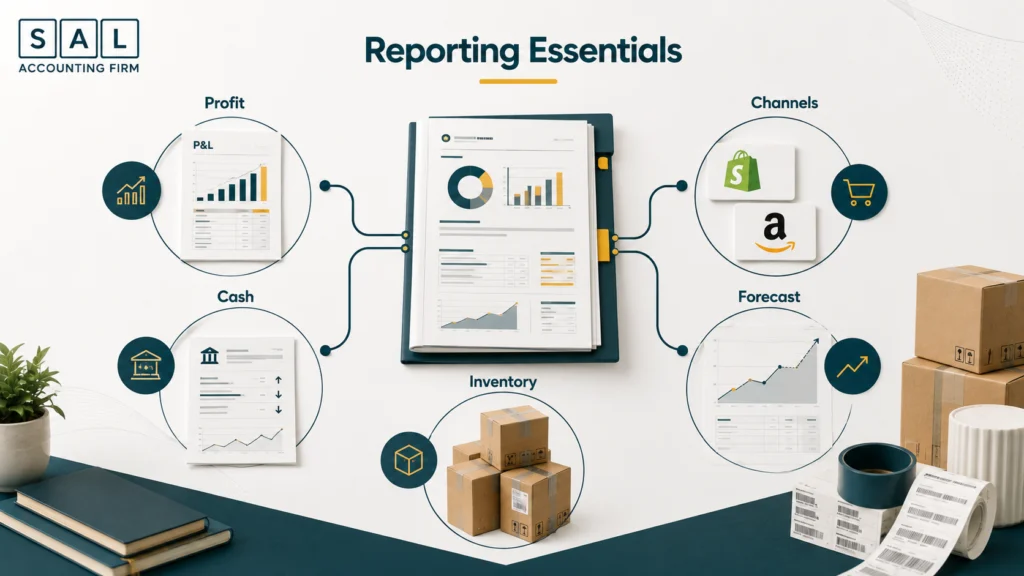
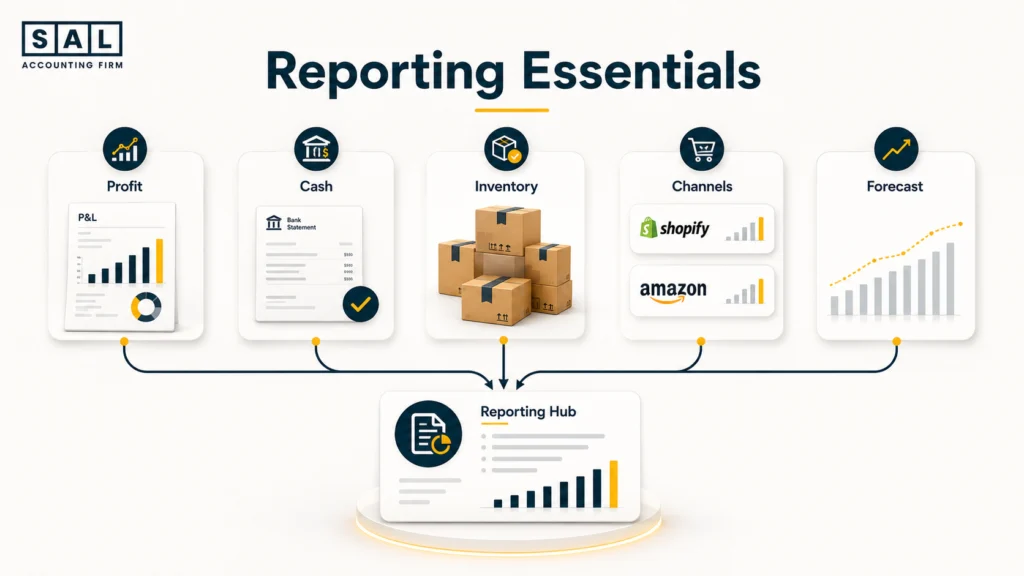
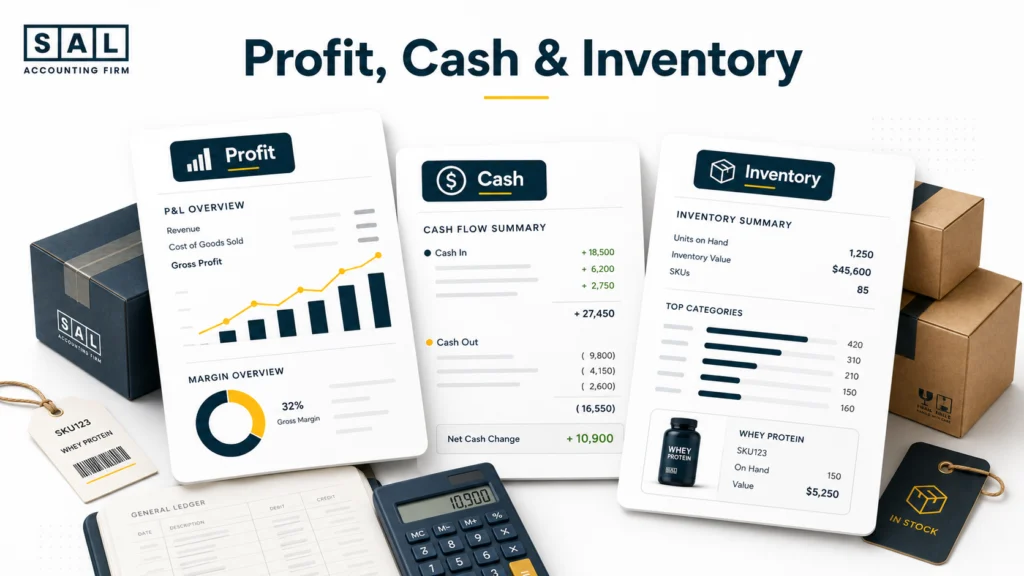
- Good ecommerce reports should show profit, cash, inventory, and channel performance separately.
- The best reporting stack is not necessarily the most advanced one. It is the one your business can maintain consistently.
What Does a Good Ecommerce Financial Reporting Setup Actually Need?
Financial reporting starts with the three core statements:
- Profit and loss statement
- Balance sheet
- Cash flow statement
For an ecommerce business, that is only the starting point.
You may also need to see gross margin, contribution margin, inventory value, channel profitability, cash requirements, and a small set of operating KPIs.
That is the difference between having your bookkeeping completed and having ecommerce management reporting you can actually use.
Let’s say your P&L shows $40,000 of profit this month.
Useful reporting should help you answer the next questions:
- Which channel generated that profit?
- What happened to gross margin?
- How much cash is tied up in inventory?
- Is Amazon performing differently from Shopify?
- Can you afford the next inventory order?
Your ecommerce financial statements still need to be right first. A dashboard cannot make bad source numbers useful.
The accounting method matters too. Once inventory, supplier payments, and payout timing become significant, cash vs. accrual accounting for ecommerce can change how monthly performance appears.
- Also read: “Why Your Ecommerce Profit and Cash Flow Don’t Match”
For businesses that need revenue, payouts, COGS, inventory, fees, and reporting handled together, SAL’s ecommerce accounting services are built around those ecommerce-specific movements.
What Are the Best Financial Reporting Solutions for Ecommerce Businesses?
There is no single winner because these tools solve different parts of the reporting process.
A more developed ecommerce reporting stack may eventually look like:
Shopify / Amazon → A2X or Link My Books → QuickBooks / Xero → Fathom / Syft
But plenty of businesses do not need every layer.
This comparison shows where each option fits.
| Solution | Best For | Main Role | Pricing Model | What to Keep in Mind |
|---|---|---|---|---|
| QuickBooks Online | Small to growing brands | Accounting + core reports | Tiered monthly | Ecommerce data may need integration |
| Xero | Growing, app-driven brands | Accounting + core reports | Tiered monthly | Channel data still needs clean setup |
| A2X | High-volume Shopify/Amazon sellers | Ecommerce-to-accounting sync | Orders/channels | Not a full reporting platform |
| Link My Books | Multichannel ecommerce sellers | Ecommerce-to-accounting sync | Orders/channels | Still needs accounting software |
| Fathom | Businesses needing deeper reporting | Analysis + forecasting | Companies connected | Depends on clean source accounts |
| Syft | Deeper reporting/multi-entity needs | Dashboards + forecasts | Tiered monthly | May be excessive for simple stores |
| Spreadsheets | Early/simple stores | Custom manual reporting | Low software cost | Manual work grows quickly |
QuickBooks Online
QuickBooks Online works well as the accounting foundation for many growing ecommerce businesses.
Depending on the plan, it can handle core reports, bank reconciliation, inventory, multi-currency transactions, dashboards, and other financial workflows. QuickBooks Canada currently offers several tiers, with more advanced inventory and reporting features available as you move up the plans.
The ecommerce question is what happens before the numbers reach QuickBooks.
A Shopify deposit hitting your bank account is not necessarily revenue. It may already be net of fees, refunds, taxes, and other adjustments.
That is why a proper Shopify and QuickBooks integration should reflect the transaction flow rather than simply importing deposits.
QuickBooks tends to make sense when you need:
- A familiar accounting environment
- Standard financial statements
- Inventory capability
- Broad software integrations
- A system your accountant can work in directly
For Shopify businesses where settlements, fees, inventory, and COGS need to line up every month, SAL’s Shopify accounting services keep the reporting tied back to the underlying books.
Xero
Xero fills a similar role. It is your accounting foundation rather than a standalone ecommerce analytics platform.
Xero Canada currently offers Starter, Standard, and Premium plans, with regular Canadian pricing increasing as you move into more established-business features. Its system includes financial reporting, bank reconciliation, app integrations, and other core accounting functions.
Xero can be especially attractive when you expect to build around a connected app ecosystem.
The decision between Xero and QuickBooks usually comes down to things such as:
- Existing integrations
- Inventory workflow
- Multiple currencies
- Reporting requirements
- Your accountant’s workflow
- Other systems already used by the business
There is no reason to change accounting platforms simply because one has a nicer dashboard.
Our comparison of accounting software for Shopify sellers goes deeper into that decision.
A2X and Link My Books
A2X and Link My Books solve a different problem.
They sit between your ecommerce sales channels and the accounting ledger.
Instead of treating a marketplace payout as one transaction, they help break down or summarize the activity behind it: sales, refunds, fees, taxes, and other settlement movements.
A2X supports platforms including Shopify, Amazon, Walmart, eBay, and Etsy, with pricing that scales largely around order volume, stores, and sales-channel requirements.
For a Shopify brand, an A2X accounting integration can reduce the amount of manual work involved in turning settlement data into usable accounting entries.
Link My Books follows a similar model. It connects ecommerce platforms including Amazon, Shopify, eBay, Etsy, Walmart, TikTok Shop, WooCommerce, and Square with QuickBooks or Xero, with pricing based on order volume and connected channels.
That becomes especially useful when payout reconciliation is taking too much manual effort.
Amazon sellers run into this quickly. Sales, FBA fees, refunds, taxes, and settlements all need to reach the accounts properly before Amazon FBA bookkeeping produces reliable reports.
SAL’s Amazon accounting services handle those marketplace movements as separate accounting activity rather than treating the final deposit as the whole story.
Pro tip: A connector does not repair a poor accounting setup. Automating incorrect mappings or unreliable COGS simply gives you the wrong reports faster.
Fathom and Syft
Fathom and Syft sit further up the reporting stack.
They become more relevant once your accounting is reasonably clean but standard financial statements are no longer enough.
Fathom includes management reporting, financial analysis, cash flow forecasting, benchmarking, and consolidation. Its pricing is structured around the number of companies connected.
Syft offers dashboards, financial reports, budgets, forecasts, KPI analysis, and multi-entity features across several plan levels.
These tools can be useful when you need:
- Better management reports
- Actual vs budget comparisons
- Forecasting
- Multi-company reporting
- More useful dashboards
- Financial and operational KPIs in one place
But there is an important catch.
If revenue is wrong in QuickBooks, Fathom cannot fix it. If inventory costs are incomplete in Xero, Syft cannot magically produce the correct gross margin.
The reporting layer is only as good as the accounting underneath it.
Spreadsheet Reporting
Spreadsheets still have a place. For a smaller ecommerce business with one channel and a straightforward setup, a clean spreadsheet may be enough to track:
- Revenue
- COGS
- Gross margin
- Operating expenses
- Cash
- Inventory
- Basic forecasts
The problem is not Excel or Google Sheets themselves.
The problem is when every month turns into downloading Shopify reports, exporting Amazon settlements, copying ad data, updating inventory, fixing formulas, and trying to remember which version of the spreadsheet is correct.
At that stage, you are no longer using a spreadsheet for reporting.
You are manually building an integration system.
Case Study: How Emily in Leslieville, Toronto Moves Beyond Spreadsheet Reporting1
Emily runs a growing skincare business from Leslieville, Toronto. She starts with Shopify, QuickBooks, and a monthly reporting spreadsheet. As the brand grows, she adds more SKUs, a 3PL, paid advertising, and increasingly large inventory orders.
The Problem
Each monthly report requires several exports and manual adjustments. Emily eventually gets a profit number, but the process takes too long and the spreadsheet does not always use the same treatment for fees, inventory, and payouts.
What We Do
We organize the underlying books first, tighten the Shopify reconciliation process, and remove unnecessary manual steps from the monthly reporting workflow.
Result
Emily gets a repeatable reporting process instead of rebuilding the numbers each month. She spends less time assembling reports and more time understanding margin, inventory, and cash.
Which Reporting Setup Fits Your Ecommerce Business?
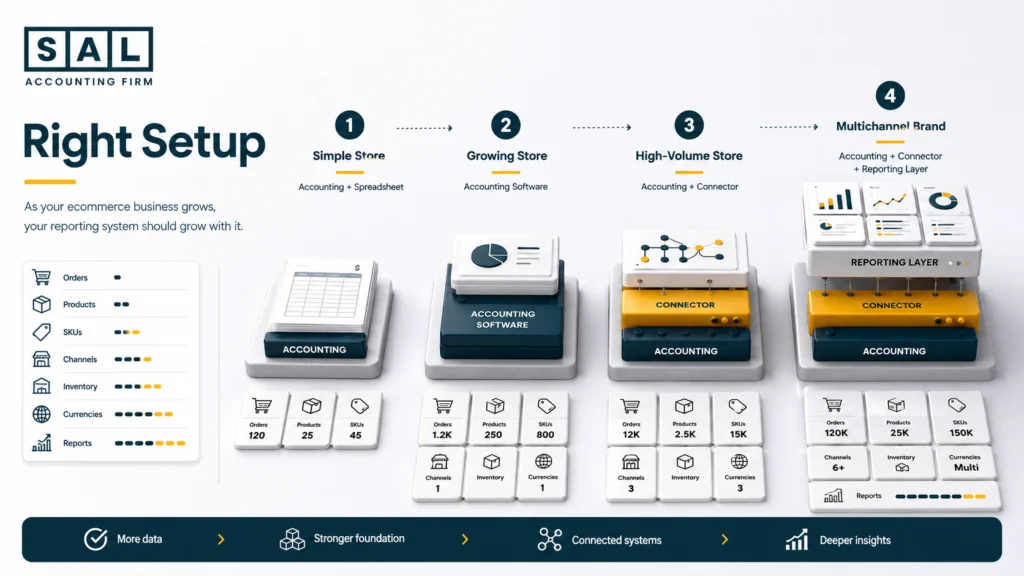
The best setup usually depends more on complexity than revenue alone.
A $2 million business with one simple channel may need a cleaner setup than a smaller business operating across Shopify, Amazon, wholesale, multiple currencies, and two entities.
This gives you a practical starting point.
| Business Stage | Main Reporting Need | Practical Setup | Upgrade When… |
|---|---|---|---|
| Early store | Basic profit + cash | Accounting software + spreadsheet | Reporting becomes repetitive |
| Growing Shopify brand | Reliable monthly reports | QBO/Xero + clean Shopify flow | Payouts become difficult to reconcile |
| High-volume seller | Automated channel summaries | QBO/Xero + connector | Standard reports stop answering enough |
| Multichannel brand | Channel + inventory reporting | Accounting + connectors + reporting layer | Blended results hide performance |
| Complex business | Forecasting + consolidation | Full reporting stack | Currencies/entities require one view |
Before adding software, ask:
- How many sales channels are meaningful?
- How many orders are processed each month?
- Is inventory a major use of cash?
- Do you operate in multiple currencies?
- Do you need profit by channel or SKU?
- Who maintains the reports every month?
- Do you need forecasts as well as historical reports?
One of the clearest upgrade signals is reconciliation.
When Shopify, Amazon, payment processors, and the general ledger no longer tie together easily, ecommerce reconciliation should be fixed before another dashboard is added.
When Should an Ecommerce Accountant Be Involved?
Software can move information and calculate ratios.
It still cannot decide how the underlying accounting should work.
Someone needs to determine:
- What counts as revenue
- How refunds should be recorded
- Where marketplace fees belong
- How COGS should be calculated
- How inventory should be valued
- Which channel reports are actually useful
This becomes more important as the business grows.
There is usually a point where a company needs an ecommerce CPA rather than general accounting support because the reporting questions are no longer just about entering transactions.
Pro tip: Do not buy another dashboard because the current reports are unclear. First find out whether the problem is the report—or the accounting underneath it.
What Should Your Ecommerce Reports Tell You Every Month?
Good financial reporting should make the next decision easier.
That means a founder should not need to dig through six systems just to answer basic questions about profit, cash, or inventory.
These are the reporting areas I would prioritize.
| Reporting Area | What You Should See | Question It Answers | Common Problem |
| Profitability | Gross + contribution margin | Are sales actually profitable? | Only net income is reviewed |
| Channels | Shopify/Amazon/wholesale margin | Which channel performs best? | Results are blended |
| Cash | Cash movement vs profit | Can we fund upcoming costs? | Profit is mistaken for cash |
| Inventory | Value, COGS, turnover | How much cash sits in stock? | Inventory cost is incomplete |
| Forecast | Future cash + profit | What happens next? | Reports only look backward |
| KPIs | AOV, CAC, returns, margin | What is changing? | Too many irrelevant metrics |
Profit by Channel
A blended company number can hide a lot.
Imagine your overall margin is 22%.
Underneath that:
- Shopify is 29%
- Amazon is 11%
- Wholesale is 24%
The 22% result is technically correct, but it does not tell you where the margin is being made or lost.
As the catalogue grows, SKU profitability analysis can add another useful layer by showing whether your bestselling products are actually your strongest products financially.
Cash Needs Its Own View
Profit and cash answer different questions.
You could have a profitable month while cash drops because you:
- Place a large inventory order
- Pay supplier deposits
- Repay debt
- Remit tax
- Wait for platform payouts
That is why the P&L should not be expected to explain your bank account.
Understanding the gap between ecommerce profit and cash flow becomes increasingly important as inventory orders get larger.
Inventory Should Be Visible
Inventory is often one of the biggest places an ecommerce business puts its cash.
Reporting should make it easier to see:
- Inventory value
- COGS
- Slow-moving stock
- Product costs
- Turnover
- Upcoming reorder needs
And supplier price is not always the full cost.
Freight, duties, and other direct costs can materially change product economics, which is why ecommerce landed cost accounting needs to feed into the reporting properly.
Reports Should Look Forward Too
Historical reports tell you where you have been.
A rolling forecast should tell you what might happen next.
Maybe the P&L looks healthy today, but a $70,000 inventory order is due in eight weeks.
That future cash requirement matters now.
A straightforward cash flow forecast can often tell a founder more about the next decision than another page of historical charts.
Pro tip: Keep the monthly reporting pack small enough that it actually gets used. A few numbers that change a decision are better than 50 KPIs nobody looks at twice.
Signs Your Current Reporting Setup Is No Longer Enough
You do not need a new platform just because your existing reports look boring.
You need a better setup when the current process starts getting in the way.
Typical signs include:
- Reports take days to prepare.
- Shopify or Amazon does not reconcile to the books.
- You cannot see margin by channel.
- Inventory balances are difficult to trust.
- Different spreadsheets show different numbers.
- Reports arrive too late to influence decisions.
- One person has to manually fix the process every month.
When these problems appear, unreliable ecommerce financial statements are often the bigger issue than the dashboard itself.
Sometimes the business has also simply outgrown its current bookkeeping setup.
Case Study: How Daniel in Meadowvale Gets One Version of His Numbers2
Daniel runs a home-products business from Meadowvale, Mississauga. He sells through Shopify and Amazon, uses QuickBooks for accounting, and tracks inventory separately.
The Problem
Each platform gives Daniel useful information, but the reports do not use the same definitions. Revenue, refunds, fees, and product costs are grouped differently depending on which export he starts with.
What We Do
We reconcile both sales channels back to the accounting records and standardize how revenue, COGS, marketplace fees, and inventory are reported.
Result
Daniel gets one consistent view of the business. He can compare Shopify and Amazon without rebuilding the analysis every month or wondering which spreadsheet is correct.
Choosing the Right Financial Reporting Setup for Your Ecommerce Business
The best financial reporting solution is not the one with the most features.
It is the setup that gets reliable ecommerce data into your books and turns it into reports you can actually use.
For a smaller store, that might mean QuickBooks or Xero and a clean spreadsheet. As order volume grows, A2X or Link My Books may remove manual settlement work. Later, Fathom or Syft may make sense when the business needs deeper analysis and forecasting.
Basically, add complexity when the business actually needs it.
Building a Canadian Shopify brand and want a clearer financial roadmap for each stage of growth? Get the Financial Growth Blueprint for Canadian Shopify Brands.