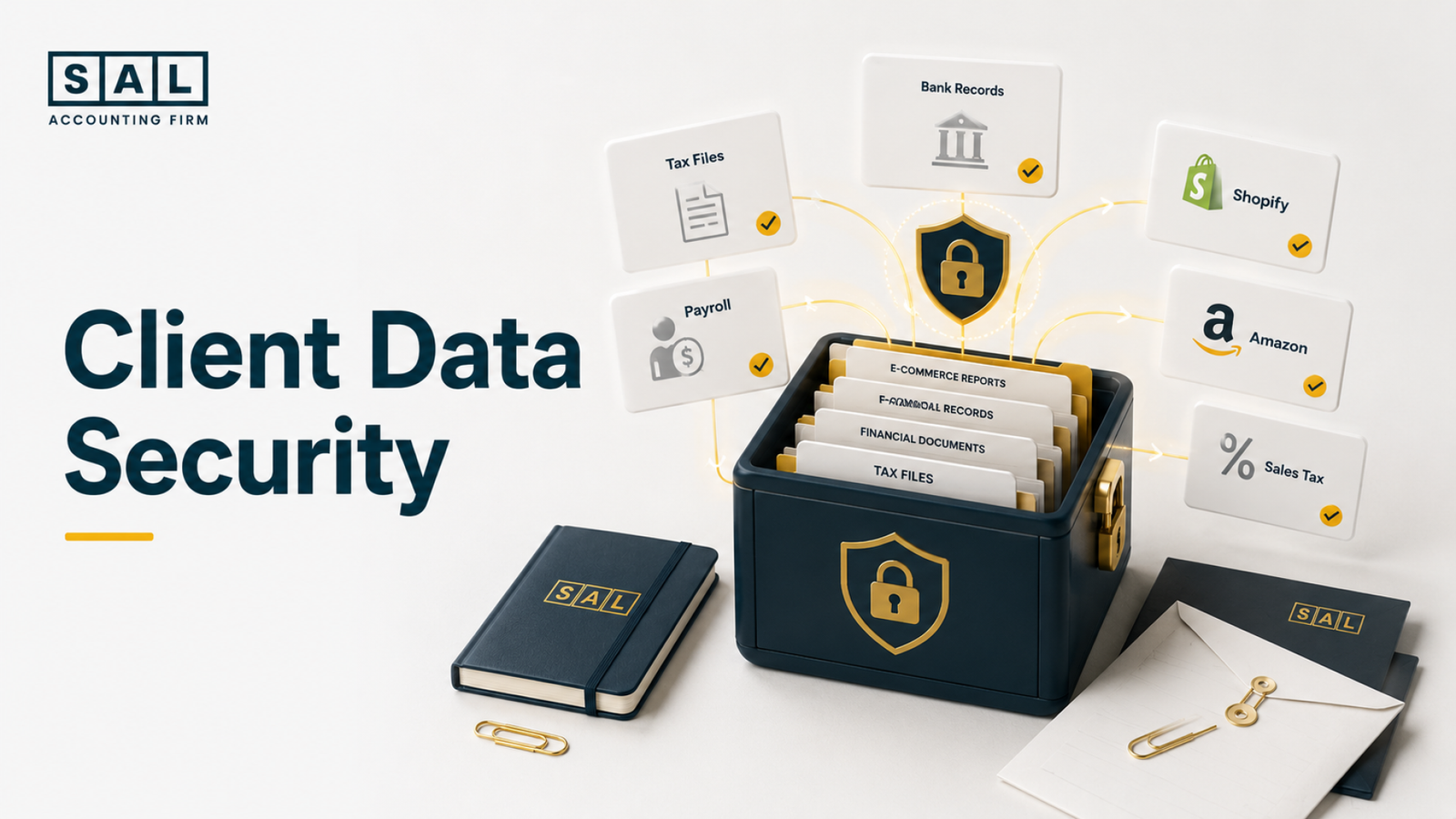
Data security at SAL Accounting means protecting the financial, tax, payroll, ecommerce, and personal information clients trust us with. That matters because Statistics Canada reported that Canadian business spending on recovery from cybersecurity incidents doubled from 2021 to 2023.
Before you share sensitive files, see how SAL keeps your data protected, organized, and in the right hands.
Quick Takeaways
- SAL Accounting data security is about keeping sensitive client files protected, organized, and limited to the people who actually need them.
- SAL protects client data through secure file sharing, access controls, vendor review, retention rules, backups, and incident response planning.
- Tax records, payroll files, bank statements, ecommerce reports, and personal information should move through approved upload methods, not regular email threads.
- SAL can explain its controls against SOC 2, ISO 27001, NIST CSF, PIPEDA, GDPR, and GLBA where relevant.
- Clients who need extra review can request a Security Pack under NDA before sharing sensitive information.
Keep your upload clean with the Tax Document Checklist for eCommerce Stores so tax files, platform reports, and supporting documents do not turn into a messy file pile.
Who Needs Accounting Data Security Documentation?
You’re about to share tax files, bank statements, payroll records, ecommerce reports, and maybe access details for Shopify, Amazon, or other platforms. That is not small stuff. So it is fair to ask:
- Who can see it?
- Where does it go?
- How is it shared?
- How long is it kept?
- What happens if something goes wrong?
You must get clear answers before sensitive business information moves.
For stores already dealing with Shopify payouts, app fees, refunds, and tax reports, Shopify accounting services keep the accounting process closer to how Shopify data actually works.
What Is Data Security for Accounting Firms?
Data security for accounting firms means protecting the sensitive information clients share for bookkeeping, tax, payroll, reporting, and advisory work. That information can include:
- Tax returns
- Bank statements
- Payroll records
- Ecommerce reports
- Sales tax files
- Corporate documents
- Identity documents
- Vendor details
- Customer data
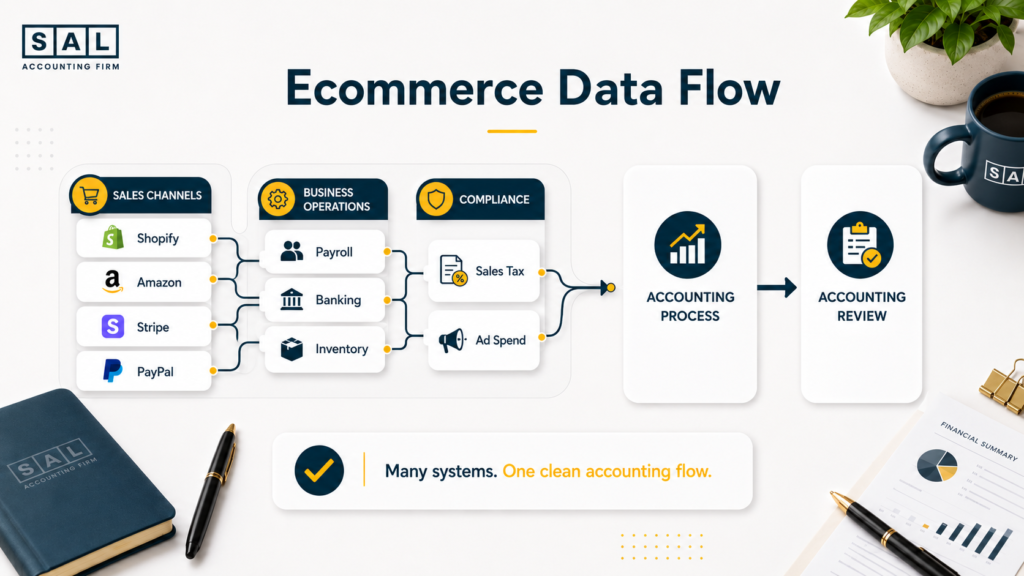
For ecommerce brands, this gets layered fast. Shopify, Amazon, Stripe, PayPal, payroll, banking, and tax platforms all carry pieces of the same financial story. That is why the gap between a Shopify specialist accountant and a general accountant often shows up in how data is handled, not just in the final tax return.
Why Accounting Data Security Matters More for Ecommerce Brands
Ecommerce businesses share more data than many owners realize. A normal month may include:
- Shopify sales reports
- Amazon settlement files
- Stripe payouts
- PayPal activity
- Refunds and chargebacks
- Sales tax reports
- Inventory records
- Payroll data
- Ad spend
- Bank and credit card feeds
The CRA’s ecommerce page describes ecommerce as business activity done through electronic channels. In real life, that means your accounting data often lives across several systems.
Now, here is where things get messy. If files sit in inboxes, old folders, screenshots, and disconnected tools, the accounting becomes harder to trust. Security and clean books are connected.
The difference between a payout and true sales is one reason ecommerce reconciliation best practices matter so much for online stores.
SAL Accounting Data Security Controls at a Glance
Here is the simple version of the main safeguards clients usually ask about.
| Security Area | What It Means | SAL’s Approach | Why It Matters |
| Access control | Limits who can view files | Access by role and client work | Fewer people see sensitive data |
| Secure sharing | Keeps files out of messy email | Approved upload workflows | Cleaner document exchange |
| Encryption | Protects stored and moving data | Encryption-supported platforms | Safer file transfer and storage |
| MFA/SSO | Adds login protection | Used where systems support it | Reduces account takeover risk |
| Vendor review | Checks third-party platforms | Key tools reviewed before use | Less blind trust in software |
| Retention rules | Controls how long data is kept | Kept only as needed | Less old data sitting around |
| Backups | Supports recovery | Backup and recovery practices | Better continuity |
| Incident response | Sets next steps after a concern | Detect, contain, review, notify | Faster, calmer response |
What Client Data Does SAL Accounting Need?
The exact files depend on the work. A Shopify seller may share:
- Payout reports
- Transaction exports
- App fees
- Sales tax records
- Refund reports
- Chargeback details
- Bank statements
- Payroll files
An Amazon seller may share:
- Settlement reports
- FBA fee data
- Inventory records
- Marketplace tax files
- Advertising reports
- Bank deposits
A Canadian corporation may share:
- Tax filings
- Corporate documents
- Payroll records
- Bank statements
- Financial statements
For Shopify-heavy stores, platform fees affect what needs to be reviewed. The Shopify Fee Calculator gives a quick way to understand how fees can affect payouts before the monthly books are reviewed.
How Should Clients Securely Share Accounting Documents?
Clients should use SAL’s approved upload or portal process for sensitive documents. That includes:
- Tax returns
- Payroll records
- Bank statements
- Government letters
- Corporate documents
- Shopify exports
- Amazon reports
- Sales tax files
- Identity documents
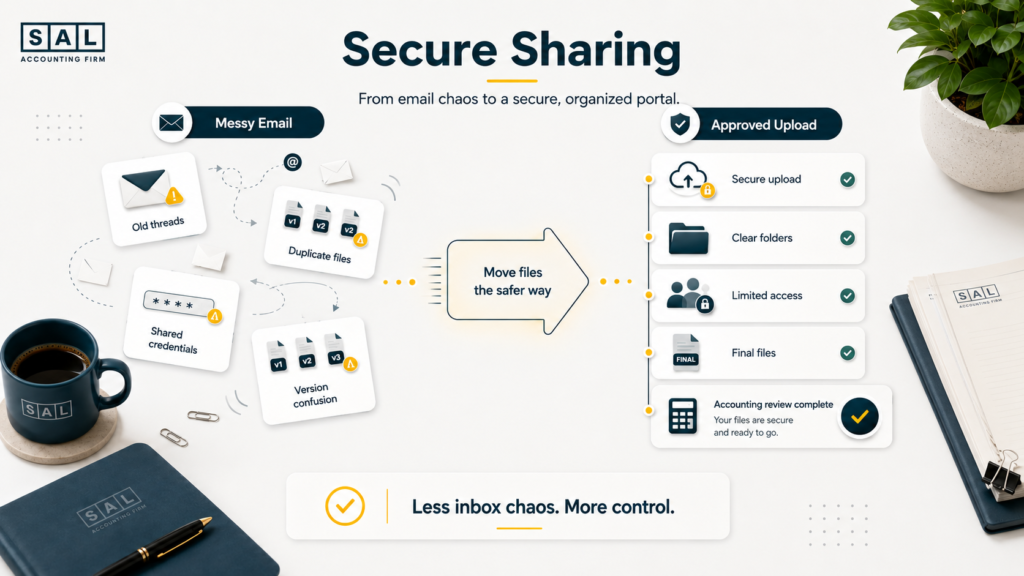
Email may feel easy. But it often creates duplicate files, long threads, old attachments, and unclear ownership. That is where risk builds. A secure client portal or approved upload workflow makes it easier to know:
- What was sent
- When it was sent
- Who needs it
- Whether the file is final
- Where the file should live
Case Study: How a Shopify Brand in Liberty Village Shares Financial Data Safely1
A Shopify brand in Liberty Village, Toronto, is growing quickly. Each month, the founder sends Shopify reports, Stripe exports, payroll files, bank statements, and tax documents through different email threads. Nothing has gone wrong. But the process feels messy.
Some files are duplicated. Some are outdated. Nobody is fully sure which version is final. Then one day, the founder accidentally sends login credentials in the same email thread.
The Problem
Sensitive accounting data is sitting in too many places. Now, login credentials have also been shared through regular email, which creates a bigger risk than sending the wrong report version.
What We Do
SAL does not continue the thread or ignore the issue. The team contacts the client, asks them to delete the credentials from email, and redirects them to the approved secure sharing process. Then SAL moves the client into a cleaner monthly workflow with approved upload methods, limited access, simple folders, and a monthly document checklist.
The Result
The founder has fewer missing files, fewer back-and-forth emails, and a safer way to share sensitive financial data. More importantly, they understand what should never be sent through regular email again.
Ecommerce sellers need clean books before platform reports turn into guesswork. Keep payouts, tax files, and monthly records organized with our bookkeeping for ecommerce.
Is Client Data Encrypted at Rest and in Transit?
Client data should move through systems that support encryption at rest and in transit. Here it is
- Encryption in transit protects data while it moves between systems.
- Encryption at rest protects data while it is stored inside a system.
The exact encryption details depend on the approved tool or vendor involved. SAL should confirm platform-level details before making specific technical claims.
This matters because GDPR Article 32 lists encryption, confidentiality, resilience, restoration, and testing as examples of security measures for personal data.
The takeaway: clients do not need to memorize encryption terms. They need to know files are not handled casually.
How Does SAL Control Access to Client Files?
SAL controls access by limiting who can view client files based on the work being done. That means:
- Team members access files they need.
- Access matches the client relationship.
- Login protection is used where supported.
- Access changes when roles change.
- Old access should not stay open forever.
This is close to the idea behind zero trust accounting. Access is not assumed. It has to make sense.
The NIST Cybersecurity Framework 2.0 uses six functions: Govern, Identify, Protect, Detect, Respond, and Recover. That structure keeps security practical. Know what needs protection. Protect it. Watch for issues. Respond clearly.
How Do PIPEDA, GDPR, SOC 2, ISO 27001, and GLBA Fit In?
Security terms can get heavy fast, so let’s keep this simple:
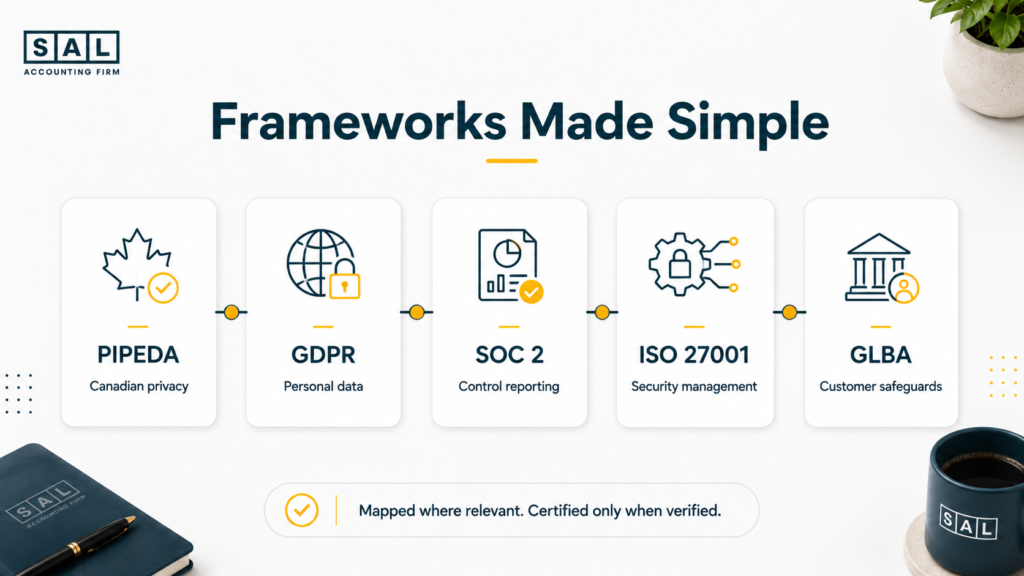
- PIPEDA accounting matters when Canadian personal information is involved. The Office of the Privacy Commissioner of Canada explains that safeguards can include physical, technological, and organizational controls.
- GDPR accounting compliance may matter when personal data connected to people in the EU or UK is involved.
- SOC 2 accounting is not a law. It is a control reporting framework. The AICPA Trust Services Criteria cover security, availability, processing integrity, confidentiality, and privacy.
- ISO 27001 focuses on information security management. ISO describes it as a holistic approach across people, policies, and technology.
- GLBA and the FTC Safeguards Rule may matter for certain U.S.-connected financial services contexts. The FTC Safeguards Rule requires covered financial institutions to maintain administrative, technical, and physical safeguards for customer information.
Pro Tip: Clear security wording builds more trust than big certification claims that cannot be backed up.
What Is SAL’s Data Retention Policy?
Some client files cannot be deleted right after the work is done. Tax records, corporate documents, payroll files, and supporting reports may need to be kept for tax, legal, or client-service reasons. CRA generally requires business records to be kept for six years from the end of the last tax year they relate to, unless permission is given to destroy them earlier.
That does not mean files should sit around forever. SAL’s data retention policy should focus on three things:
- Keep required records for tax, legal, and client-service reasons.
- Limit access while records are stored so old files are not open to people who do not need them.
- Archive or delete data securely when it is no longer required.
PIPEDA also says personal information should not be kept longer than needed for the purpose it was collected. When it is no longer required, it should be destroyed, erased, or made anonymous.
Basically, data retention is not just storage. It is about keeping required records without holding unnecessary risk.
For ecommerce sellers, retained records can include platform exports, sales tax reports, payout records, receipts, and supporting tax files. Clean records make both filing and secure file handling easier, which is why the ecommerce tax season checklist fits naturally here.
How Does Vendor Risk Management Work?
Accounting firms use software. That is normal. The important question is: which tools touch client data? SAL may use platforms for:
- Cloud accounting
- Tax preparation
- Payroll
- File sharing
- E-signatures
- Ecommerce integrations
- Communication
- Internal workflow
Vendor risk management means reviewing tools that may handle client data before relying on them. That review may include:
- Security documentation
- Access controls
- Data handling terms
- Backup practices
- Privacy commitments
- Support and incident processes
For Shopify businesses, app stacks can get messy fast. The same kind of thinking applies when sellers choose Shopify integrations for ecommerce or connect systems like QuickBooks, A2X, and payment processors.
- Also read: “Shopify QuickBooks Integration Guide”
What Happens If There Is a Security Incident?
No serious security program should pretend risk does not exist. The better question is: what happens if something looks wrong?
SAL’s incident response process is clear enough for clients to understand without needing a cybersecurity background. A practical response includes:
- Identify the issue
Confirm what happened and which system, file, or account may be involved. - Contain the risk
Limit access, reset credentials, pause sharing, or secure the affected workflow. - Review the impact
Check what information may have been exposed, accessed, changed, or lost. - Notify where required
Follow legal, client, and contractual notification requirements. - Recover safely
Restore access only when the process is secure again. - Improve the control
Update the workflow, setting, vendor process, or team step that needs fixing.
Under PIPEDA, certain breaches involving personal information may need reporting when there is a real risk of significant harm. The OPC explains this in its mandatory breach reporting guidance. Incident response should not be panic-driven. It should be documented, calm, and clear.
What Can Clients Request in SAL’s Security Pack?
Some clients need more than a post before sharing sensitive files. That is normal.
A founder may want to understand file sharing.
A procurement team may need vendor documentation.
A legal team may ask about a DPA.
An investor-backed company may need security answers before approval.
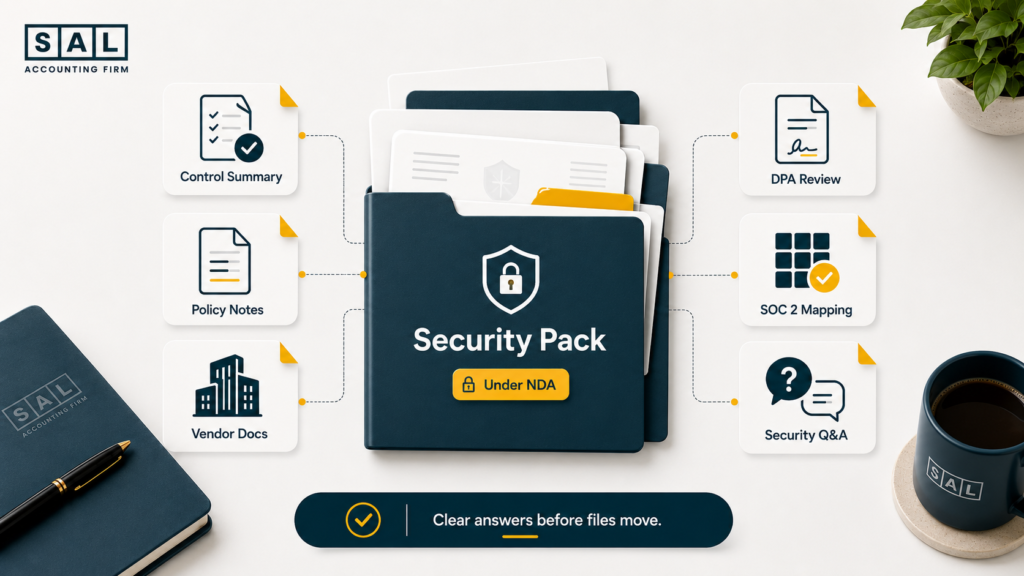
SAL’s Security Pack can be provided under NDA where appropriate. It may include:
- Security control summary
- Policy summaries
- Data handling notes
- Vendor documentation where available
- DPA review where applicable
- Security questionnaire responses
- SOC 2-aligned control mapping
- Contact path for security questions
The point is not to bury clients in documents. The point is to make due diligence easier. For ecommerce brands deciding how much finance works to keep internal, in-house vs outsourced ecommerce accounting often comes down to control, access, workflow, and cost.
Case Study: How a Port Credit Startup Handles Vendor Due Diligence Before Sharing Client Data2
A SaaS startup near Port Credit in Mississauga needs accounting support. Before sharing payroll files, corporate documents, tax records, and financial statements, the finance lead needs answers for investors and legal review. The team does not want a giant technical report. They want clear, practical documentation.
The Problem
The startup needs to complete vendor due diligence before sending sensitive files. The finance lead wants to know who gets access, how files are shared, how vendors are reviewed, and what security documentation SAL can provide.
What We Do
SAL provides a Security Pack under NDA where appropriate. This may include policy summaries, available vendor documentation, data handling notes, and responses to common security questions.
The Result
The startup gets a clearer path through vendor review. The finance lead knows what to share, how to share it, and what controls support the relationship before sensitive information moves.
How Security Supports Better Ecommerce Accounting
Security is not separate from accounting quality. When files are clean, complete, and shared safely, the accounting team can do better work. That affects:
- Reconciliation
- Tax filings
- Payroll
- Sales tax review
- Financial statements
- Profit reporting
- Investor-ready records
- Cross-border review
For example, a Shopify seller may think revenue is simple. But Shopify payouts can include fees, refunds, chargebacks, sales tax, app costs, and payment adjustments.
That is why hidden Shopify costs often show up when the data flow is not clean.
For broader ecommerce numbers, ecommerce profit calculation mistakes usually start with the same issue: the reports do not match the bank account, and nobody knows which source to trust.
The Ecommerce EBITDA Calculator is useful once the inputs are cleaner and the business wants a higher-level view of earnings.
What Should Ecommerce Clients Do Before Sharing Files?
Clients play a role in data security too. Here are simple habits that help:
- Use the approved upload method.
- Avoid regular email for sensitive files.
- Remove old users from Shopify, Amazon, payroll, banking, and accounting tools.
- Do not reuse passwords across business systems.
- Tell SAL when a team member leaves.
- Label files clearly before uploading.
- Avoid public sharing links.
- Ask before using a new file-sharing tool.
How to Know Your Accounting Data Security Needs a Closer Look
Data security problems usually do not start with a major breach. They start with small habits that feel normal: emailing bank statements, keeping old users in Shopify, saving tax files in random folders, or sharing reports through whoever asks first. Your process may need a closer look when:
- Sensitive files are sent by regular email.
- Several people have access “just in case.”
- Old team members still have system access.
- Shopify or Amazon reports are saved in random folders.
- Nobody knows which file version is final.
- Bank statements sit in inboxes.
- Sales tax reports are pulled only at the last minute.
- There is no clear file retention process.
- Investor or procurement questions take too long to answer.
These are not signs that someone did something wrong. They are signs the business has grown past a casual workflow.
Many ecommerce owners notice the same thing when their accountant no longer fits the business. The warning signs in ecommerce accountant red flags often include messy data, unclear reports, and weak platform understanding.
- Also read: “How to Choose the Right Ecommerce Bookkeeper”
Final Thoughts: Secure Accounting Should Feel Clear, Not Complicated
Good security should not make working with your accountant feel harder. It should make the process feel clearer. You should know:
- Where to send files
- Who can access them
- How long they are kept
- What tools are involved
- What happens if something goes wrong
- What documentation is available
That is the goal of SAL Accounting data security: protect sensitive client information while keeping the accounting process practical, calm, and easy to follow.
Need security documentation before sharing financial files? Book a consultation and ask about SAL’s Security Pack under NDA.