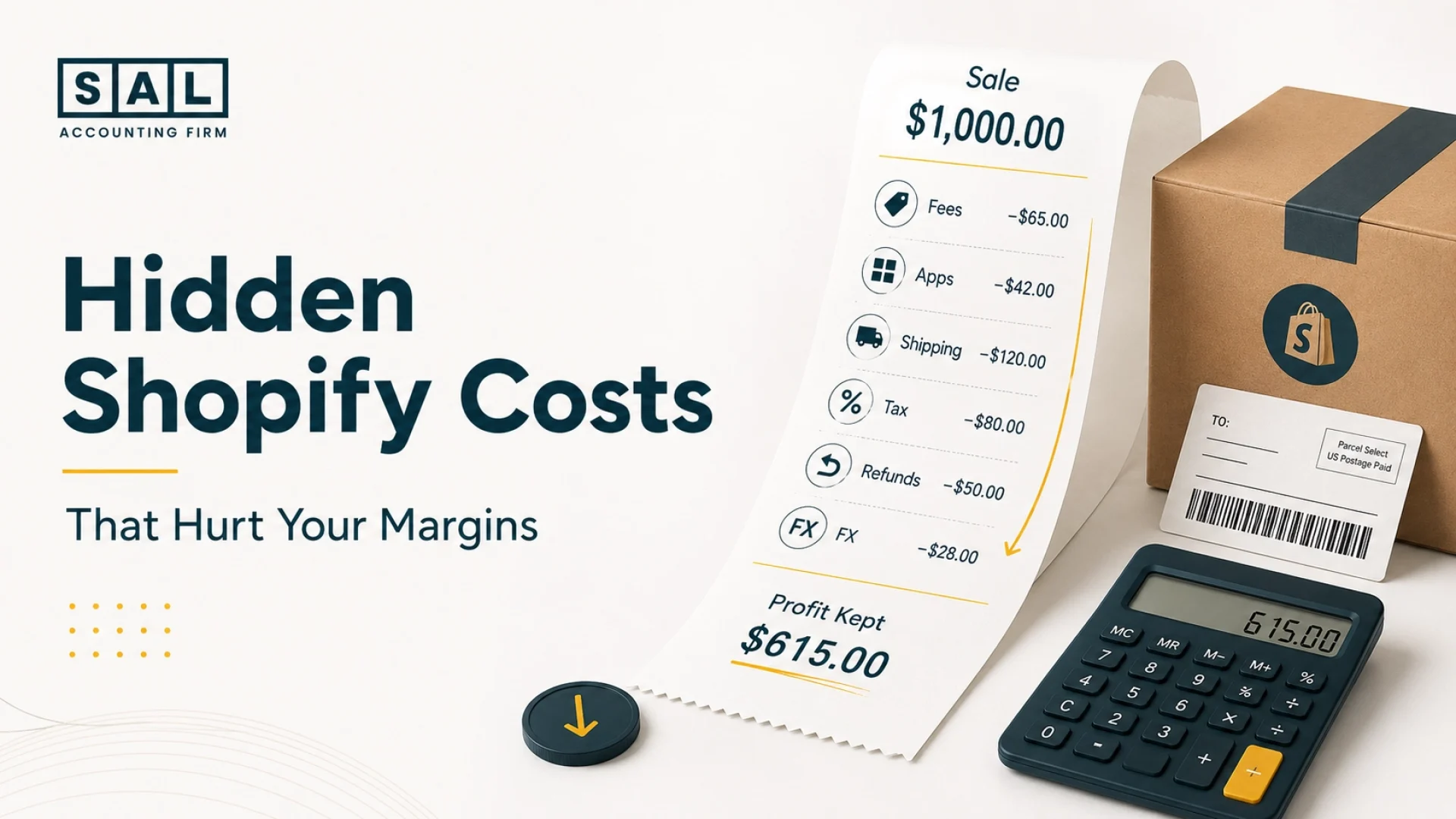
Shopify payouts are often smaller than sales because fees, refunds, apps, shipping, tax, 3PL costs, and currency conversion get deducted or recorded in different places. That is where many sellers lose track of profit. SAL Accounting focuses on the numbers behind ecommerce growth, where a busy store can still have unclear margins.
By the end of this post, you’ll know where those hidden costs usually sit, how they shrink payouts, and what to check before they quietly eat into profit.
Before you guess, run the numbers through the Shopify Fee Calculator so you have a clearer starting point.
Quick Takeaways
- Hidden Shopify costs are usually normal costs that are easy to miss.
- Your Shopify payout is not the same as your gross sales.
- Shopify payments fees, Shopify transaction fees, app costs, shipping, refunds, tax, duties, and FX can all reduce margin.
- Recording bank deposits as revenue makes your reports harder to trust.
- The fix is to separate gross sales, fees, refunds, taxes, COGS, shipping, and payouts clearly.
- A simple monthly review can catch margin leaks before they become a bigger problem.
Once your store gets busy, basic bookkeeping can stop showing the full story. For Toronto ecommerce sellers, e-commerce bookkeeping becomes more useful when it shows what actually happened between Shopify, the bank, your apps, your tax reports, and your monthly profit.
What Are Hidden Shopify Costs?
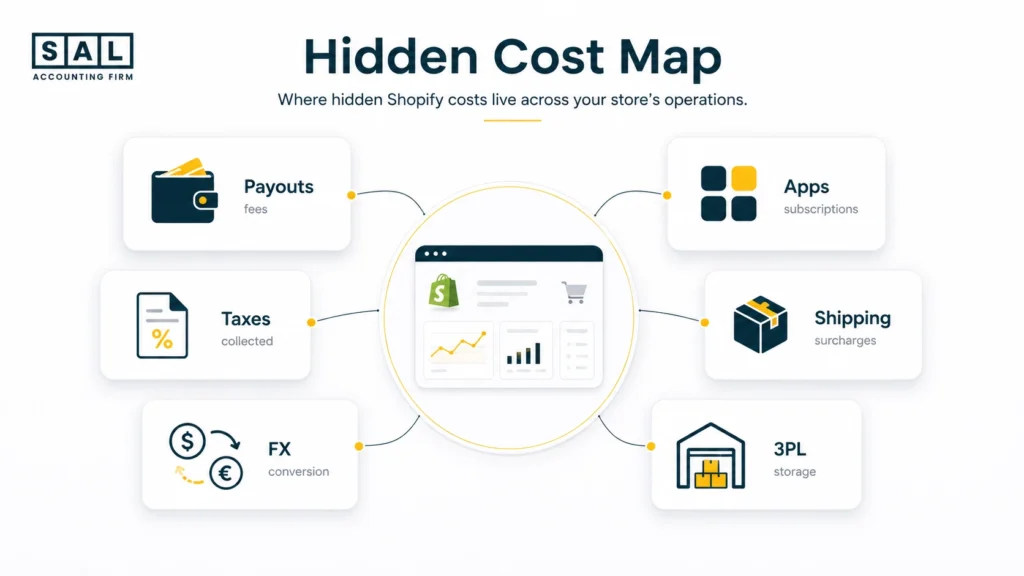
Hidden Shopify costs are the fees and expenses that reduce profit but do not always stand out in your Shopify dashboard. They often sit inside:
- payouts
- app bills
- shipping invoices
- 3PL statements
- tax reports
- bank or FX fees
Example: Your store may show $80,000 in sales, but that does not mean you kept $80,000. Fees, refunds, shipping, tax, duties, apps, and currency conversion can all reduce what actually lands in your business.
That is where Shopify profit calculation mistakes usually begin: the sales number looks clear, but the real profit number needs more cleanup.
Pro Tip: Do not start by asking, “How much did Shopify deposit?” Start by asking, “What did Shopify sell, what was deducted, and what did we actually keep?”
Why Your Shopify Payout Is Smaller Than Your Sales
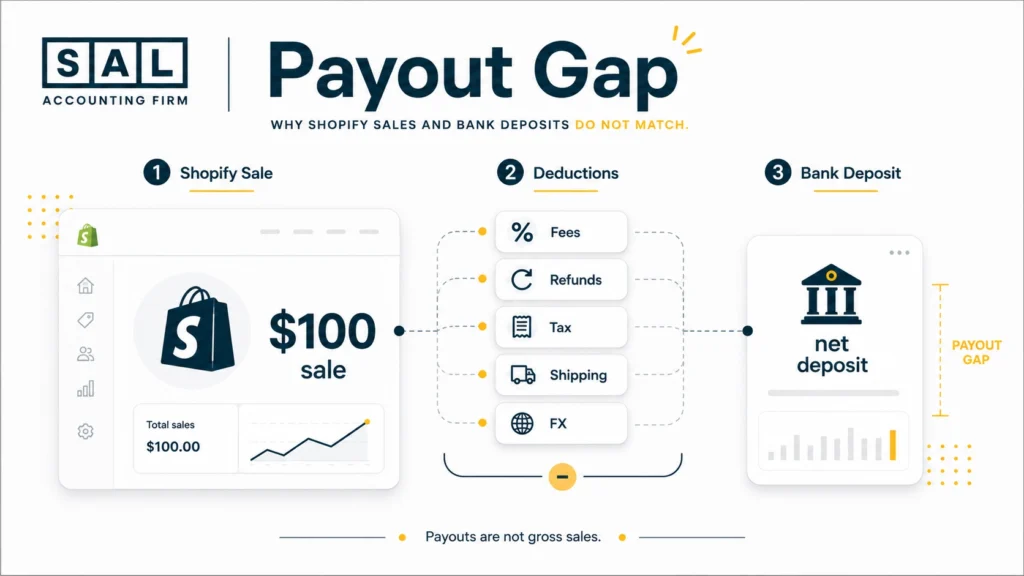
Your Shopify payout is lower because it is not your full sales number. It is what reaches your bank after fees, refunds, taxes, timing differences, and adjustments.
For example, a $100 sale may include product revenue, shipping charged to the customer, and tax collected. Then Shopify payments fees, refunds, chargebacks, or discounts can reduce the final deposit.
That is why the bank deposit alone is not enough. If it gets recorded as income, your reports can hide what really happened between the sale and the payout. You lose visibility on:
- gross sales
- discounts
- refunds
- tax collected
- payment fees
- chargebacks
- shipping income
- net payout
That is why Shopify payment reconciliation is not just a cleanup task. It is how you figure out what happened between the checkout and the bank.
And this is not only a Shopify issue. The same problem shows up in e-commerce payment reconciliation whenever the platform report, payment processor, and bank account are all telling slightly different stories.
- Also read: “E-commerce Reconciliation Best Practices“
Shopify Payments Fees, Shopify Transaction Fees, and Refund Costs
Shopify payment costs are not all the same.
Shopify payments fees are card processing fees when customers pay through Shopify Payments.
Shopify transaction fees may apply when you use a third-party payment provider instead.
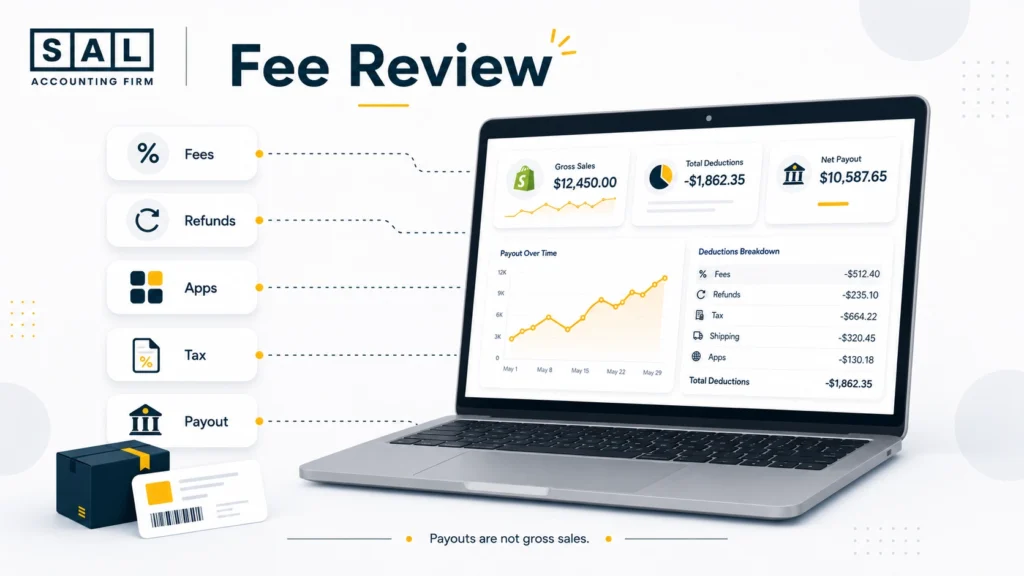
That difference matters because many sellers throw everything into one “fees” bucket. Then it becomes hard to see what is actually reducing profit. The usual payment-related costs include:
- card processing fees
- third-party transaction fees
- PayPal or other gateway fees
- international card fees
- chargebacks
- refund-related costs
Refunds are especially easy to underestimate. When you refund an order, the sale may reverse, but some costs can remain.That can include:
- payment fees
- return shipping
- restocking time
- opened or damaged inventory
- customer support
- discount codes used to keep the customer
So a high-return product can look profitable in Shopify, while quietly hurting your margin after all the costs are counted.
That is why Shopify accounting best practices should go beyond matching deposits. Your reports should show whether you are actually keeping more, not just selling more.
Case Study: How a Liberty Village Shopify Brand Found the Fees Hiding Inside Its Payouts
A skincare brand in Liberty Village, Toronto, is growing through Shopify. Ads are bringing in steady orders, bundles are selling, and the founder feels like the store is finally getting traction. But every month, the same question comes up: “Why does the bank account not feel like the sales report?”
The Problem
The store is recording Shopify deposits as income. Payment fees, refunds, discounts, tax collected, and chargebacks are all getting blended into one number. The founder can see sales, but not the real cost of getting paid.
What We Do
We separate gross sales, discounts, refunds, Shopify payments fees, tax collected, and net payouts. Then we map each cost into the right accounting category, so the monthly reports show what actually happened.
The Result
The founder stops guessing from bank deposits. They can see which fees are normal, which costs are rising too quickly, and which products need a closer margin review.
Shopify App Costs That Quietly Reduce Profit
Shopify app costs are easy to miss because they usually start small. One app for reviews. Another for email. Then returns, bundles, subscriptions, reporting, SMS, shipping, loyalty, and upsells. None of them feels huge on its own. Together, they can become one of the quietest margin leaks in the business.
The issue is not that apps are bad. Many are worth keeping. The issue is when no one checks whether each app still has a clear job. Each month, look at:
- which apps are still active
- which ones are actually being used
- which costs rise with orders, emails, SMS, or subscribers
- which apps overlap with another tool
- which charges hit Shopify vs. the business credit card
This belongs in your wider view of ecommerce business expenses, because apps should not sit inside one messy “software” number forever.
Pro Tip: If no one on the team can explain what an app does in one sentence, it probably needs to be reviewed.
Shopify Shipping Costs and 3PL Hidden Fees
Shopify shipping costs can cut into profit faster than most founders expect. At first, shipping feels simple: pay for a label, send the order, move on. But once order volume grows, the real cost gets harder to see.
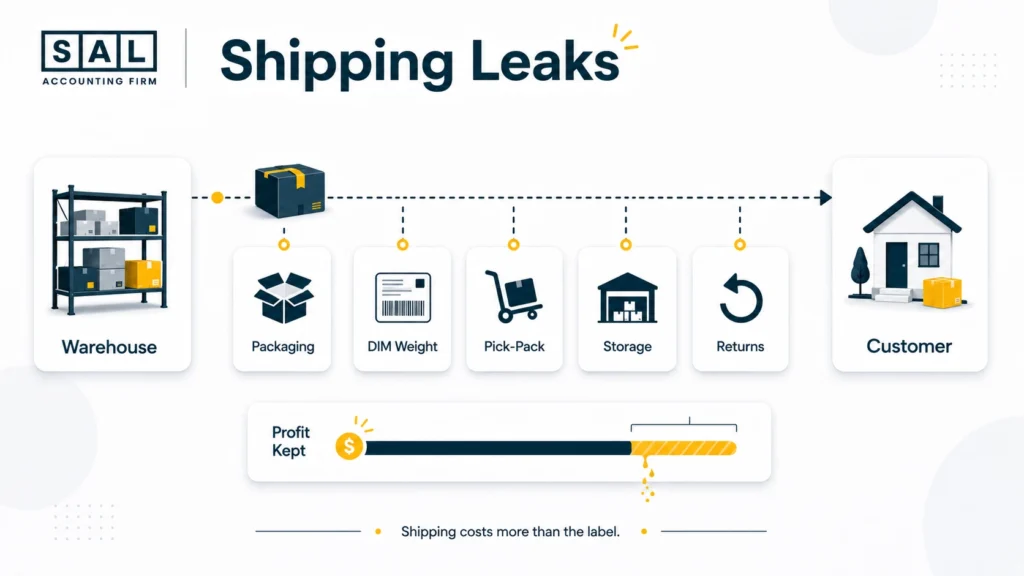
Shipping costs beyond the label
The real cost can include:
- packaging
- carrier surcharges
- return handling
- dimensional weight
- duties and brokerage
- cross-border shipping costs
Dimensional weight is a common one. Basically, a large lightweight box can cost more because of the space it takes up, not just how heavy it is. That matters for bulky products like home goods, apparel boxes, beauty bundles, baby items, supplements, decor, or gift sets.
3PL fees that hide in invoices
If you use a 3PL, the shipping label is only one part of the cost. You may also be paying for:
- receiving
- storage
- pick-pack
- kitting
- return handling
- monthly minimums
- account fees
These costs matter because they affect what the business keeps from each order.
Why free shipping can hurt margins
Free shipping can work well, but only if the numbers make sense. A $75 free shipping threshold might increase conversion. But if the average order includes bulky or low-margin products, shipping can quietly eat the profit.
For Canadian stores selling into the U.S., cross-border ecommerce shipping becomes part of the margin conversation. And if duties, freight, packaging, and fulfillment are not tracked properly, COGS for Shopify can look too low.
- Read more: “Calculate COGS for Ecommerce Stores“
Case Study: How a Port Credit Shopify Seller Fixed Shipping and 3PL Margin Leaks
A home goods seller in Port Credit, Mississauga, is shipping more orders across Canada and into the U.S. Revenue is rising, but profit is not following. The store offers free shipping above a simple order threshold and uses a 3PL for fulfillment.
The Problem
Shipping is sitting in one broad expense category. That makes it hard to see which products are still profitable after packaging, DIM weight, pick-pack fees, storage, returns, and carrier surcharges.
What We Do
We separate Shopify shipping income, carrier charges, 3PL invoices, packaging, duties, and freight. Then we review fulfillment cost by product size, order value, and shipping region.
The Result
The seller can adjust free shipping thresholds, fix packaging issues, watch bulky products more closely, and stop pushing items that look profitable in Shopify but lose margin after fulfillment.
Tax, Duties, and Currency Conversion Costs Shopify Sellers Miss
Tax, duties, and currency conversion can all make your cash look stronger than your profit really is. We’ll look at three places these costs usually show up:
Tax collected is not profit
If you collect GST/HST, sales tax, or another tax amount from customers, that money may hit your account. But it is not really yours to keep.
That is where Shopify GST/HST tax setup matters. If tax collected sits too close to revenue, your sales can look inflated and your profit can look stronger than it is.
Duties and freight change product cost
If you import inventory, the product cost may not stop at the supplier invoice. You may also have:
- inbound freight
- brokerage fees
- duties
- packaging
- landed cost adjustments
If those costs are missed, your product margin can look better than it really is.
Currency conversion can shrink payouts
Currency conversion is another quiet leak for Canadian sellers with U.S. customers. A sale may look strong in USD, but the final CAD amount can shrink after conversion. That affects what actually lands after the sale.
If GST/HST is creating cash flow confusion, the GST/HST Refund Calculator for ecommerce stores gives a useful estimate before you dig into the full filing details. And if U.S. sales are growing, U.S. sales tax requirements for Canadian sellers are worth reviewing before state rules become a surprise.
- Also read: “Shopify Sales Tax Reporting“
How an Accountant Maps Hidden Shopify Costs in Your Books
Hidden Shopify costs only become useful when they are separated properly in your books. Instead of recording one Shopify deposit as income, your accounting should show:
- what you sold
- what was refunded
- what tax was collected
- what Shopify took in fees
- what you paid for apps, shipping, 3PL, duties, freight, and COGS
- what actually reached the bank
That is the difference between guessing from payouts and understanding profit.
Tools like A2X for Shopify integration, or Shopify Xero integration can organize the data, but only if the setup is mapped clearly from the start.
If Shopify is now your main sales channel, focused Shopify accounting gives you a clearer way to read payouts, fees, refunds, tax, COGS, and monthly profit without turning every report into a guessing game.
Monthly Review Checklist to Protect Contribution Margin
Contribution margin sounds technical, but the idea is simple. It shows what is left after the direct costs of selling and fulfilling an order.
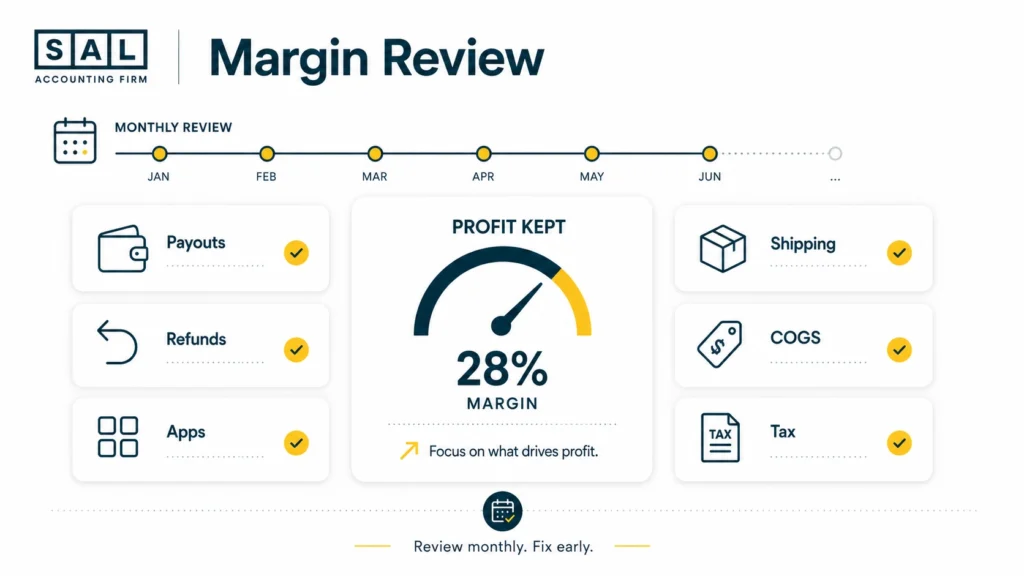
For Shopify sellers, revenue alone can be misleading. A product can sell well and still be weak after fees, refunds, shipping, packaging, duties, and fulfillment costs. Each month, review:
- Shopify payout reports
- refund rate by product
- app charges inside Shopify and on credit cards
- shipping cost per order
- 3PL invoice details
- duties, freight, and landed costs
- tax collected versus tax payable
- product-level COGS
- cash movement between Shopify, the bank, and accounting software
You do not need a huge process. You need a repeatable one. A Shopify month-end close checklist keeps the review from turning into a year-end scramble.
Once the numbers are cleaner, ecommerce financial statements become easier to trust. And if you are preparing for funding, a bank line, or due diligence, the Ecommerce EBITDA Calculator can give you a rough starting point before a deeper review.
Pro Tip: Watch three numbers every month: payment fees as a percentage of sales, shipping cost per order, and app spend as a percentage of revenue.
How to Find Hidden Shopify Costs Fast
Do not start with the profit and loss report alone. Start where the costs actually hide. Pull these records first:
- Shopify payout report
- bank deposits
- Shopify bill
- app charges
- carrier invoices
- 3PL statements
- refund reports
- tax reports
- product cost records
Then look for gaps. Maybe Shopify shipping looks fine until the carrier invoice arrives. Maybe app costs look small until you add the tools charged outside Shopify. Maybe tax collected is making the month look stronger than it is.
That is why automated Shopify accounting only works when the setup is clean. If cash timing is also unclear, Shopify cash flow reporting can show why sales, payouts, bills, inventory, and tax payments do not move together.
Before cleanup or tax season, gather the right records early with the Tax Document Checklist for ecommerce stores.
When Hidden Shopify Costs Mean You Need Better Accounting Support
Not every Shopify seller needs advanced accounting right away. But once orders, refunds, apps, shipping, tax, and inventory all start moving at once, basic bookkeeping can stop showing the full picture. You may need a closer look if:
- Shopify sales do not match deposits
- refunds are not separated
- app costs keep growing
- shipping is eating margin
- 3PL invoices are hard to understand
- COGS is not tracked by product
- tax collected is mixed into revenue
This is where ecommerce accountant red flags become useful. If the reports only show bank deposits, they may not explain what your store actually keeps.
For growing stores, the real question is often whether your ecommerce business needs a CPA instead of a general accountant, not for more complexity, but for numbers you can actually use.
- Read more: “Choosing the Right Ecommerce Bookkeeper“
Conclusion: Your Shopify Sales Are Only Useful If You Know What You Keep
Hidden Shopify costs can make a busy store look healthier than it really is. Fees, refunds, apps, shipping, tax, 3PL charges, duties, and currency conversion may all seem small on their own, but together they can quietly shrink your margin. The fix is not to panic or cut every cost. It is to make each cost visible.
Once you can see what was sold, what was deducted, what belongs to tax, and what actually reached the bank, your decisions get easier. You know what to keep, what to review, what to renegotiate, and what to fix next.
If your Shopify numbers are getting harder to trust, contact SAL Accounting and get a clearer sense of what needs to be tracked, cleaned up, or reviewed next.