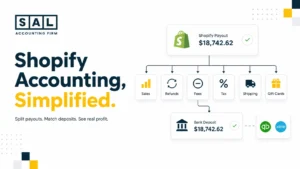

If your Shopify payout is $8,200 but your dashboard says $11,400 in sales, you haven’t lost money. You’re looking at two numbers that were never built to match. Revenue is what you sold. Payout is what lands in your bank after fees, refunds, and taxes are stripped out.
At SAL Accounting, closing that gap is routine work for supplement brands running subscriptions, where it can run 15–20% of stated revenue. Get it wrong for a quarter, and you’re reordering or pricing off a number that was never actually yours.
The Ecommerce EBITDA Calculator is a quick way to see where your margins actually stand before working through the reconciliation steps below.
Quick Takeaways
- Revenue and payout are different numbers, and they’re not meant to match.
- The gap comes from taxes, fees, discounts, refunds, chargebacks, and deposit delays.
- Subscriptions widen that gap further, since renewals and cancellations land in separate batches.
- Reconcile weekly, not just at month-end, to keep the gap from becoming a real problem.
- Treating your bank balance as revenue overstates margins and can misprice products.
- Regular reconciliation means knowing your real numbers before your next reorder, not after.
What “Revenue” and “Payout” Actually Mean (and Why They’re Not the Same)
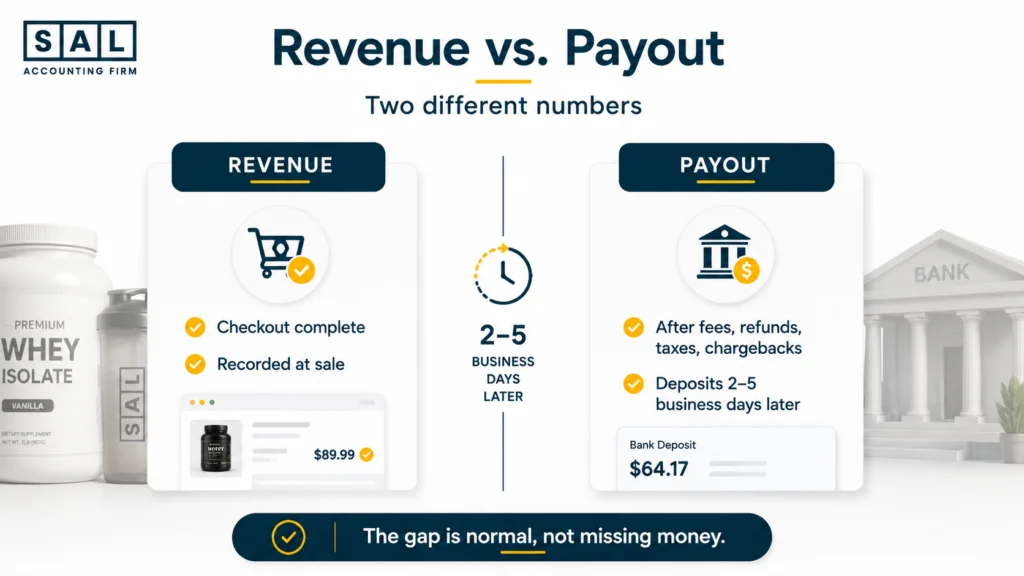
Revenue is the value of what you sold. Payout is the cash that actually hits your bank account. They’re related, but they’re not the same number, and treating them as interchangeable is where most supplement store owners lose track of their real profit.
- Revenue is recorded the moment a customer completes checkout, the same moment tracked across a Shopify order’s full financial lifecycle
- Payout is calculated after fees, refunds, and chargebacks are subtracted, then deposited on Shopify’s own schedule
- The gap between them is normal. Mistaking it for lost money is usually a symptom of bookkeeping that’s fallen behind
For a supplement brand specifically, subscriptions widen this gap. Autoship charges create revenue on a recurring schedule that doesn’t line up with your payout deposits, and returns on subscription products often hit your books days or weeks after the original sale.
Once you treat revenue and payout as two connected systems instead of one blended number, you stop confusing a cash flow problem with a profit problem, and the “missing money” mystery stops being a mystery.
The 8 Things That Create the Gap Between Revenue and Payout
Here’s what actually separates your top-line sales number from what shows up in your bank account.
1. Gross Revenue
The number your Shopify dashboard shows front and center: total sales, full price, before anything is taken out. Useful for tracking growth, but on its own it tells you nothing about what you actually earned, which is exactly why so many stores fall into common Shopify profit calculation mistakes.
It covers two kinds of transactions: one-time orders at full listed price, and subscription renewals the day they process. Neither accounts for what gets taken back out later, which is where the next seven items come in.
2. Contra-Revenue
Discount codes, bundle deals, and loyalty perks lower the transaction price before your processor even touches it. Run frequent promotions, and contra-revenue can eat a bigger chunk of your top line than the pricing strategy your margins were built around accounted for.
Common sources worth tracking separately:
- Welcome discounts for first-time buyers
- Site-wide sale codes and flash promotions
- Loyalty points redeemed at checkout
- “Buy more, save more” bundle pricing
- Affiliate and influencer discount codes
If any one of these makes up a large share of your orders, it deserves its own line in your books rather than getting blended into gross revenue.
3. Taxes Collected
You’re collecting this money on the government’s behalf, not earning it, a distinction covered directly under Canada’s GST/HST rules for businesses. Miss it consistently and your GST/HST compliance can slip even when your sales numbers look fine.
For a supplement store selling across provinces, this usually includes:
- GST/HST on every Canadian order, at the rate for the customer’s province
- Provincial sales tax add-ons in provinces that charge them separately, set up through Shopify’s tax settings
- Any US state sales tax collected once you cross a state’s threshold
Feed your numbers into the GST/HST Refund Calculator for eCommerce Stores to see what’s actually owed versus what’s just passing through.
4. Processor Fees
Every card swipe or Shopify Payments transaction carries a cost, typically a percentage plus a flat fee. On high-volume, low-margin supplement SKUs, this fee can meaningfully change your real margin picture.
Fees rarely stay flat across your order book:
- Standard rate applies to most domestic card payments
- International and premium cards (like Amex) often carry a higher rate
- Currency conversion adds its own cut on cross-border orders
- Subscription renewals get charged the same fee as a fresh order, every cycle
The Shopify Fee Calculator turns a month of orders into a real number, and it’s usually bigger than expected.
5. Refunds
A refund often lands in a different payout batch than the original order, sometimes weeks later. That’s why a refund-heavy month can throw off a SKU profitability analysis even when your sales numbers seem fine.
The two you’ll see most: a full refund that reverses the entire original sale, and a partial refund, like a price adjustment, that only pulls back part of it. Shopify’s own refund and cancellation process treats both the same way on the payout side. A subscription refund for a skipped or cancelled shipment often lands well after the renewal charge it relates to, which is what makes it easy to lose track of.
6. Chargebacks
Unlike a refund, a chargeback usually adds an extra processor fee, and Shopify’s own dispute process can pull the money well after the original sale was recorded. Subscription brands see more of these, since customers sometimes dispute a renewal they forgot about.
The most common reasons behind a supplement store’s chargebacks:
- “I didn’t recognize this charge” on a recurring renewal
- “Item not received” on a shipment still in transit
- “Item not as described” on a product complaint
- A card being reported lost or stolen after a legitimate purchase
Pro tip: Run last month’s disputes through Shopify’s chargeback report before assuming they’re all subscription-related. Some are simple, one-off card issues that have nothing to do with your billing cycle.
7. Timing Differences
Shopify Payments typically deposits funds two to five business days after a sale, so comparing a single day’s revenue to that same day’s payout will almost never match, and that’s expected.
A few things stretch that lag further:
- Weekends and bank holidays push deposits to the next business day
- New stores sometimes sit on a temporary rolling reserve
- Faster payout apps can shorten the wait, but usually at an added cost
8. Net Payout
What’s left after every deduction above. It’s the cash available to run your business, but building a habit around a proper Shopify payment reconciliation process is what keeps that number from being mistaken for your revenue.
It’s useful for one thing and one thing only: knowing what you can actually spend today. It was never meant to double as your profit and loss statement, and using it that way is where most of the confusion in this article starts.
Quick view: how each item pulls revenue and payout apart
| Item | Direction | Why It Matters |
|---|---|---|
| Contra-revenue & taxes | Reduce revenue before payout | Both leave your books before the money is “yours” |
| Processor fees | Reduce payout only | Cost of doing business, not part of revenue |
| Refunds & chargebacks | Reduce payout, often in a later batch | Tied to an earlier sale, not the current one |
| Timing lag | Delays payout by 2–5 days | Daily revenue and daily deposit will rarely match |
Case Study: How Priya in Leslieville Handles Her Supplement Store’s Numbers the Smart Way1
Priya runs a plant-based protein and supplement brand out of a small studio in Leslieville, Toronto. Her store had grown steadily for two years, mostly through subscription orders, and on paper, sales looked strong every single month.
But every time she checked her bank account, the number never matched what her Shopify dashboard told her she’d made. She’d stopped trusting either number, and started making inventory and hiring decisions off gut feeling instead of what her business could actually support.
The Problem
Priya was recording her Shopify payout as her revenue. That meant every fee, refund, and tax dollar collected was invisible in her books, and her actual profit margin was overstated by nearly 18%.
What We Do
We rebuilt her chart of accounts to separate gross revenue, discounts, taxes collected, processor fees, and refunds into distinct line items, then set up a weekly reconciliation between her Shopify payout reports and her books, the kind of hands-on Shopify accounting support we run for sellers.
Result
Priya now sees her true margin every month instead of guessing. She caught a recurring processor fee overcharge within the first month, worth about $340 a month, and adjusted her subscription pricing with real numbers behind the decision.
Why This Gap Gets Bigger for Subscription and Autoship Sales
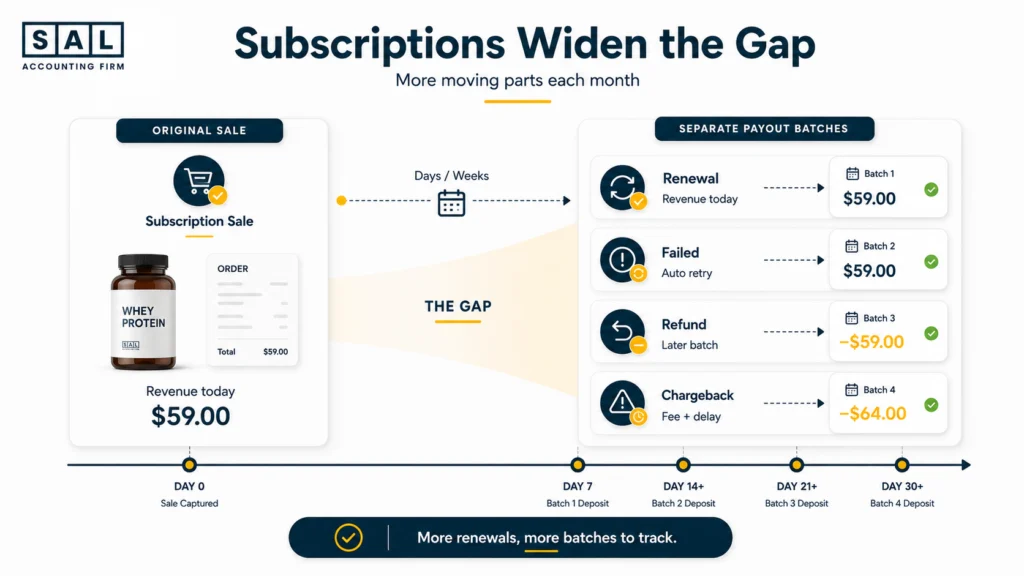
Subscription and autoship models are common in the supplement world, and they widen the revenue-payout gap in ways one-time purchases don’t. A renewal creates revenue the moment it charges, but the payout follows Shopify’s normal schedule, separate from the original order’s payout, one of several early warning signs your cash flow needs attention.
- Failed renewals get retried automatically, sometimes days later, creating new payout timing
- Cancellations and mid-cycle refunds show up in a different batch than the charge they relate to
- Chargebacks on renewals are more common, since customers forget they signed up
At the end of the day, the more recurring revenue your supplement brand has, the more payout batches you’re reconciling in a given month, which is exactly why ongoing bookkeeping tends to outperform periodic cleanups for subscription-heavy stores.
- Read more: “Cash vs. Accrual Accounting for Ecommerce Stores“
Case Study: How Daniyar in Streetsville, Mississauga Stopped Guessing His Margins2
Daniyar sells a line of sports recovery supplements from a small warehouse in the Streetsville area of Mississauga. His store runs a mix of one-time purchases and autoship subscriptions, and like a lot of supplement founders, he was managing his books off his bank balance rather than his actual sales data.
The Problem Daniyar’s chargebacks and subscription refunds were landing in payout batches weeks after the original sale, and his bookkeeping had no way of connecting them back to the right month. His month-end numbers were consistently wrong, and he couldn’t tell which products were actually profitable.
What We Do We set up a payout-to-revenue reconciliation process tied to his subscription billing cycle, matching every refund and chargeback back to its original sale date instead of the date it hit his bank, the same ecommerce bookkeeping process we run for online stores.
Result Daniyar can now see which SKUs are genuinely profitable once refunds and chargebacks are accounted for. He discontinued one underperforming product line after the real numbers showed it was losing money every month, something his bank balance alone never would have revealed.
A Real Example, Walked Through
Say your supplement store has a $6,400 day: a mix of one-time orders and subscription renewals. Here’s how that number narrows down to what actually lands in your bank, the exact kind of walkthrough covered in our ecommerce reconciliation best practices.
| Line Item | Amount | Notes |
|---|---|---|
| Gross Revenue | $6,400 | Full checkout value of all orders |
| Discounts, taxes & fees | –$965 | Combined contra-revenue, GST/HST, and Shopify Payments fees |
| Refunds & chargebacks | –$335 | Tied to earlier orders, processed in this payout batch |
| Net Payout (arrives 3 days later) | $5,100 | Actual cash deposited to your bank |
That payout doesn’t arrive the same day, and it includes refunds from orders placed earlier in the week. That’s why reconciliation has to happen over a rolling period, not a single day, the same logic behind a proper Shopify month-end close checklist.
How to Actually Reconcile the Two Numbers
Reconciliation isn’t complicated once you have a system, it just needs to happen consistently. Most of what trips people up is categorizing Shopify transactions incorrectly in the first place.
| Step | What You Do | How Often |
|---|---|---|
| Pull both reports | Export your revenue report and your payout report for the same period | Weekly |
| Match and isolate | Line up each payout with its originating sales, confirm the gap is only fees, refunds, taxes, and timing | Weekly |
| Record and flag | Post gross revenue and deductions as separate line items, flag anything unexplained before month close | Monthly |
Pro tip: Pin the Tax Document Checklist for eCommerce Stores next to your reconciliation sheet, so nothing slips through at filing time.
What Happens If You Never Reconcile This
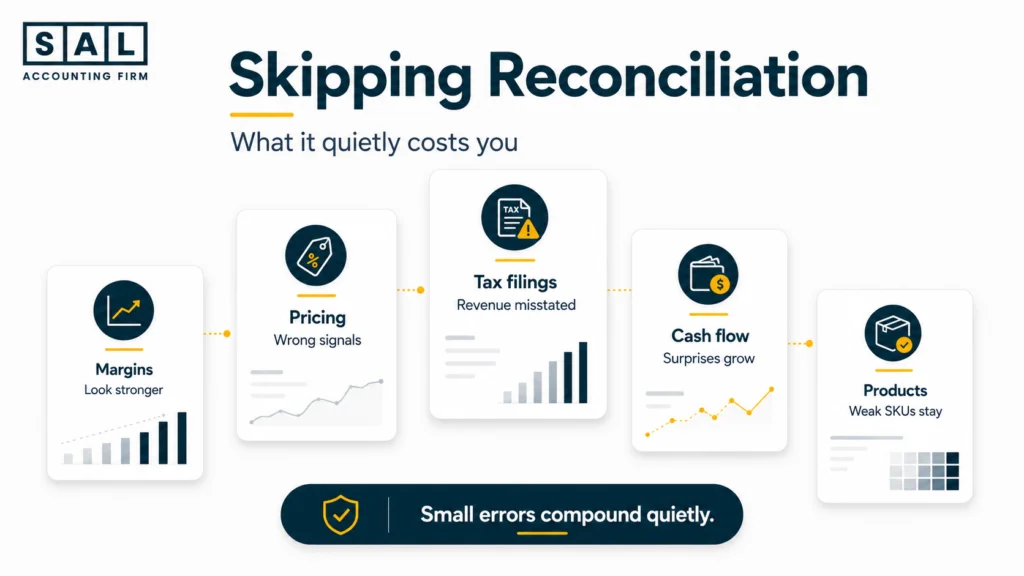
If revenue and payout never get reconciled, a few things happen, and none of them are good.
- Your margins look better than they actually are, since fees and refunds are hidden inside a blended payout number, one of the quieter reasons an online store isn’t actually making money even while sales look healthy
- Pricing decisions get made on numbers that don’t reflect real cost
- Tax filings can misstate revenue, a mistake that quietly compounds into inaccurate ecommerce financial statements and runs against CRA’s recordkeeping requirements for businesses
- Cash flow surprises become normal, since payout timing is unpredictable without knowing what creates the gap
- Underperforming products stay in your catalog longer than they should, since you can’t see their true margin
None of this shows up as an obvious red flag. It shows up as a slow erosion of trust in your own numbers, until you’re not sure what your store is actually making.
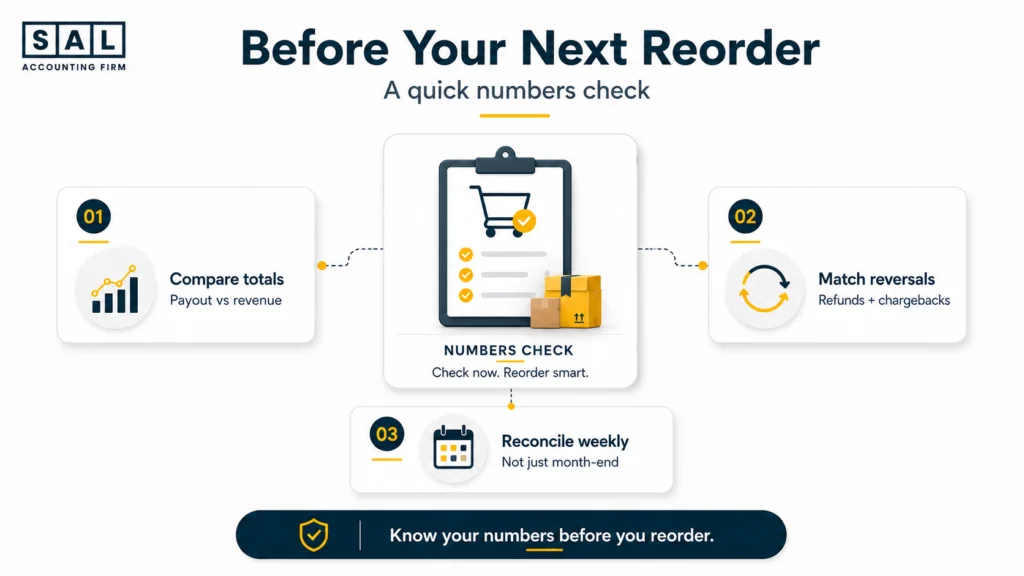
Can You Trust Your Store’s Numbers Before Your Next Reorder?
Placing your next inventory order based on your bank balance instead of a reconciled revenue and payout picture means making a six-figure decision on an incomplete number.
- Comparing last month’s payout total against last month’s revenue total, side by side, usually surfaces the gap fast
- A weekly reconciliation habit, even a simple spreadsheet, closes most of this gap on its own
- The sooner refunds and chargebacks get matched back to their original sale, the less cleanup waits for you at month-end