
Does it feel like your accountant understands your Shopify store, or just your bank account? You ask “what’s my margin on this SKU?” and the answer is “let me check.” Two weeks later, no answer. You ask if you owe sales tax in Illinois yet. Same response. Year-end gets filed on time, but every operating question disappears into a black hole.
That’s the moment most ecommerce founders start wondering if it’s time to switch. The hesitation is rarely about whether to move. It’s about whether switching mid-year is going to wreck something. (It almost never does.)
At SAL Accounting, we see this all the time with Shopify, Amazon, Etsy, and WooCommerce sellers. The store looks busy, sales are coming in, but the numbers are not clear. Before choosing an accounting firm, start by checking your real profit with our ecommerce EBITDA calculator.
This guide covers when to switch accountants (or change bookkeeper, if that’s where the gap really is), the seven ecommerce accounting red flags to watch for, and a simple 30/60/90-day transition plan for Shopify and Amazon sellers.
Quick Takeaways
- The signs to change an accountant aren’t usually dramatic. Most are quiet patterns: late books, no channel reporting, no proactive tax planning.
- The hidden cost of staying isn’t the monthly invoice. It’s missed sales tax, invisible margins, and decisions made on unclear numbers.
- You can switch any time of year. A clean handover takes 30 days; full operational benefit shows up by day 90.
- The right ecommerce accountant should know A2X or Synder, multi-state nexus rules, and how to post settlement journals, without you teaching them.
If your books are already starting to feel harder to trust, Shopify accounting support can help your reports reflect what actually happened in the store, not just what landed in the bank.
When Should You Switch Accountants? (The Short Answer)
You know when to switch accountant when you stop getting clear answers. Your books should show profit by sales channel. Sales tax nexus, GST/HST, and QST should not surprise you at year-end. And your accountant should understand A2X, Synder, contribution margin, CM1, and CM2.
These are clear signs to change accountant or change bookkeeper for ecommerce. If you need to replace your accountant for Shopify or Amazon, do not wait until year-end.
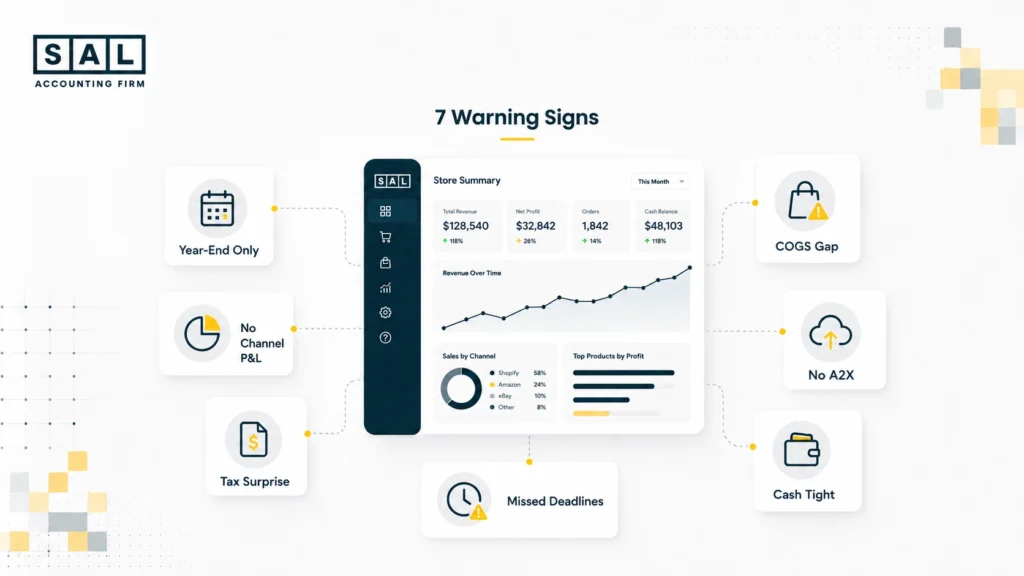
7 Signs to Change Accountant (Ecommerce Edition)
These are the ecommerce accounting red flags we see again and again when sellers come to us for cleanup. Run through them. If three or more sound familiar, that’s not unusual. A lot of growing stores reach this point, and it’s fixable.
1. You Only Hear From Them at Year-End
If the only contact is a January email asking for receipts, you do not have an ecommerce accountant. You have a tax filer. That may work for a side hustle. But a growing ecommerce store needs monthly support. Your accountant should close the books each month and flag issues before they become expensive.
A proper Shopify month-end close checklist usually has 8 to 12 items and should not take months to finish.
2. They Can’t Pull a P&L by Channel
Total revenue does not tell you enough. You need to see revenue and margin by channel, such as:
- Shopify Online
- Shopify POS
- Amazon
- Wholesale
- Other major sales channels
Each channel should show gross margin and contribution margin, including CM1 and CM2 after fees, shipping, and ad spend. If your accountant only gives you one line called “Sales,” the reporting is too basic for ecommerce.
Our ecommerce financial statements guide shows what a real channel-level P&L should look like.
3. Sales Tax Surprises
Sales tax is one of the most expensive blind spots in ecommerce. If your FBA inventory creates a sales tax nexus in a US state and nobody flags it for months, you may owe back tax, penalties, and interest. The same idea applies when you cross Canadian GST/HST or QST registration thresholds. A specialist should track this monthly by jurisdiction, every month.
Our guide to US sales tax requirements for Canadian sellers covers both US and Canada.
4. COGS Is a Once-a-Year Adjustment
If COGS is only posted at year-end, your monthly profit is not reliable. That means you may spend most of the year pricing, discounting, and promoting based on numbers that are not real. For ecommerce, COGS should be updated monthly using a landed-cost approach.
Our COGS guide for Shopify sellers explains how this should work.
5. They Don’t Know What A2X or Synder Is
A2X and Synder help turn Shopify, Amazon, Stripe, and PayPal payouts into proper entries in QuickBooks or Xero. If your accountant has never used them, payouts may be recorded as one basic “Sales” line. That hides fees, refunds, tax, shipping, and gift cards inside revenue.
This is not a small reporting issue. It affects the foundation of your books. Our A2X for Shopify integration guide shows what the setup should look like.
6. Cash Always Feels Tight Even When Sales Are Growing
Growing sales do not always mean healthy cash flow. Amazon pays on its own schedule. Shopify Payments has its own payout cycle too. If nobody is comparing those payouts against your upcoming costs, cash can feel tight even when the P&L looks fine.
Your accountant should be looking at:
- Inventory orders
- Payroll
- Ad spend
- Marketplace payouts
- Upcoming tax payments
A real ecommerce accountant should build a rolling cash forecast. Our Shopify cash flow statement guide shows how this should look each month.
7. Errors and Missed Deadlines Are Becoming a Pattern
One mistake can happen. But repeated mistakes are a warning sign. Late filings, incorrect GST/HST returns, missed sales tax remittances, and rushed cleanup work usually point to a bigger issue. It may mean your current firm no longer has the right capacity or ecommerce experience.
Our list of common ecommerce accounting mistakes explains the patterns that show you may have outgrown your firm.
Pro Tip: If three or more of these signs sound familiar, you’ve already outgrown your accountant. The longer the cleanup work is delayed, the more it costs.
Also read: 9 Ecommerce Accountant Red Flags Most Founders Miss
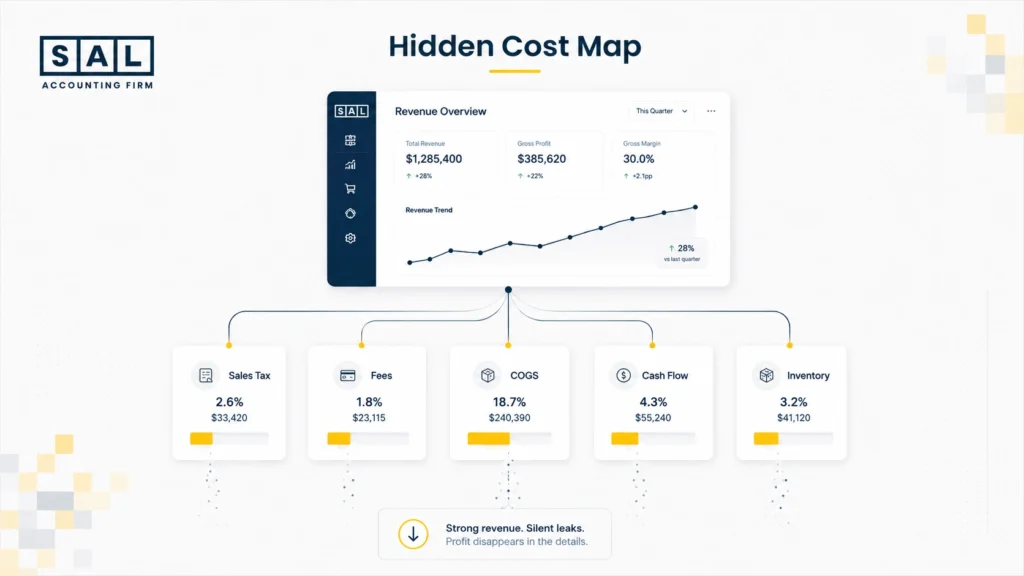
The Hidden Cost of Staying With the Wrong Accountant
A generalist accountant may look cheaper on the monthly invoice, but the real cost shows up elsewhere. It shows up when sales tax exposure builds quietly, margins are unclear, cash flow surprises delay inventory orders, and your books do not match your platforms.
The gap becomes even clearer when a lender or investor asks for monthly financials by channel and SKU, and your books are not set up that way.
That is why these problems often stay hidden until something breaks. If you are comparing in-house vs outsourced ecommerce accounting, our guide explains the trade-offs by store size.
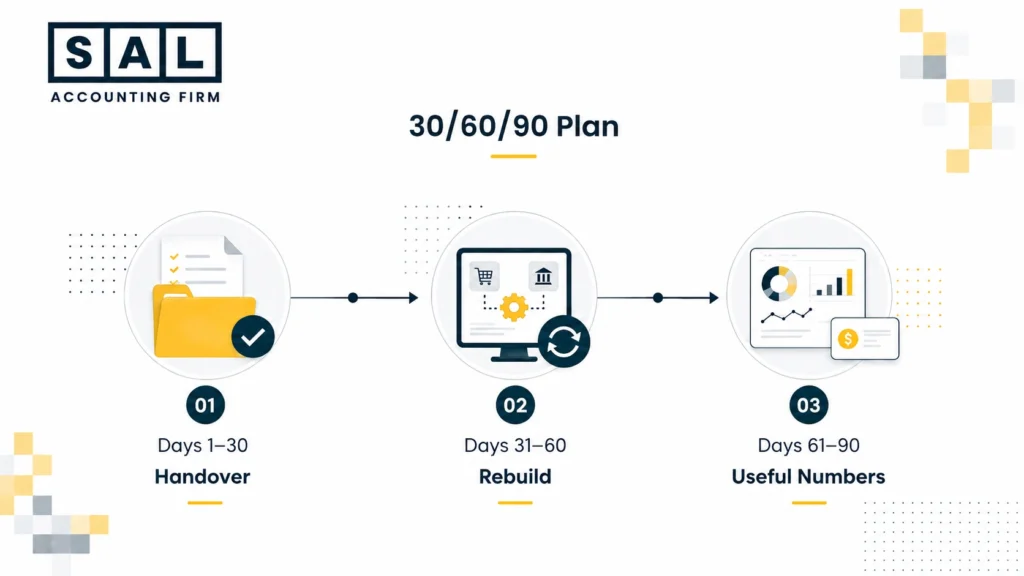
The 30/60/90-Day Transition Plan to Switch Accountant Ecommerce Setups
This is the playbook we use when sellers move over. It works the same way whether you’re switching to us, to another specialist firm, or to in-house.
Days 1–30: Move the Relationship Over
Use the first 30 days to end the old relationship cleanly and give the new firm what they need.
- Sign the engagement letter with your new accountant.
- Complete any ID or AML checks.
- Send a short notice to your current accountant. A simple line like “We’re moving to a new firm with immediate effect” is enough.
- Have the new firm request the handover documents, including prior accounts, trial balance, payroll history, tax filings, and open questions.
- Authorize the new firm with CRA, HMRC, or IRS Form 8821, if needed.
- Ask the new firm to review the last 12 months and flag urgent issues, such as missed filings, sales tax nexus exposure, or COGS gaps.
A small business bookkeeping checklist can help you track what still needs to be handed over.
Days 31–60: Rebuild the Books for Ecommerce
Use the next 30 days to make the books match how your store actually works.
- Rebuild the chart of accounts for ecommerce.
- Set up clearing accounts for Shopify, Amazon, Stripe, PayPal, and other payout sources.
- Separate sales, refunds, discounts, fees, shipping, gift cards, and sales tax.
- Connect A2X or Synder for each sales channel. Read automate Shopify accounting guide.
- Clean up the current fiscal year so the books are usable going forward.
- Review GST/HST, QST, and US sales tax nexus before notices arrive.
By day 60, your books should be cleaner, easier to read, and closer to what is happening in the store.
Days 61–90: Turn the Books Into Useful Numbers
Use the final 30 days to get reports you can actually use to run the business.
- Build a monthly P&L by channel, including Shopify, Amazon, POS, and wholesale.
- Set up CM1 and CM2 reporting so you can see which products are profitable.
- Create a rolling 13-week cash flow forecast.
- Run the month-end close checklist consistently.
- Have the first proactive tax-planning conversation for the year ahead.
By day 90, your books should be current, sales tax should be under control, and you should be able to pull key numbers in minutes.
Also read: Ecommerce Reconciliation Best Practices
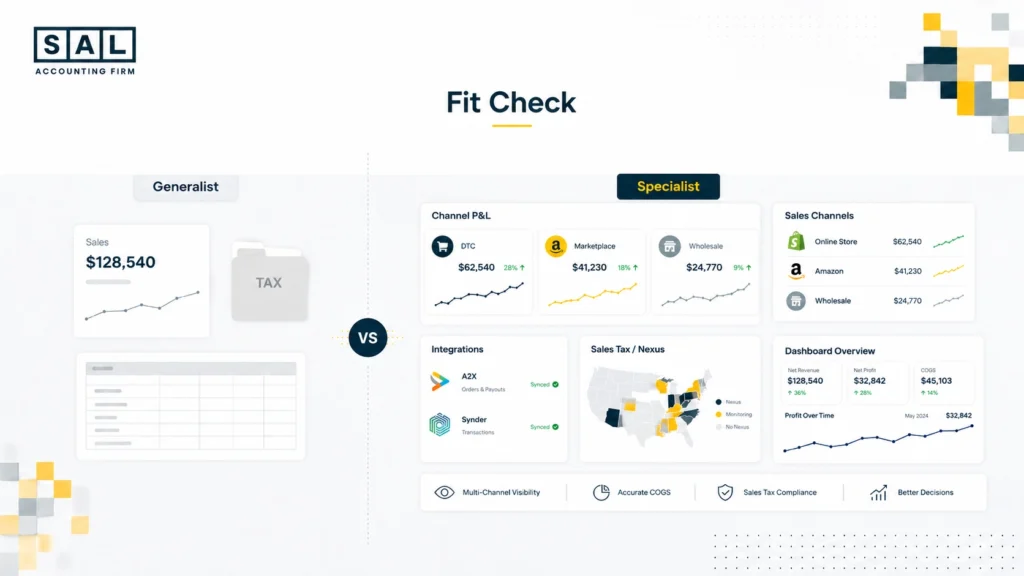
How to Vet a New Ecommerce Accountant
Most founders shortlist 2-3 firms. The conversations sort themselves out fast if you ask the right questions.
- Do you work with Shopify and Amazon sellers specifically? (If they say “we work with all kinds of businesses,” they don’t.)
- Which tools do you use, A2X, Synder, both? (No answer = no experience.)
- How do you handle US state sales tax and Canadian GST/HST/QST? (Listen for specific details by state, province, or country, not just “we handle taxes.”)
- What does your month-end close checklist look like? (A real one has 8–12 items and runs under 90 minutes.)
- CPA or accountant? Both can do ecommerce work well, but for cross-border US-Canada or complex entity structures, a CPA designation matters. Our breakdown of when your ecommerce business needs a CPA covers the call.
- What does your pricing look like, fixed monthly or hourly? (Fixed monthly is the standard; hourly creates surprise invoices.)
Also read: How to Choose the Right Ecommerce Bookkeeper
Common Worries About Switching
“Should I wait until after year-end?”
No. You can switch accountants mid-year. Your new firm can clean up the current year during onboarding.
“Will my old accountant make it difficult?”
Usually, no. Most firms are used to handovers, especially if ecommerce is not their specialty.
“What happens to my data?”
You own your records. Your old firm should hand over the files, and your new firm can review the last 12 months and move tax access over.
Case Study: Calgary DTC Brand Finds an $11,800 Sales Tax Gap¹
Daniel runs a Shopify and Amazon supplement brand doing about $75,000 a month.
The store looked healthy, but the numbers felt unclear. He could not easily see which channel was making money, which products were worth reordering, or whether US sales tax was being handled properly.
When Daniel came to SAL Accounting, our CPA Salman reviewed the books and found an estimated $11,800 sales tax gap across four US states. His profit also looked higher than it really was because product costs were outdated.
Once the books were cleaned up, Daniel could finally see what was working and what was leaking money. He repriced three products, fixed the sales tax issue early, and made decisions with more confidence.
¹ Hypothetical scenario. Numbers are illustrative.
How SAL Accounting Can Help
The signs to switch accountants are usually quiet. The numbers stay “mostly right.” The returns get filed. But the gap between what your platforms report and what your books say keeps growing, and so does the cost of fixing it.
If three or more of the seven signs above sound like your current setup, contact SAL Accounting and we’ll walk through your books, flag the gaps, and show you exactly what a clean handover would look like.