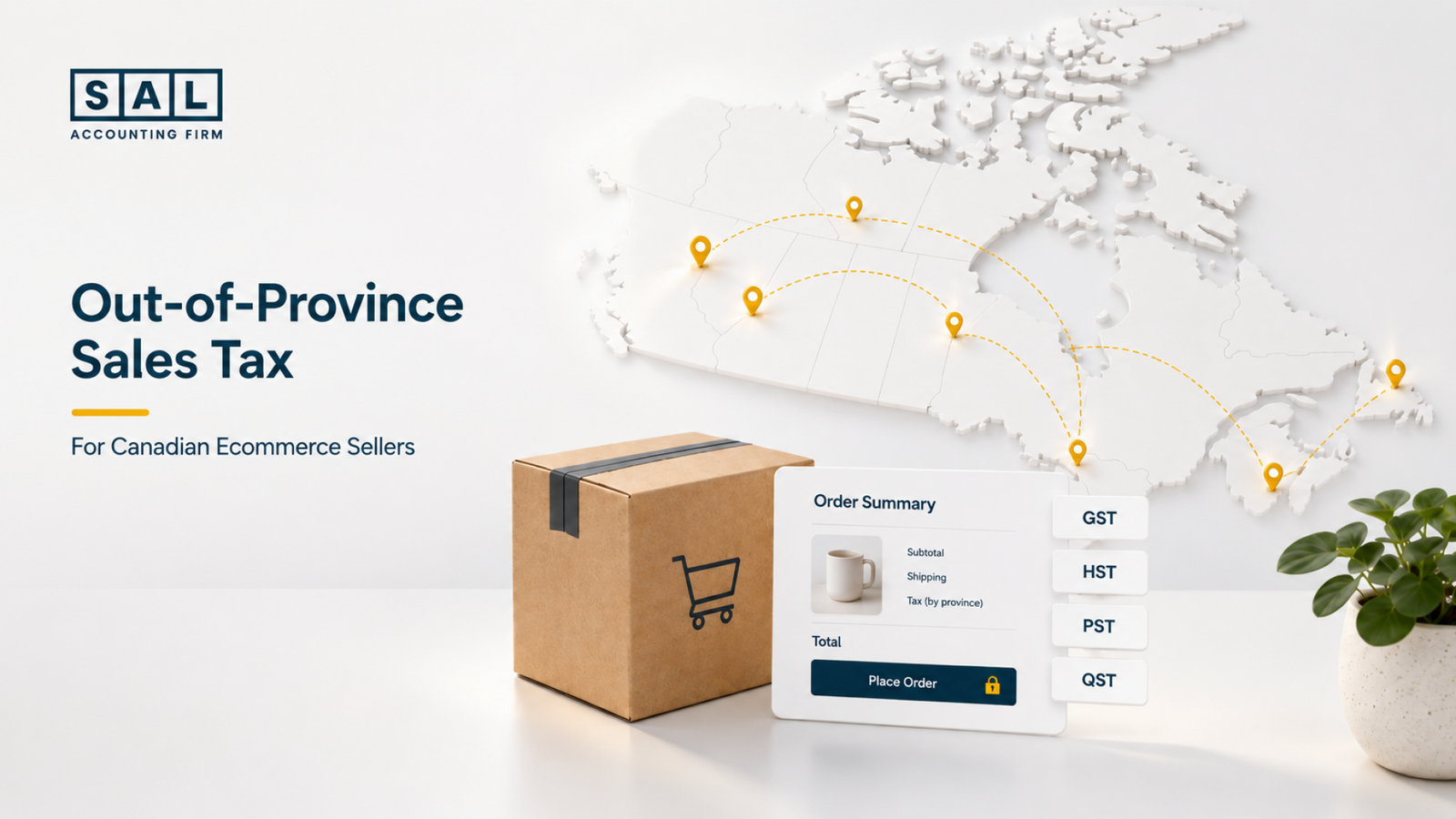
You usually charge sales tax based on where your customer receives the order, not just where your business is located. That is the main rule ecommerce sellers need to understand before selling across Canada.
For SAL Accounting, the goal is simple: make sales tax easier to trace from checkout to filing. Read on so you know which tax to charge, when registration matters, and what to check before your reports get messy.
Run a quick tax check with SAL’s GST/HST Refund Calculator for eCommerce Stores.
Quick Takeaways
- You usually do not charge your own province’s tax on every Canadian order.
- For shipped products, the customer’s delivery province often decides the GST/HST rate.
- GST/HST registration is separate from PST, RST, and QST registration.
- Shopify can calculate taxes, but your settings still need review.
- B.C., Saskatchewan, Manitoba, and Quebec need extra attention.
- Sales tax collected is not revenue. It should be tracked separately.
Need cleaner province-by-province books? Start with our ecommerce bookkeeping services in Toronto.
Do You Charge Sales Tax Based on Your Province or Your Customer’s Province?
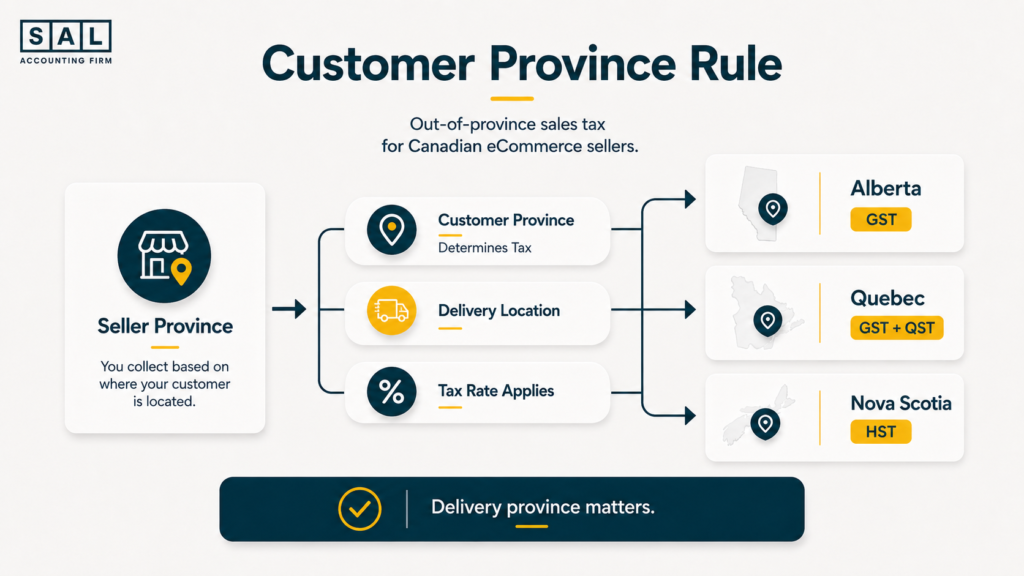
Usually, the customer’s province matters. Canada uses place-of-supply rules to decide which GST/HST rate applies. For shipped goods, that often means the province where the customer receives the product.
So if your store is in Ontario and you ship a taxable product to Alberta, you usually do not charge Ontario’s 13% HST. Alberta is generally a 5% GST province. Think of it this way:
- Your province tells you where the business operates.
- The customer’s province often tells you which GST/HST rate applies.
- The product type affects whether tax applies.
- The sales channel affects who may be responsible for collecting it.
Pro tip: Don’t build your tax setup around your warehouse location only. Build it around where orders are delivered.
When Out-of-Province Sales Tax Applies to Ecommerce Orders
Out-of-province sales tax becomes relevant when your store sells to customers in another province or territory. That can happen fast. A Shopify store may start with mostly Ontario orders, then begin shipping to Alberta, B.C., Quebec, and Nova Scotia within a few months. Here’s how to think about it by sale type.
1. Physical Products
Physical products are the easiest to picture. Let’s say you sell candles from Mississauga:
- A Toronto order may need Ontario HST.
- A Calgary order may need GST only.
- A Halifax order may need Nova Scotia HST.
- A Montreal order may need GST and QST review.
Same store. Same product. Different province.
2. Digital Products
Digital products need closer review. This includes:
- templates
- downloads
- online courses
- digital guides
- subscriptions
- software access
The CRA has separate GST/HST guidance for digital economy businesses. Quebec also needs attention because Revenu Québec lists QST at 9.975%.
Example: an Ontario store sells a downloadable template to buyers in Montreal. That may need a QST review, not just an Ontario HST setup.
- Read more: “What Taxes Do E-Commerce Businesses Pay in Canada?”
3. Services
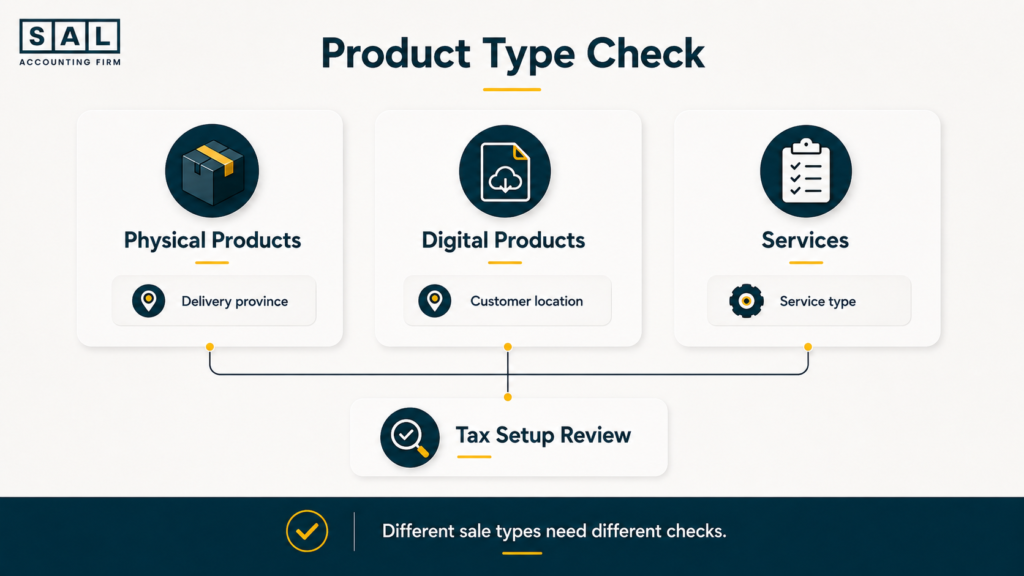
Services depend on what you sell. A general online consulting service may not be treated the same as a service connected to real property, installation, or repairs. Before using one tax setup for every service, check:
- what service the customer bought
- where the customer is located
- whether the service is tied to a specific place or property
- whether the customer is a business or consumer
Services can look similar on the invoice, but they may not follow the same tax treatment.
GST, HST, PST, RST, and QST: What Each Tax Means
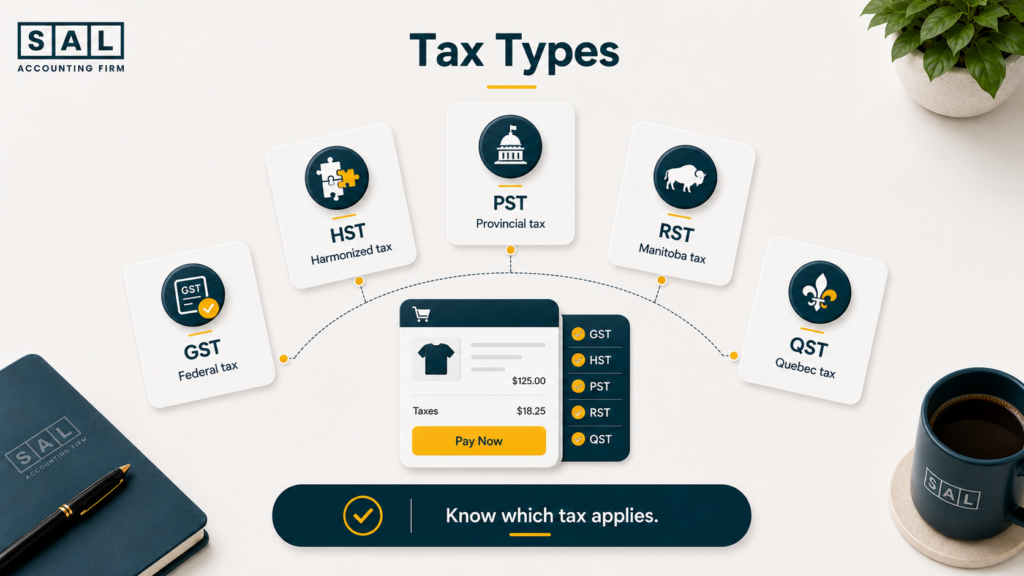
Canadian ecommerce sales tax feels confusing because there is not one single system. Here’s the clean version:
- GST is the 5% federal sales tax.
- HST applies in participating provinces and combines GST with the provincial portion.
- PST applies separately in provinces like B.C. and Saskatchewan.
- RST is Manitoba’s retail sales tax.
- QST is Quebec’s sales tax.
GST
GST usually applies in GST-only provinces and territories, such as:
- Alberta
- Yukon
- Northwest Territories
- Nunavut
Example: a registered seller ships a taxable product to Alberta. The order may need 5% GST.
HST
HST applies in participating provinces. Current HST rates listed by the CRA include:
- Ontario: 13%
- Nova Scotia: 14%
- New Brunswick: 15%
- Newfoundland and Labrador: 15%
- Prince Edward Island: 15%
A Shopify payout can still make this hard to track because sales, refunds, fees, shipping, and tax collected may all flow into one deposit. That is why Shopify payment reconciliation matters when tax reports and bank deposits do not match.
PST and RST
PST and RST are separate from GST/HST. This is where sellers often get caught. They register for GST/HST and assume they are done. That may not be enough.
B.C. has PST, Saskatchewan lists 6% PST, and Manitoba lists a general 7% RST.
Pro tip: Add B.C., Saskatchewan, Manitoba, and Quebec to a separate review list. These provinces are where many ecommerce sellers miss extra sales tax steps.
Selling on Amazon too? Keep settlement reporting cleaner with Amazon bookkeeping services in Toronto.
QST
Quebec has QST. It is not HST. It is not something to ignore just because your store is outside Quebec.
Example: a Toronto store starts getting steady sales from Montreal. That does not mean Ontario HST is the answer. Quebec sales need their own review.
- Also read: “Shopify GST & HST Explained for Canadian Sellers”
Sales Tax by Customer Province in Canada
Use this table as a starting point for taxable ecommerce sales. Product exemptions, marketplace rules, and registration status can change what you collect.
| Customer Province or Territory | GST/HST to Review | Provincial Tax to Review | Watch For |
| Alberta | 5% GST | None | Charging HST by default |
| British Columbia | 5% GST | 7% PST | Missing PST on direct sales |
| Manitoba | 5% GST | 7% RST | Treating Manitoba like Alberta |
| New Brunswick | 15% HST | None | Charging only GST |
| Newfoundland and Labrador | 15% HST | None | Missing full HST |
| Northwest Territories | 5% GST | None | Adding provincial tax |
| Nova Scotia | 14% HST | None | Using the old rate |
| Nunavut | 5% GST | None | Adding provincial tax |
| Ontario | 13% HST | None | Applying Ontario rate everywhere |
| Prince Edward Island | 15% HST | None | Charging only GST |
| Quebec | 5% GST | 9.975% QST | Forgetting QST |
| Saskatchewan | 5% GST | 6% PST | Missing Saskatchewan PST |
| Yukon | 5% GST | None | Adding provincial tax |
This table is not just about rates. It shows why your reports should track sales by customer province.
That same logic belongs in your month-end process. Ecommerce reconciliation best practices should include tax collected, refunds, processor fees, and payouts so sales tax does not get buried inside deposits.
Case Study: How a King West Shopify Seller Fixed Out-of-Province Tax Collection1
A Shopify seller near King West in downtown Toronto starts with mostly Ontario customers. HST is being collected, so the setup feels fine. Then the store grows.
Orders start coming from Alberta, B.C., Quebec, Nova Scotia, and New Brunswick. Sales look strong, but the owner is no longer sure whether Shopify is charging the right tax for each province.
The Problem
The store treats Canadian sales tax too generally. Some orders need GST only, some need HST, and some provinces need a PST or QST review.
What We Do
We review sales by customer province, Shopify tax settings, collected tax, and registration status.
The Result
The seller gets cleaner province-level reporting. Instead of guessing, they can see what was collected and which provinces need attention.
Shopify tax settings need clean books behind them. Review our Shopify accounting services.
Do You Need to Register for Sales Tax in Another Province?
Sometimes, yes. There are two different questions here:
- What tax should I charge?
- Where do I need to register?
They are connected, but they are not the same.
The CRA says businesses generally need to register for GST/HST when they are no longer a small supplier and make taxable sales in Canada. The common small supplier threshold is $30,000 in taxable supplies. Provincial registration is separate.
| Registration Type | Agency | What to Review | Ecommerce Example |
| GST/HST | CRA | Taxable sales in Canada | Store passes $30,000 |
| B.C. PST | B.C. Ministry of Finance | B.C. taxable sales | Orders to Vancouver |
| Saskatchewan PST | Saskatchewan Ministry of Finance | Saskatchewan taxable sales | Orders to Regina |
| Manitoba RST | Manitoba Finance | Manitoba taxable sales | Orders to Winnipeg |
| Quebec QST | Revenu Québec | Quebec sales | Orders to Montreal |
Pro tip: Don’t register in every province “just to be safe.” Extra registrations can create extra filing work. Review your sales, products, channels, and thresholds first.
Common Sales Tax Mistakes Across Provinces
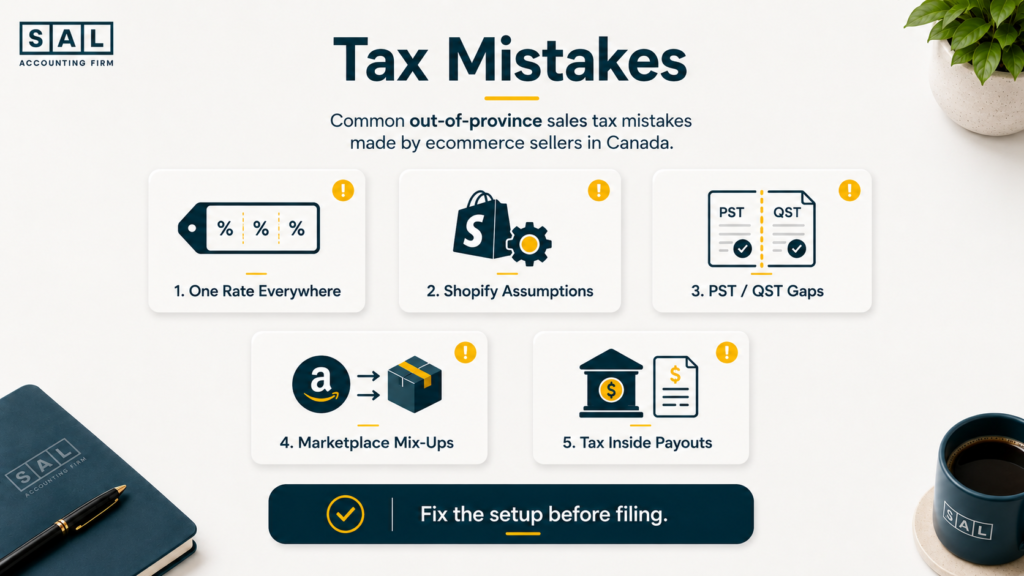
Most mistakes happen because the store grew, but the tax setup stayed the same. Here are the big ones.
Charging One Province’s Tax on Every Order
Example: an Ontario seller charges 13% HST on every Canadian order. That can be wrong for:
- Alberta
- B.C.
- Manitoba
- Quebec
- Saskatchewan
- HST provinces with different rates
Assuming Shopify Handles Everything
Shopify can calculate tax based on your settings, but it still depends on:
- registrations
- tax regions
- product settings
- exemptions
- customer location
- marketplace setup
Shopify’s Canadian tax setup notes that sellers may need to register with tax agencies before setting up taxes in Shopify. So no, Shopify is not your full tax strategy.
Your books also need to separate tax from the rest of the order activity. Categorizing Shopify transactions becomes easier when tax, refunds, gift cards, fees, and deposits are not mixed together.
Missing PST, RST, or QST
This is one of the most common gaps. A seller may handle GST/HST but miss a provincial issue in:
- B.C.
- Saskatchewan
- Manitoba
- Quebec
That does not mean the seller did something wrong. It usually means nobody reviewed sales by province.
Mixing Marketplace and Direct Website Sales
Marketplace orders and direct website orders may not work the same way. For example:
- Amazon may collect certain taxes on marketplace sales.
- Your Shopify store may still need its own tax setup.
- Etsy, Walmart, and WooCommerce may each create different reporting issues.
That is why a multichannel seller should not lump everything into one tax number. Shopify vs Amazon FBA is not only a platform decision. It also affects fees, settlements, tax reporting, and reconciliation.
Case Study: How a Streetsville Ecommerce Brand Found a Provincial Tax Gap2
A home goods ecommerce brand in Streetsville, Mississauga starts with mostly Ontario orders. Then sales grow in B.C., Manitoba, Saskatchewan, and Quebec.
The owner reviews total revenue every month, but not tax collected by province. At a high level, sales look fine. Underneath, the tax reports are not easy to explain.
The Problem
The business is growing into provinces with separate tax rules, but the reporting still looks like a simple Ontario-only setup.
What We Do
We separate sales by province, review direct website sales versus marketplace sales, check tax settings, and identify where registration or collection needs attention.
The Result
The owner gets a clearer picture before filing season. Tax settings, collected tax, and provincial exposure become easier to review before small gaps turn into cleanup work.
This is where ecommerce financial statements need clean inputs. Sales tax collected should not be treated like store income.
How to Keep Canadian Sales Tax Cleaner as Your Store Grows
You do not need to review sales tax every day. You do need a simple routine.
| What to Review | Why It Matters | How Often |
| Sales by province | Shows where exposure is growing | Monthly or quarterly |
| Shopify tax settings | Prevents checkout errors | After registration changes |
| Tax collected vs sales | Finds gaps early | Monthly close |
| Product taxability | Avoids wrong tax setup | When products change |
| Marketplace vs website sales | Separates responsibility | Quarterly |
| Registration status | Avoids late filing work | Quarterly |
A clean review should answer four questions:
- Where are customers located?
- What are you selling?
- Which channels are you using?
- Are you registered where you need to be?
That same habit supports ecommerce tax season preparation, especially when Shopify, Amazon, payment processors, and accounting software do not match at first glance.
- Also read: “How to Categorize Ecommerce Transactions Correctly”
When Out-of-Province Sales Tax Needs a Deeper Review
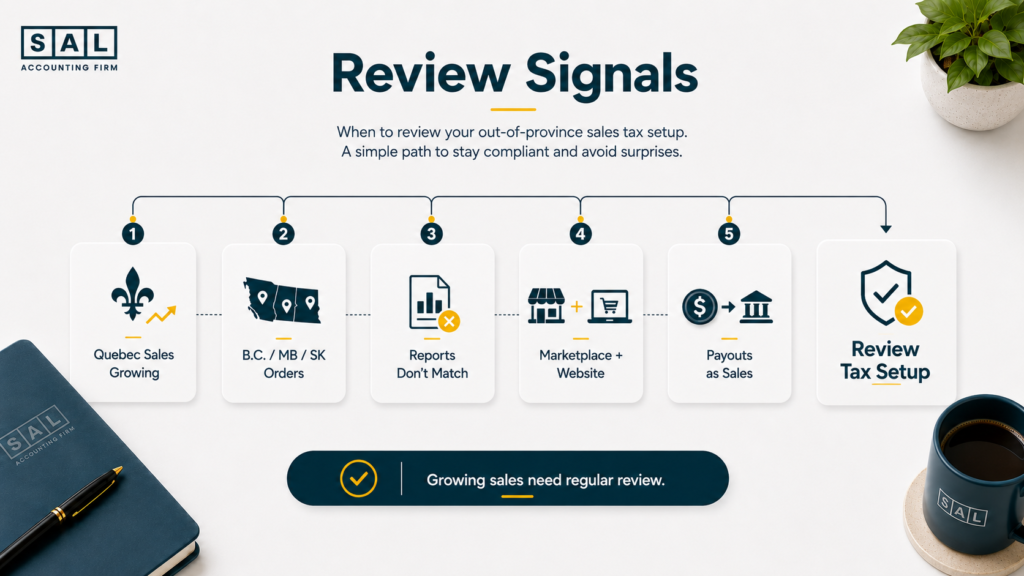
A deeper review makes sense when your store is no longer selling in one simple market. Watch for these signs:
- Quebec sales are growing.
- B.C., Manitoba, or Saskatchewan sales are becoming regular.
- Shopify tax reports do not match expectations.
- You sell through both marketplaces and your own site.
- Your accountant records payouts as sales.
- You are preparing for financing, expansion, or a cleaner month-end close.
For sellers scaling beyond one province or platform, global ecommerce accounting becomes more important because tax, currency, shipping, duties, refunds, and marketplace reports all affect the same numbers.
And when U.S. sales become part of the plan, Canadian ecommerce sellers expanding into the U.S. need to review accounting, sales tax, shipping, payments, and reporting before the books get harder to clean up.
Final Thoughts: How to Manage Out-of-Province Sales Tax in Canada
Out-of-province sales tax is not about memorizing every rule in Canada. It is about knowing:
- where your customers are
- what your store sells
- which taxes you are registered for
- whether your checkout is collecting the right amounts
- whether your reports separate tax from revenue
Clean sales tax tracking makes your reports easier to trust. It also makes tax season less stressful because you are not trying to untangle every province, payout, refund, and marketplace statement at the last minute. Ready to clean up the tax picture? Book a consultation at SAL Accounting.