
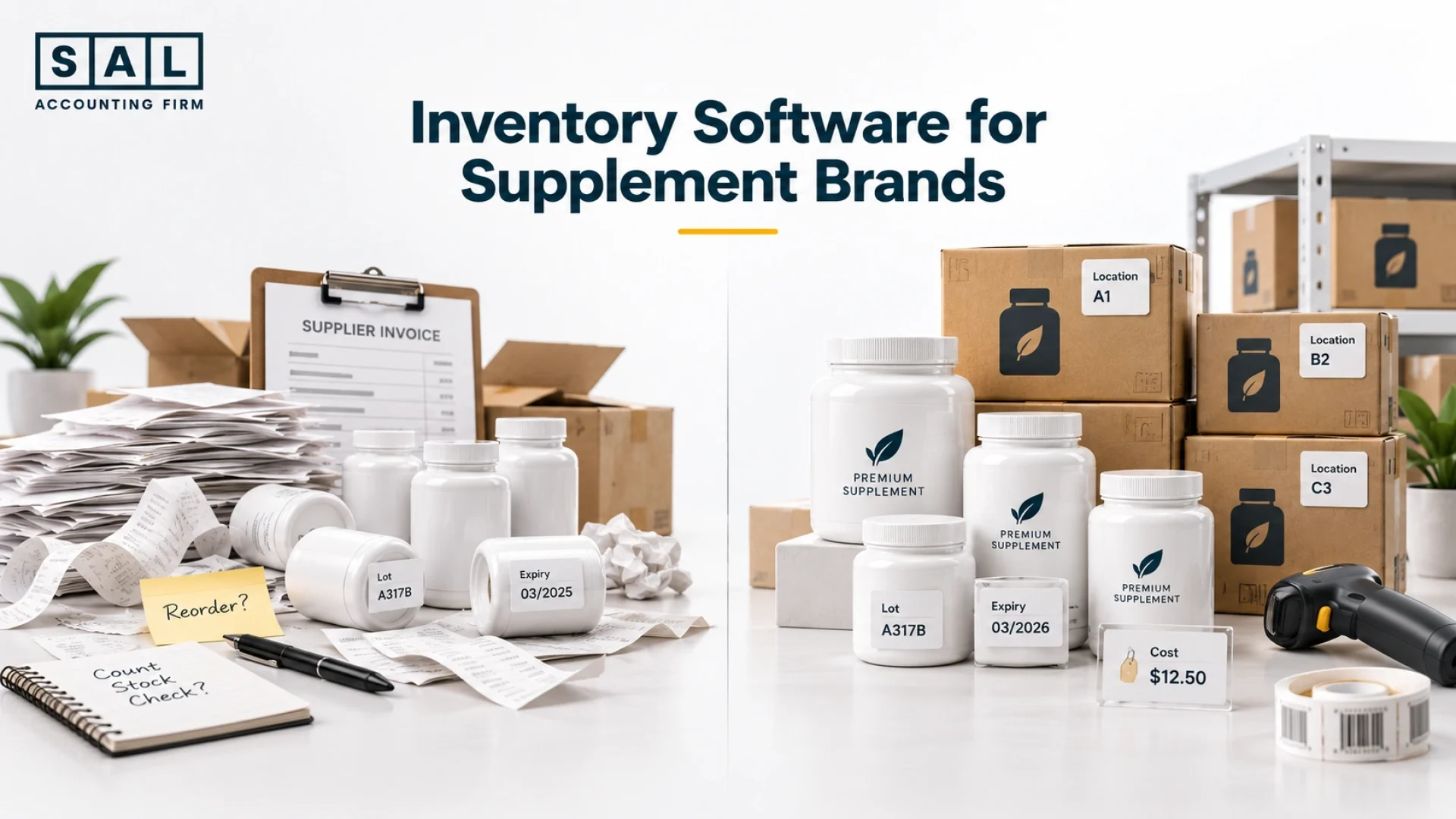
Inventory gets hard to trust when lot numbers live in one file, expiry dates in another, Shopify shows one quantity, and your 3PL shows something else. For online supplement sellers, SAL Accounting sees what often happens next: the inventory issue starts affecting COGS and margin too.
The right system should track the stock and feed reliable cost data into the books. Choose carefully now, because the gaps usually show up when the next batch, warehouse, or sales channel arrives.
Want a quick baseline first? Put your current product costs into the Ecommerce EBITDA Calculator.
Quick Takeaways
- Supplement inventory software should handle lot, batch, and expiry tracking where needed.
- Landed cost and accounting integration matter just as much as unit counts.
- The right system depends on operational complexity, not simply business size.
- Compare the full cost, including features, integrations, migration, and setup.
What Does Inventory Software Do for an Online Supplement Store?
Good inventory software should answer three basic questions:
- What do we have? Track quantities, batches or lots, and inventory movements.
- Where is it? Show stock clearly across warehouses, 3PLs, and other locations.
- What did it cost? Carry reliable product costs so COGS and margin are not built on outdated numbers.
It should also feed usable information into the accounting. The inventory system may hold the operational detail, while the books still need reliable inventory value, purchases, COGS, and adjustments.
That is part of the wider challenge with online supplement business accounting: the operational numbers and the financial numbers eventually need to tell the same story.

How Do You Know Your Supplement Ecommerce Business Has Outgrown Spreadsheets?
Spreadsheets can work perfectly well for a smaller store. The problem starts when they need constant manual control. Maybe lot numbers sit in separate tabs, expiry dates are updated by hand, Shopify and your 3PL regularly disagree, or different people are working from different versions of the same file.
Another sign is COGS being estimated and corrected later because nobody completely trusts the inventory cost during the month. The question is not:
Can we still make the spreadsheet work?
It is:
Can we still trust it without constant manual checking?
Pro tip: If only one person understands how your inventory spreadsheet works, the process may already be too dependent on manual knowledge.
Case Study: How a Leslieville Supplement Brand Builds the Right Software Checklist1
Nadia runs an illustrative supplement brand in Leslieville, Toronto. She sells 12 SKUs through Shopify, uses one 3PL, and manages several production lots with different expiry dates. Her spreadsheet worked when the business was smaller, but every new batch now means more manual updates.
The Problem
Shopify shows 2,480 units of one product, while the 3PL shows 2,435. Nadia can find the difference, but only after checking lot records, damaged units, and recent transfers manually.
She also realizes that some software options she is comparing track quantities well but do not handle expiry dates or landed cost the way she needs.
What We Do
Instead of starting with software names, we turn the problem into a short requirements list:
- lot and expiry tracking;
- inventory by location;
- Shopify and 3PL syncing;
- landed cost;
- purchase orders;
- usable inventory and COGS data for accounting.
Then she can ask every vendor to demonstrate those exact workflows.
Result
Nadia stops comparing software by the number of features it advertises. She can quickly rule out systems that do not solve the specific problems causing her inventory differences.
What Makes Inventory Management Different for an Online Supplement Business?
A supplement seller often needs more than:
SKU → Quantity
You may need:
SKU → Lot → Expiry → Location → Cost
That changes what the software needs to handle. The main differences usually come down to the following:
Lot, Batch, and Expiry Tracking
Where lot tracking matters, the system should make it practical to follow a batch through receiving, storage, transfers, and sales.
For finished natural health products sold in Canada, Health Canada says the label must include a lot number and expiry date. Specific responsibilities depend on the product and the role of the business.
Expiry also needs to be usable. If several batches of the same SKU are in stock, you should be able to see which one expires first and where it is located.
FEFO means First Expiry, First Out. Where that workflow fits, it helps prioritize inventory with the earliest expiry rather than relying on somebody at the warehouse to remember.
Production, Bundles, and Subscriptions
Supplement inventory can also become more complicated because of co-packer minimums, long production lead times, bundles, subscriptions, and samples.
A bundle containing three SKUs can create several inventory movements from one customer order.
As those movements grow, basic stock counts become harder to control manually.
Which Inventory Software Features Matter Most for a Supplement Ecommerce Store?
You do not need every feature on the vendor’s website. You need the features that solve the inventory problems your business actually has. Focus on the following features when comparing systems:
| Feature | Main Question | Why It Matters | Warning Sign |
|---|---|---|---|
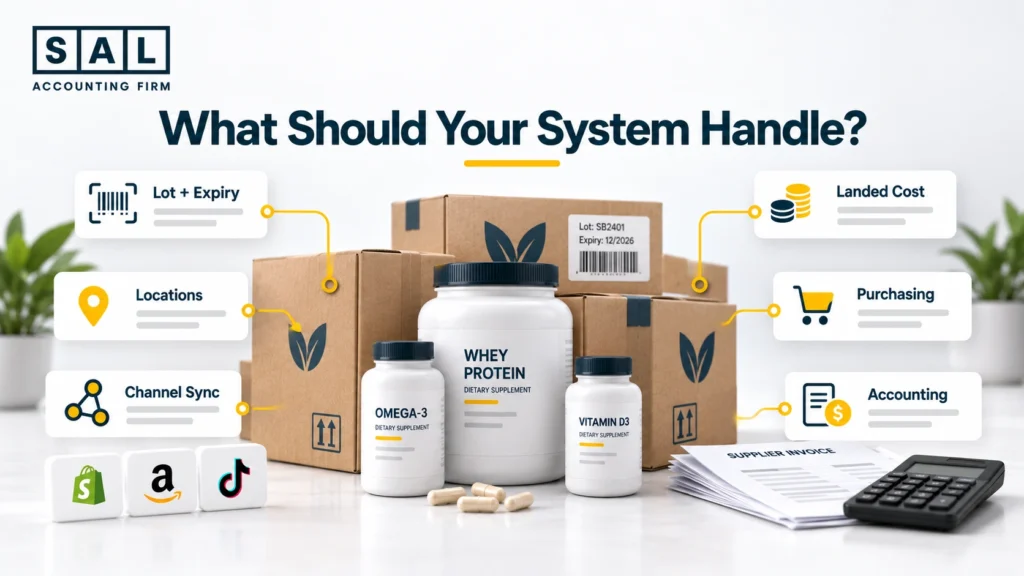
| Lot + expiry | Can we trace each batch? | Traceability | Separate file needed |
| Landed cost | What did each unit cost? | COGS + margin | Supplier cost only |
| Locations | Where is the stock? | 3PL visibility | Manual totals |
| Channel sync | Who owns quantity? | Avoids conflicts | Several stock totals |
| Purchasing | What is coming in? | Reordering | Incoming stock unclear |
| Accounting | What reaches the books? | Reliable COGS | Manual estimates |
Lot and Expiry Reporting
Do not simply ask: “Does the software have batch tracking?”
Ask the vendor to demonstrate one batch moving from receipt to storage, through a transfer, and eventually to a customer. You should be able to see what remains, where it is, and which transactions were connected to that lot.
The same goes for expiry. If the information exists but somebody still exports everything into Excel every week to understand it, the software is only solving part of the problem.
Landed Cost and Inventory Costing
Suppose the manufacturer charges $14 per bottle. Freight, duty, brokerage, and other relevant inbound costs may push the actual inventory cost higher. If the software keeps using only $14, your margin can look better than reality.
The software also needs to work with the accounting treatment behind those costs. See which ecommerce inventory costs should be capitalized or expensed and where those costs belong once they reach the books.
Then there is the costing method itself.
FIFO vs. weighted-average cost can change how inventory costs move into COGS when the price of new batches changes.
That matters when you eventually look at SKU-level profitability, because a detailed margin report is only as reliable as the product cost underneath it.
Multi-Location and 3PL Visibility
Once stock sits across several warehouses or fulfilment partners, your system needs to keep those locations separate. Shopify itself can track inventory separately by location, including warehouses and some fulfilment apps. Once another inventory platform enters the stack, the bigger question becomes:
Which system owns the final quantity?
That operational quantity still needs to make sense against Shopify inventory accounting so the inventory value and COGS in the books are believable.
Multi-Channel Sync and Purchasing
Add Amazon, wholesale, subscriptions, or another storefront and the same SKU may start selling through several channels. You do not want every platform becoming a different version of the truth. Pick one inventory source of truth and define how the other channels update from it.
Your system should also make incoming inventory visible. Shopify currently supports purchase orders with product, quantity, cost, supplier, and payment information, plus linked transfers for receiving inventory.
For a simpler store, that may be enough. More complex production, batch, expiry, and warehouse requirements may need a dedicated inventory system.
Accounting Integration
Before choosing software, understand what actually reaches QuickBooks or Xero. You need to know how inventory value and COGS are recorded, what happens when stock is adjusted, and what reports your accountant can use at month-end.
That accounting structure still matters. A clear chart of accounts for a supplement ecommerce business gives inventory and COGS the right place without trying to duplicate every SKU and lot inside the general ledger.
How Should Inventory Software Connect to Shopify, 3PLs, and Accounting?
Think about the setup like this:
Sales Channels → Inventory System → 3PL / Warehouse → Accounting
Each type of information needs one clear owner. Shopify may own the customer order. The inventory platform may own quantity and batch detail. The 3PL records the physical receiving and shipping. QuickBooks or Xero holds the general ledger.
The important questions are: What moves? When does it move? Which system wins when the numbers disagree?
Those numbers should eventually make sense inside your monthly financial reports for a supplement business.
And if Shopify feeds directly into the accounting stack, it is worth understanding the difference between the inventory integration and the Shopify–QuickBooks integration itself.
Pro tip: During a software demo, ask exactly what the integration sends—not simply whether the apps “connect.”
Shopify sits at the centre of your operation? Our Shopify accounting services keep sales, payouts, inventory, and COGS inside the same accounting process.

What Inventory Software Options Should an Online Supplement Seller Compare?
There is no single system that is right for every supplement seller. A Shopify-first store with one warehouse has very different needs from a business managing manufacturing, wholesale, several channels, and multiple 3PLs. Here’s how the main options compare:
| System | Relevant Features | Good Fit to Compare When | Published Price |
|---|---|---|---|
| Zoho Inventory | Batch + expiry, locations | Moving beyond basic stock | Premium $79/mo annually |
| Katana | Batch + expiry, production | Manufacturing matters | Core from $299/mo |
| Cin7 Core | Lot expiry, locations | Multichannel complexity | From $349/mo |
| Unleashed | Batch, expiry, landed cost | Traceability + warehouses | Core $399/mo |
This is not a ranking. It is a starting shortlist based on currently documented functionality.
Zoho Inventory
Zoho Inventory currently supports batch tracking with manufacture and expiry dates, and batch tracking is included in its Premium plan.
It may be worth comparing when a growing seller needs more control than basic ecommerce inventory without immediately moving into a heavier platform.
Katana
Katana currently supports batch tracking, optional expiry dates, and end-to-end traceability through its Traceability add-on. Its Core plan starts at US$299 per month.
That makes it particularly relevant when manufacturing is part of the inventory problem.
Cin7 Core
Cin7 Core’s current Lot Expiry Report shows batches, locations, expiry dates, and quantities on hand. Its Core pricing currently starts at US$349 per month.
It may be worth comparing as inventory locations and sales channels become more complex.
Unleashed
Unleashed currently documents batch tracking, expiry visibility, multi-warehouse management, and landed-cost functionality. Its Core plan is currently US$399 per month on monthly billing.
It becomes more relevant when traceability and warehouse control are getting harder to manage manually.
Keep the accounting-platform decision separate. Have a look at ecommerce accounting software comparison and see what should sit on the financial side of the stack.
How Much Should a Supplement Ecommerce Business Spend on Inventory Software?
Do not compare systems by the headline monthly price alone. Users, locations, order volume, traceability features, integrations, migration, onboarding, and implementation can all change the final cost. A smaller Shopify seller with simple purchasing may not need a $300–$400 monthly inventory platform.
The better question is: Which system gives us the functionality we actually need at a reasonable total cost?
Pro tip: Include manual work in the comparison. Hours spent fixing quantities, batches, and inventory costs every month are part of the cost of the current system too.
What Usually Goes Wrong When an Online Supplement Store Sets Up Inventory Software?
Better software will not fix bad opening data. The most common problems are wrong quantities or inventory values, duplicate SKUs, missing lot or expiry information, poor warehouse mapping, and old and new systems both continuing to update stock.
Choose a clear migration cut-off and validate your opening data before the new platform becomes the source of truth.
That is also where ecommerce reconciliation best practices become important. The new inventory total should be something you can trace and explain, not simply a number imported from the old system.
Case Study: How a Streetsville Supplement Seller Switches Inventory Systems2
Marcus runs an illustrative supplement ecommerce business in Streetsville, Mississauga. The company is moving to a new 3PL and replacing its spreadsheet-based inventory process at the same time.
The Problem
The old records show 46 SKUs, but only 42 are still active. Two products have duplicate SKU codes, several batches are missing expiry dates, and the inventory value in the spreadsheet does not completely agree with the books.
Simply importing everything into the new system would carry those problems forward.
What We Do
Before migration, we set one cut-off date and clean the opening data. Active SKUs are confirmed, quantities are checked by location, lot and expiry information is reviewed, and the opening inventory value is tied back to the accounting records.
We also decide which platform will become the source of truth once the new system goes live.
Result
Marcus starts with one clean opening inventory position instead of using the new software to manage old errors.
More importantly, the first month-end can be checked back to the migration records, giving the team a clear starting point if anything does not match.
When Should a Supplement Ecommerce Business Switch Inventory Software?
You do not need to wait until the current system completely fails. Consider switching when:
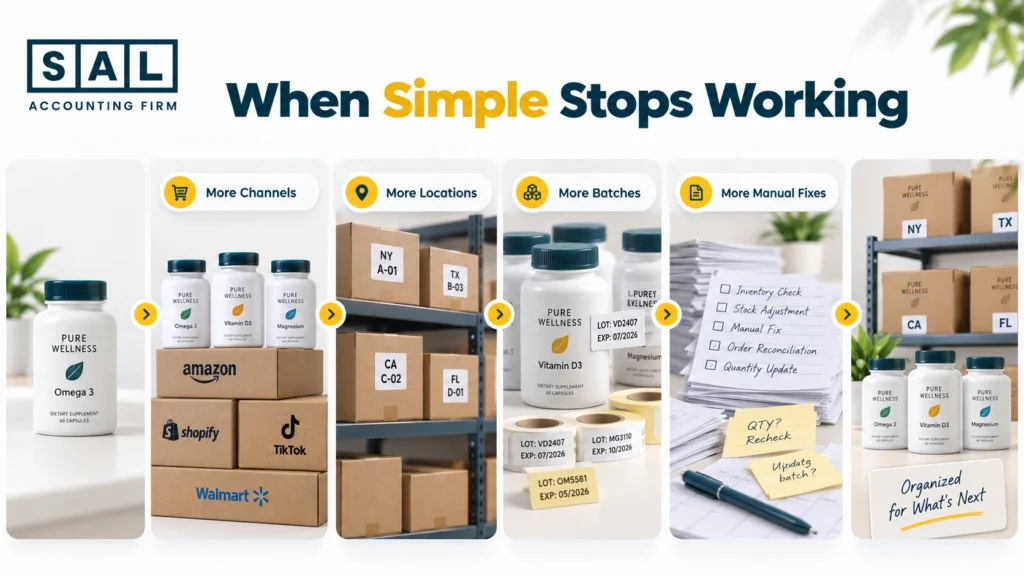
- You add another sales channel and inventory needs to stay in sync across platforms.
- You add a 3PL or warehouse and location-level stock becomes harder to track.
- Production gets more complex with more batches, expiry dates, or incoming inventory.
- The same inventory differences keep returning and your team is fixing them manually every month.
One stock difference does not mean the system is broken. Repeated manual corrections are a much stronger signal.
How Can an Ecommerce Accountant Help a Supplement Seller Choose Inventory Software?
Your accountant does not need to choose the warehouse platform. But the accounting side should be considered before you buy it. You need to understand how inventory value reaches the books, how COGS is recorded, what happens when stock is adjusted, and what information will be available at month-end.
If the inventory platform produces unreliable cost data, calculating COGS for an ecommerce store will not suddenly become accurate when the numbers reach QuickBooks.
The accountant’s role is not to run the warehouse. It is to make sure the system feeding the financial statements can produce numbers that make sense.
When inventory, COGS, and month-end reconciliation need ongoing accounting ownership, our ecommerce bookkeeping services keep those pieces inside the same monthly process.
Ready to Choose Inventory Software for Your Online Supplement Business?
The right system should tell you what inventory you have, where it is, when it expires, what it cost, and how those numbers connect to the books. A simpler store may need a simpler setup. A business with multiple warehouses, batches, 3PLs, or sales channels will usually need more control.
The goal is to choose a system that fits your actual complexity and gives you numbers you can trust as you grow. Scaling a Canadian supplement brand? Get the Financial Growth Blueprint.