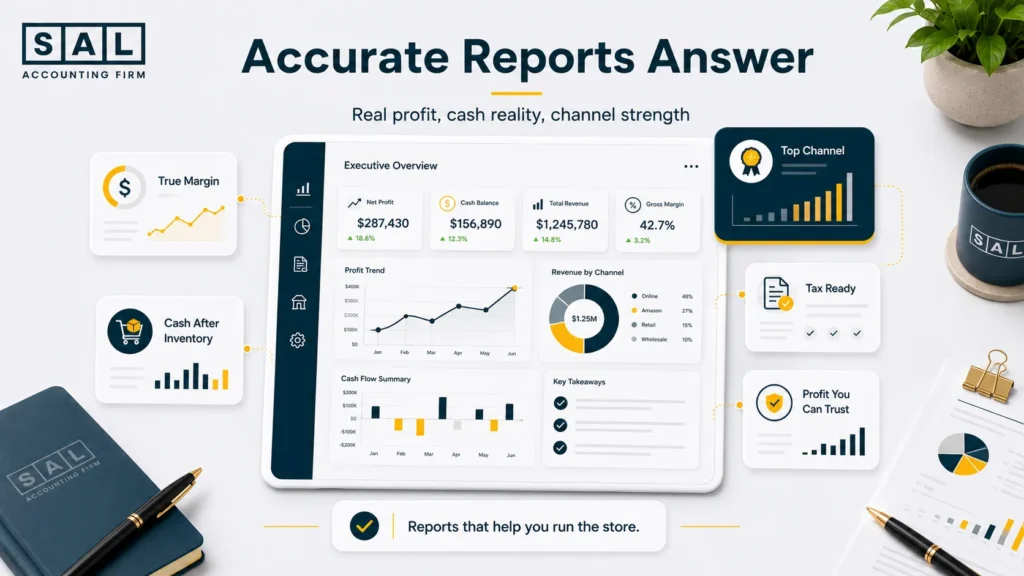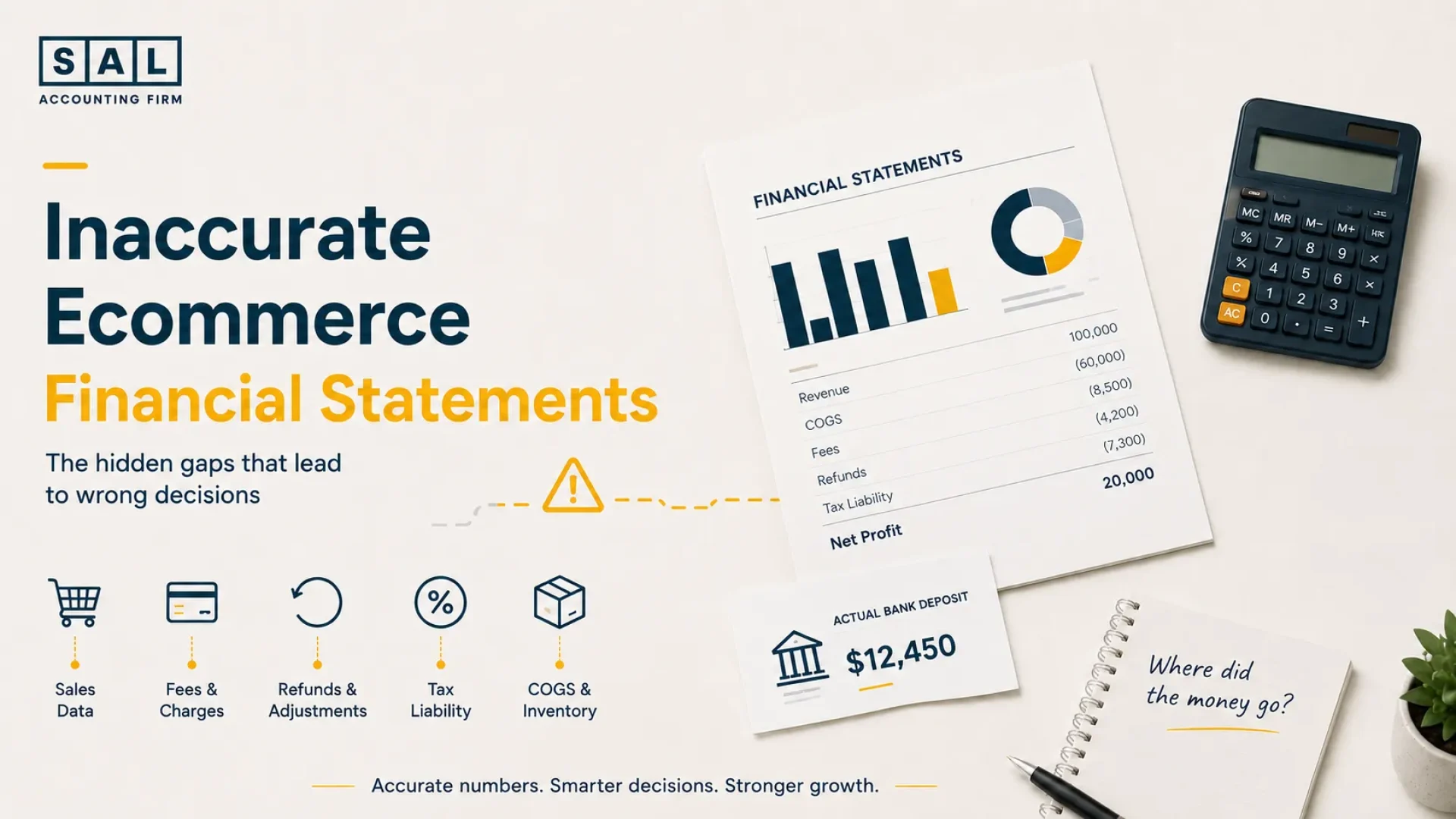
Ecommerce financial statements can look clean and still fail to explain what’s actually happening inside your store. Sales look strong, but profit feels unclear. Cash moves through platforms, payment processors, inventory, tax, shipping, refunds, discounts, and fees before it reaches your bank. Statistics Canada reported $73.7 billion in Canadian ecommerce revenue in 2024, up 9.0%.
That’s why SAL Accounting looks past the deposit. By the end, you’ll know where ecommerce numbers usually go wrong and what to check first.
Check the real operating picture with Ecommerce EBITDA Calculator and see what your store keeps after COGS, ads, fees, and overhead.
Quick Takeaways
- Your reports can look clean and still feel wrong. That usually means sales, payouts, fees, tax, inventory, and timing are not connected properly.
- The bank deposit is not the full revenue story. It is usually the amount left after deductions, adjustments, and delays.
- Profit and cash are different. Inventory, tax collected, delayed payouts, refunds, loans, and owner draws all affect cash.
- COGS needs monthly attention. Late product costs make gross margin hard to trust.
- Better reports need a better process. Ecommerce accounting has to account for channels, payments, inventory, tax, and month-end review.
Bring the full process into one cleaner system with SAL’s ecommerce bookkeeping service.
What Does It Mean When Ecommerce Financial Statements Don’t Match Reality?
It means your reports may be organized, reconciled, and delivered on time, but still not show the real financial picture. That’s the frustrating part.
Your books may look complete.
Your bank may be reconciled.
Your monthly reports may be ready.
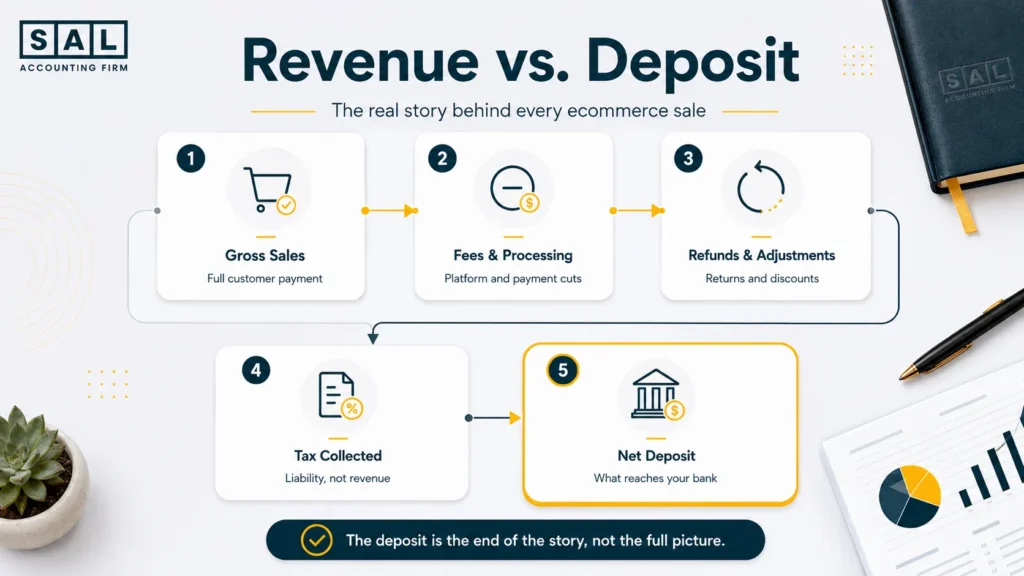
But ecommerce money does not move in a straight line. One sale can create several accounting events:
- the order is placed
- tax may be collected
- payment fees come out
- discounts reduce the sale
- refunds may happen later
- inventory cost needs to be matched
- shipping or fulfillment costs may apply
- the final deposit lands in the bank days later
So the bank deposit is only the end of the story. It’s not the full story.
That’s why ecommerce financial statements need to explain how sales become cash, how cash becomes profit, and where the money actually went.
Why Ecommerce Financial Statements Become Hard to Trust
Most ecommerce owners don’t need someone to convince them of accounting matters. They already know the numbers matter.
The issue is usually simpler: The reporting process may not be built to explain ecommerce complexity clearly enough. That’s not about blame. It just means ecommerce has more moving parts than a basic bookkeeping workflow usually captures. Here are the main reasons ecommerce reports stop matching reality.
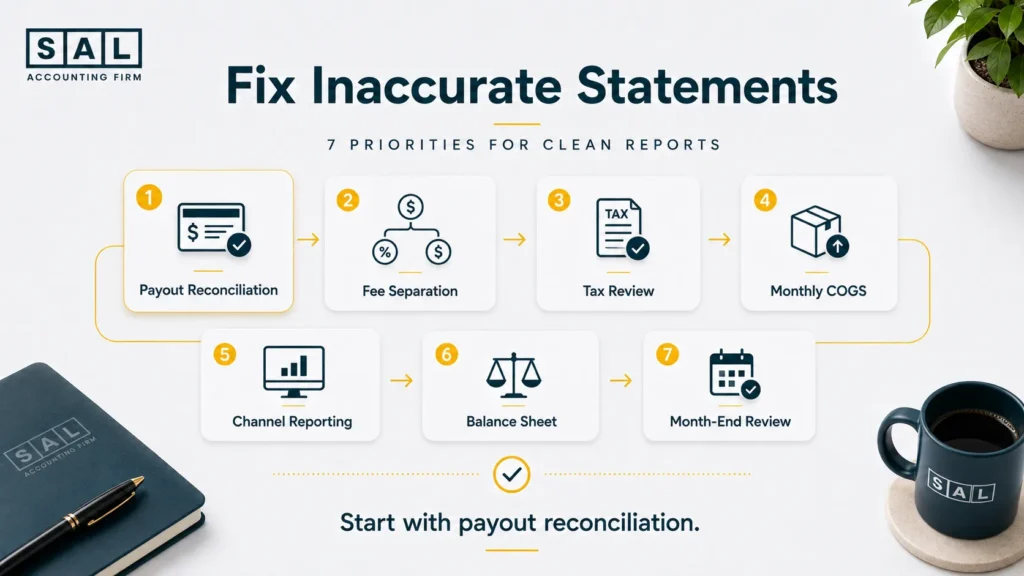
1. Net Payouts Are Recorded as Revenue
This happens when the amount deposited into the bank is recorded as total sales.
Example: You make $100,000 in sales, but only $82,000 reaches the bank after fees, refunds, tax, and holds. If $82,000 is recorded as revenue, the report skips the real story. You lose sight of:
- gross sales
- payment fees
- refunds
- chargebacks
- tax collected
- payout timing
- the real net amount kept
How to fix it:
Start with gross sales, then reconcile down to the net payout. Your statements should show the path from sale to deposit.
A weak ecommerce payment reconciliation process usually shows up when store reports, processor reports, and bank deposits stop agreeing.
Shopify’s payout reconciliation report shows transactions, fees, and payouts, which helps explain why the bank deposit is not the same as total sales.
Pro tip: Don’t ask, “Why doesn’t the deposit match sales?” Ask, “What happened between the sale and the deposit?”
2. Platform Reports Are Not Reconciled Properly
Platform reconciliation means matching what your store shows, what your payment processor shows, and what your bank receives. This is where numbers often drift.
- sales show one amount
- the processor shows another
- the bank shows a third
None of those numbers are automatically wrong. They just need to be connected.
How to fix it:
Reconcile platform activity to payment deposits every month. Don’t wait until year-end. The goal is simple: your reports should explain the gap instead of leaving you to guess.
3. Fees, Refunds, Discounts, and Chargebacks Are Buried
Ecommerce deductions all tell a different story. They should not disappear into broad expense accounts. For example:
- payment fees show transaction cost
- refunds show returned revenue
- discounts show margin pressure
- chargebacks show payment or customer risk
- return costs show operational friction
When all of these are buried, the reports stop being useful.
How to fix it:
Separate the main ecommerce deductions into clear categories and review them monthly.
This is where ecommerce profit calculation mistakes usually start. Sales look strong, but real profit sits lower once the deductions are visible.
4. Inventory and COGS Are Updated Too Late
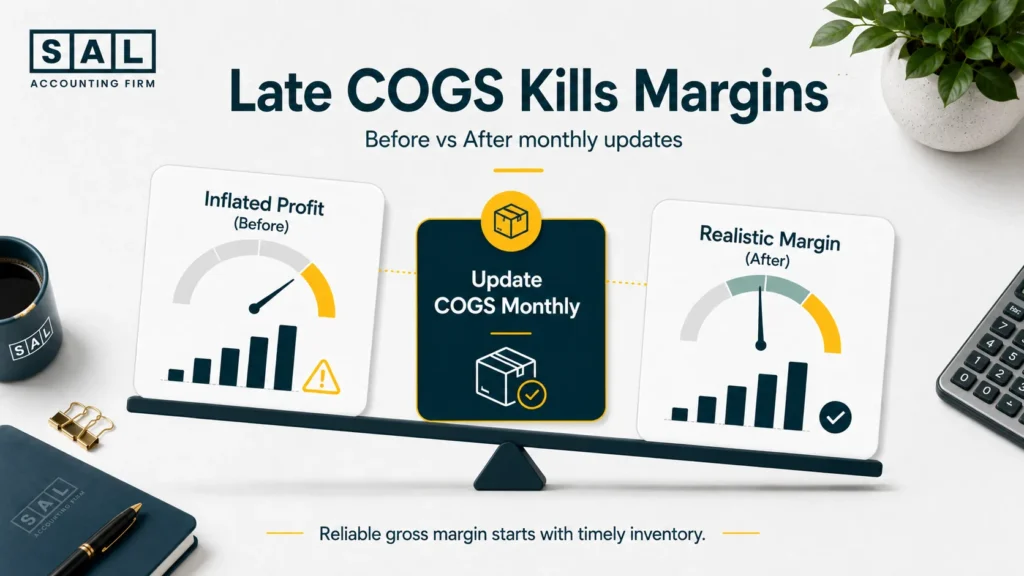
Inventory and cost of goods sold are often updated too late or too broadly. That makes gross profit unreliable. A store may look profitable this month because product costs have not been matched to the sales yet. Then profit drops later when inventory is adjusted. Now the old report was not useful for decisions.
How to fix it:
Update COGS monthly and match product costs to the sales period they belong to.
A proper COGS calculation for ecommerce stores should include:
- product cost
- landed cost
- freight
- duties
- packaging
- direct costs needed to prepare the product for sale
Pro tip: Gross margin is one of the first numbers to check when a report feels wrong. A clean ecommerce contribution margin view shows what the store keeps after product cost, selling fees, fulfillment, and other variable costs.
5. Returns and Chargebacks Are Not Recorded Clearly
Returns and chargebacks can quietly distort revenue and profit.
A return lowers real sales.
A chargeback can also add fees.
A return may affect inventory.
If these items are not recorded clearly, the store can look healthier than it really is.
How to fix it:
Track returns, refunds, and chargebacks separately so they do not disappear inside general sales activity.
The goal is not just cleaner bookkeeping. The goal is to understand what the numbers are trying to tell you.
6. Multi-Currency Sales Create Currency Gaps
Multi-currency errors happen when sales, payouts, bank deposits, and accounting records use different exchange rates. This is common for Canadian ecommerce stores selling in USD.
The store reports one number.
The payment processor converts another.
The bank receives a different CAD amount.
That gap needs to be explained.
How to fix it:
Track foreign currency sales, conversion fees, and exchange differences separately.
For stores selling across borders, global ecommerce accounting needs extra care because currency, customs, U.S. sales tax, foreign filings, and payment timing can all affect the final statement.
The U.S. sales tax side needs attention because the Wayfair decision changed how states may require remote sellers to collect and remit sales tax, even without physical presence in the state.
7. Sales Tax Is Mixed Into Ecommerce Revenue
Sales tax becomes a problem when tax collected from customers is treated like normal revenue. That money may be sitting in the bank, but it is not really available cash. Some of it may need to be remitted later.
The CRA’s GST/HST ecommerce guidance says businesses generally need to register for GST/HST when they make taxable supplies in Canada, unless they are small suppliers.
How to fix it:
Separate GST/HST, PST, QST, and U.S. sales tax from revenue. Review tax payable every month.
Estimate what tax is sitting inside your cash with SAL’s GST/HST Refund Calculator for Ecommerce Stores.
GST/HST compliance for ecommerce stores gets harder when tax rates, filing periods, refunds, and input tax credits are not tracked clearly.
Pro tip: Cash in the bank is not always free cash. Some of it may belong to the CRA.
8. Sales and Payout Timing Don’t Match
A sale and a payout do not always happen in the same period. For example:
- a sale happens in June
- the payout lands in July
- a refund happens after month-end
- a payment hold delays cash
- a chargeback appears later
That timing gap can make revenue and cash look like they don’t match.
How to fix it:
Use a month-end process that matches sales activity to payout timing instead of relying only on bank deposits.
Basically, the timing difference should be explained. It should not be ignored.
9. Spreadsheets Become the Main System
Spreadsheets are useful early on. But as the store grows, they can become risky. Manual files break easily:
- formulas get changed
- data is copied late
- platform reports get missed
- old versions circulate
- adjustments are not documented
- no one knows which file is final
How to fix it:
Use integrated accounting, payment, and inventory tools where possible. Then review the numbers with an ecommerce-aware process.
For stores with several moving parts, ecommerce automation tools can also reduce repeated manual tasks, especially around orders, inventory, payments, and reporting.
10. Month-End Adjustments Are Skipped
Financial statements become less reliable when month-end adjustments are skipped. This includes:
- COGS
- inventory
- tax payable
- clearing accounts
- refunds
- accrued expenses
- currency adjustments
- payroll or owner payments
- deferred revenue, where relevant
Without these updates, the report may be finished but not useful.
How to fix it:
Build a monthly close checklist and review the statements before relying on them.
A practical ecommerce accounting guide for small businesses gives the baseline most owners need when the reports feel wrong but the first broken piece is not obvious yet.
11. Hidden Platform Costs Are Missed
Hidden platform costs can make profit look stronger than it really is. These may include:
- app fees
- transaction fees
- fulfillment charges
- storage costs
- shipping adjustments
- returns software
- subscription tools
- payment processing costs
They may seem small alone. Together, they can change the margin.
How to fix it:
Review platform-level costs monthly and separate the costs that affect product or channel profitability.
A clean ecommerce transaction categorization system keeps sales, payment fees, taxes, shipping, COGS, and platform activity from blending into one confusing number.
12. Personal and Business Transactions Are Mixed
Mixing personal and business transactions makes financial statements harder to trust. It creates:
- messy expense categories
- unclear owner withdrawals
- extra cleanup work
- confusing cash movement
- more tax-time questions
How to fix it:
Keep business and personal accounts separate. Then categorize owner draws, shareholder loans, reimbursements, or personal charges clearly.
This issue can feel small at first. Then tax season arrives, and the cleanup takes longer than expected.
Common Reasons Ecommerce Statements Stop Making Sense
This table shows where ecommerce reports usually break and what to review first.
| Cause | What goes wrong | Statement affected | First fix |
| Net payouts recorded as revenue | Sales are unclear | Income statement | Reconcile gross sales to payouts |
| Weak reconciliation | Reports and deposits don’t agree | Income statement and cash | Match store, processor, and bank data |
| Fees grouped together | Margin looks too high | Income statement | Separate selling costs |
| Late COGS updates | Profit swings | Income statement | Review COGS monthly |
| Tax mixed with sales | Revenue is overstated | Income statement and liabilities | Separate tax collected |
| Timing gaps ignored | Cash does not match sales | Cash flow and balance sheet | Review payout timing |
| Spreadsheets relied on too long | Manual errors creep in | All statements | Use integrated tools and controls |
| Personal transactions mixed in | Expenses and cash get messy | Income statement and balance sheet | Separate accounts and owner activity |
Case Study: How a Queen West Apparel Store Stopped Guessing Its Real Profit1
A growing apparel store near Queen West in Toronto sells through its own website, pop-up events, and a few retail partners.
Sales are increasing, but the owner feels stuck every month.
The income statement shows profit. Cash still feels tight after inventory buys, refunds, shipping costs, and ad spend. Nothing looks obviously broken. But the reports don’t explain the business clearly enough.
The Problem
Sales channels are grouped together, refunds are not reviewed separately, and product costs are updated too late. The store can see total revenue, but not true margin by channel. Pricing and inventory decisions are being made without knowing which sales are actually worth chasing.
What We Do
We separate sales by channel, review refunds and discounts, update COGS monthly, and rebuild the reporting so gross sales, net sales, fees, product costs, and cash movement are easier to follow. The owner does not need more accounting jargon. She needs a clearer map of how each dollar moves through the store.
The Result
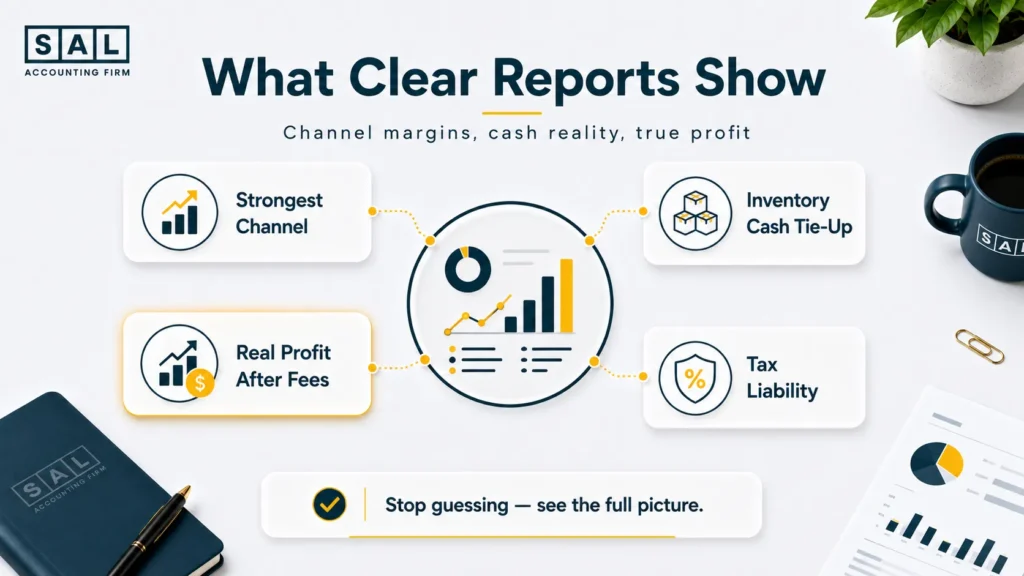
The reports start answering better questions. The owner can see which channel has the strongest margin, which products need pricing attention, and how much cash is tied up in inventory. The business is still growing, but the owner is no longer guessing from one profit number.
Signs Your Ecommerce Financial Statements Need a Deeper Review
You don’t need to be an accountant to spot weak reports. You just need to notice when the statements stop explaining reality. Look for these signs:
- sales are growing, but cash keeps feeling tight
- profit looks high, but you don’t know where the money went
- fees are hard to find
- COGS barely changes month to month
- tax collected is mixed with revenue
- reports arrive with no useful explanation
- channel performance is unclear
- spreadsheet files keep needing manual fixes
- personal charges appear inside business accounts
- the balance sheet has old clearing account balances
- reports rely mostly on bank deposits
- you avoid using reports for real decisions
That last one matters. If the statements are only useful for tax filing, they are not useful enough for a growing ecommerce store.
How Unclear Financial Statements Hurt Ecommerce Decisions
Hard-to-trust statements do not just create tax problems. They create business problems. They can push owners into the wrong decisions:
- increasing ad spend on low-margin products
- ordering too much inventory
- underpricing bestsellers
- keeping unprofitable channels alive
- treating tax money like available cash
- delaying a price change
- thinking the business is healthier than it is
This is why financial statements need to be more than year-end paperwork. They should help you run the store.
- Read more: “E-commerce Profit Calculation Mistakes To Avoid”
Case Study: How a Port Credit Home Goods Brand Found the Cash Leak Behind Strong Sales2
A home goods ecommerce brand near Port Credit in Mississauga has steady online sales and a growing wholesale channel.
Revenue looks healthy, but the owner is confused.
Some months look profitable. Then cash suddenly feels tight after inventory orders, freight bills, tax payments, and returns.
The owner does not want another generic report.
She wants to know why the money keeps disappearing.
The Problem
The financial statements show total sales, but they do not explain margin by product category or channel. Inventory purchases are recorded too broadly, landed costs are not reviewed monthly, and tax collected is mixed too closely with cash planning. The owner cannot tell whether the business has a pricing problem, an inventory problem, or a timing problem.
What We Do
We review the sales channels separately, rebuild COGS around monthly product movement, separate tax collected from available cash, and clean up the balance sheet. Then we compare profit to actual cash movement so the owner can see what changed during the month.
The Result
The owner finally sees the difference between strong sales and strong cash flow. Some products are still worth scaling, but others need pricing or cost attention. The reports become clearer, and the owner can make inventory and marketing decisions without relying on gut feel.
A thoughtful ecommerce accountant interview process should focus on payouts, inventory, sales tax, channel reporting, tools, and cross-border questions before any major reporting cleanup begins.
How to Choose the Right Support for Ecommerce Financial Statements
You do not always need a full accounting rebuild. Sometimes you need cleanup. Sometimes you need better bookkeeping. Sometimes you need tax planning. Sometimes you need a more senior review because the store has outgrown basic reporting.
A specialized ecommerce bookkeeper should understand payouts, payment processors, sales tax, inventory, software tools, and monthly close work. An accountant or CPA should add review, tax judgment, cross-border awareness, and strategic reporting.
For larger stores, the choice between in-house and outsourced ecommerce accounting often comes down to complexity, budget, and whether the business needs execution, review, or both.
The point is not to hire more people. The point is to match the support to the risk inside the numbers.
What Reliable Ecommerce Financial Statements Should Show
Reliable financial statements should answer owner questions. Not just accountant questions. They should answer:
- Are we actually profitable?
- Which channel keeps the most money?
- Where did the cash go?
- Are fees eating the margin?
- Is inventory tying up too much cash?
- Is tax collected separated properly?
- Can we afford the next inventory order?
- Are U.S. sales adding risk?
- Are spreadsheets creating errors?
- Are owner transactions clean?
- Are we ready for tax season?
At the end of the day, your reports should explain the business in plain English. If they only create more questions, the process needs work.