Shopify makes it easy to sell beyond Canada, but tax gets confusing once U.S. orders start coming in. Suddenly, the question is not just “Are we making sales?” It becomes “Where do we collect tax, what do we file, and how do we avoid cleanup later?”
At SAL Accounting, Shopify tax is treated as part of the bigger picture: sales, fees, refunds, reports, and cross-border filings all need to make sense together. This post gives you a simple walkthrough of what Shopify helps with, what still needs to be reviewed, and how to spot tax issues before they become harder to clean up.
Quick Takeaways
- Shopify can help calculate taxes, but it does not automatically handle every tax responsibility for you.
- You may need to collect sales tax in places where your business has nexus.
- Canadian Shopify sellers may need to register for GST/HST once they pass the CRA’s small supplier threshold.
- Shopify tax reports can help you review sales, returns, shipping, and tax collected.
- Shopify sales are not the same as profit.
- Clean bookkeeping helps you track fees, refunds, discounts, inventory, shipping, ads, and tax collected.
- Canadian sellers expanding into the U.S. need to look at both Canadian GST/HST and U.S. state sales tax.
Before tax rules, get clear on what Shopify keeps from each sale with the Shopify Fee Calculator.
Why Shopify Taxes Get Confusing
Shopify taxes get confusing because your store can look simple on the front end, while the tax side is split across locations, reports, and filing rules.
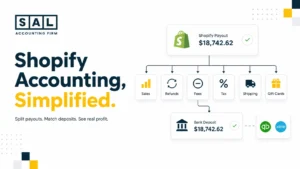
A customer buys from your store. Shopify calculates the order. Fees may come out. Tax may be collected. Refunds may happen later. Then the payout lands in your bank. Each part matters. If your numbers are getting harder to follow, e-commerce bookkeeping services can help separate what customers paid, what Shopify deducted, what was refunded, and what your store actually kept.
Shopify tax is not just about turning on a setting. It is about knowing what Shopify collected, what your reports show, and what you still need to file.
- Read More: “Shopify payout matching and bank deposits”

Shopify Tax Basics Sellers Need to Understand
Shopify sellers usually need to understand two main tax categories: sales tax and income tax. Sales tax is money you may collect from customers and send to the right tax authority. Income tax is based on what your business actually earns after expenses. Those are not the same thing.
If your Shopify store collects $2,000 in sales tax, that $2,000 is not profit. It may need to be sent to a tax authority.
Sales Tax
Sales tax is added to customer orders in places where your business is required to collect it.
- For U.S. customers, this usually depends on state sales tax rules.
- For Canadian customers, this usually means GST/HST and, in some provinces, provincial sales tax rules.
If you are trying to separate the bigger tax picture, the main taxes e-commerce sellers deal with are easier to understand once sales tax and income tax are not mixed together.
Example: If a customer in Ontario buys a taxable product for $100 and your business is required to collect HST, the customer may pay $113. The extra $13 is not yours to keep. It may need to be reported and remitted.
Income Tax
Income tax is based on business profit, not just sales. Profit means what is left after you account for:
- refunds
- discounts
- product costs
- shipping
- Shopify fees
- app fees
- ads
- software
- contractors
- other business expenses
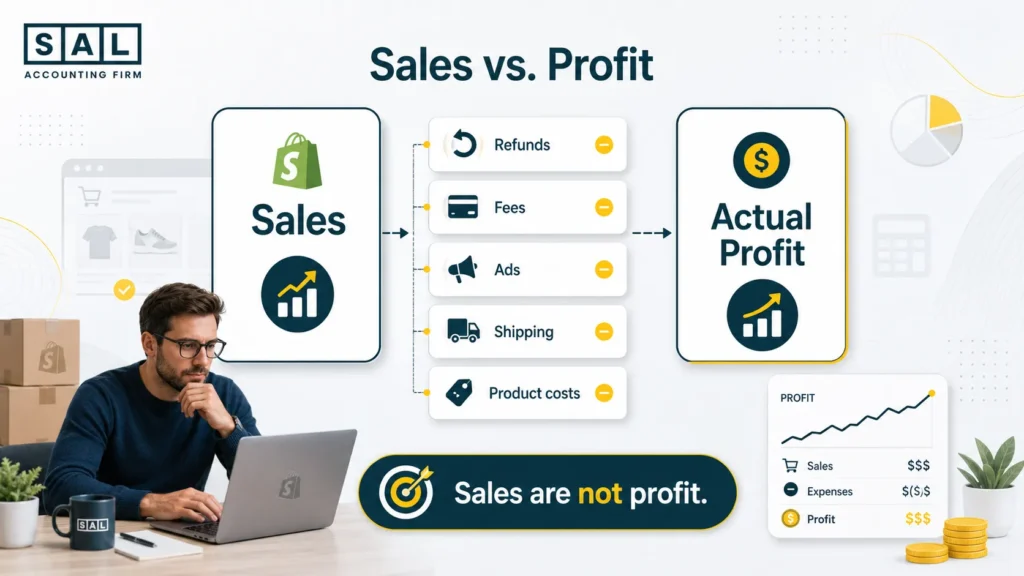
This is where many Shopify sellers get stuck. Your store might show $200,000 in sales, but that does not mean you made $200,000. The real number depends on what it cost to generate those sales.
That is why e-commerce financial statements matter. They help turn store activity into numbers you can actually use to understand profit.
GST/HST for Canadian Shopify Sellers
Canadian Shopify sellers need to check GST/HST once taxable sales start growing. The CRA generally expects businesses to register once they are no longer considered small suppliers and are making taxable supplies in Canada. In plain English, once your taxable sales pass the small supplier threshold, GST/HST may no longer be optional.
That matters because registration is only the first step. You also need to know:
- When to start collecting GST/HST
- How to update Shopify tax settings
- What records to keep
- What needs to be filed with the CRA
This is where GST/HST return filing in Canada becomes part of the bigger setup, not just a year-end task.
U.S. Sales Tax for Cross-Border Sellers
Canadian Shopify sellers selling into the U.S. need to look at state sales tax separately from GST/HST.
U.S. sales tax is not one national system. Each state can set its own rules, thresholds, and filing requirements. That means your U.S. sales can create tax responsibilities even if your business is based in Canada. The key question is not just “Are U.S. sales growing?” It is:
- Which states are customers buying from?
- Are sales getting close to state thresholds?
- Do you need to register anywhere?
- Is Shopify collecting tax in the right places?
That is why U.S. sales tax rules for Canadian sellers should be checked before assuming Shopify is handling everything.
What Shopify Does and Does Not Do for Taxes
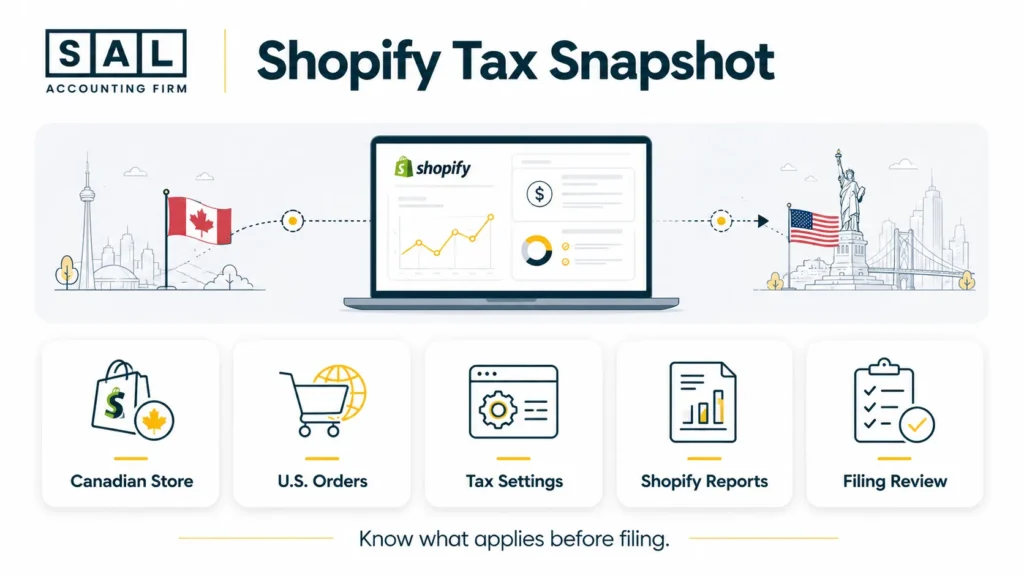
Shopify helps with tax calculations and reporting, but it does not automatically take over your full tax responsibility.
Shopify says automated filing with Shopify Tax can support U.S. sales tax filing, but sellers are still responsible for checking with tax authorities or tax professionals to make sure taxes are filed and remitted correctly. Shopify explains this under its automated filing guidance. Here’s a simple way to split the responsibilities.
| Area | Shopify Can Help With | You Still Need to Check |
| Tax calculation | Calculates tax after setup | Whether you should collect there |
| Tax reports | Shows tax collected and sales data | Whether the report matches the filing period |
| Product tax rules | Supports categories and overrides | Whether products are categorized correctly |
| U.S. filing support | Automated filing in eligible cases | Whether your registrations and settings are right |
| Bookkeeping | Provides data | Whether payouts, fees, refunds, and tax are recorded correctly |
What Shopify Can Help With
Shopify can help you:
- calculate sales tax at checkout after setup
- apply tax settings based on location and product rules
- track tax collected
- export sales tax reports
- review sales, returns, taxes, and shipping
- use Shopify Tax features in eligible U.S. cases
- support automated filing in eligible U.S. states through Shopify Tax
The key is that Shopify needs clean setup details. If your tax registrations or product categories are wrong, the reports may still be confusing.
What Shopify Does Not Handle for You
Shopify usually does not:
- decide every place where you need to register
- register you for sales tax permits
- fix incorrect bookkeeping
- tell you whether your business structure is right
- make payouts match your accounting automatically
- replace an accountant or tax professional
If Shopify is your main sales channel and the reports already feel messy, Shopify accounting can help you understand what the store actually kept after fees, refunds, tax, and product costs.
How to Handle Shopify Taxes Step by Step
The simplest way to handle Shopify taxes is to work in order. First, figure out where you owe tax. Then set up Shopify. Then review reports. Then file and connect the tax numbers back to your bookkeeping. Do not start by turning on tax settings everywhere. Start with what your business is actually required to collect.
Step 1: Figure Out Where You Owe Shopify E-Commerce Sales Tax
Before you collect sales tax, you need to know where your store may have nexus. Nexus means your business has enough connection to a state or location that you may need to collect and file sales tax there.
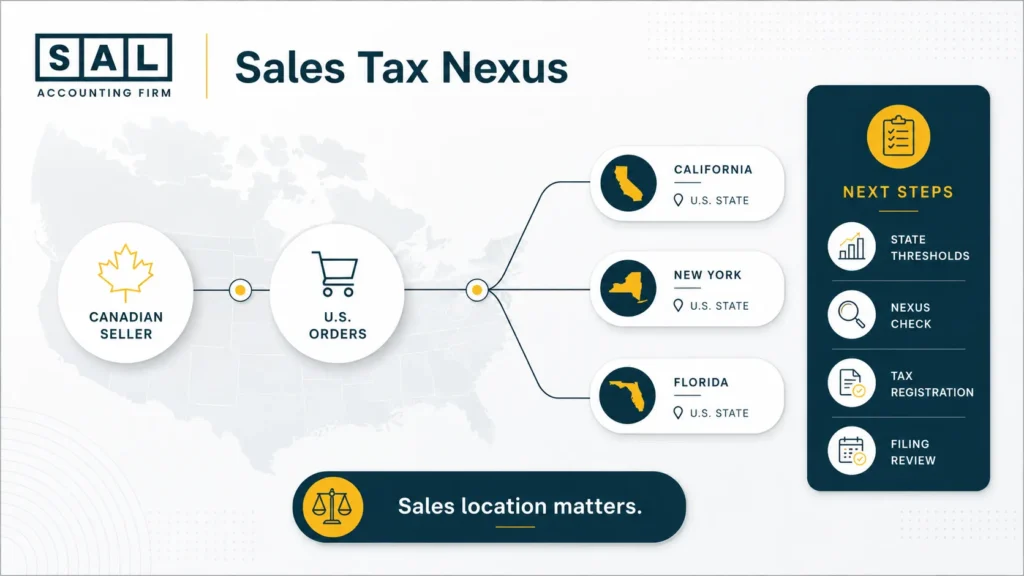
For example, your Shopify store might be based in Toronto, but if you sell enough to customers in Florida, Florida may still expect you to collect sales tax there. If you are not sure which states need a closer look, the US Economic Nexus Threshold Checker can help you spot where your sales may be getting close to state thresholds.
Physical Nexus
Physical nexus usually means you have a real physical connection to a place. This can include:
- an office
- a warehouse
- employees
- inventory stored in a state or province
- a retail location
- a fulfillment setup
Example: If your Canadian Shopify business stores inventory in a U.S. warehouse, that warehouse could create a sales tax connection in that state.
Economic Nexus
Economic nexus is based on sales volume, transaction count, or both. This is where e-commerce sellers often get surprised. You may never visit a U.S. state, but if you sell enough to customers there, you may still need to register, collect sales tax, file returns, and send in the tax collected. Each state has its own rules, so you should not assume one threshold applies everywhere.
For a deeper breakdown, sales tax nexus for e-commerce sellers is worth understanding before U.S. orders become a bigger share of your store.
What Changed After Wayfair
The 2018 South Dakota v. Wayfair decision allowed states to require certain out-of-state sellers to collect and remit sales tax, even without physical presence in the state (Supreme Court’s Wayfair decision).
That matters for Shopify sellers because online sales can create tax obligations outside your home location. Selling online does not mean tax only applies where your business is located.
Case Study: How Sarah in Liberty Village, Toronto Caught a U.S. Sales Tax Issue Early1
Sarah runs a Shopify skincare brand from Liberty Village in Toronto. Most of her customers are in Canada, but her U.S. orders start growing after a few influencer campaigns. At first, she thinks U.S. tax only matters if she opens a U.S. office or hires someone there. Then she notices more orders coming from California, Florida, and New York, and her Shopify reports start showing serious sales volume outside Canada.
The Problem
Sarah is not sure whether her U.S. sales created economic nexus. Shopify is collecting some tax based on her settings, but she does not know whether those settings match where she actually needs to register. She also cannot clearly separate product sales, discounts, refunds, tax collected, and Shopify fees.
What We Do
We review her Shopify sales by state, compare them against U.S. sales tax thresholds, and check whether her tax settings match her actual obligations. We also organize her Shopify reports so she can see gross sales, refunds, discounts, sales tax collected, fees, and payouts more clearly.
The Result
Sarah can see which states need attention first, where she may need registration, and what needs to be fixed inside Shopify. Instead of guessing from bank deposits, she has a cleaner view of what customers paid, what tax was collected, and what money actually belongs to the business.
Step 2: Understand Canadian GST/HST Rules
Canadian Shopify sellers need to watch GST/HST once sales start growing. At first, you may not need to register. But once your taxable sales pass the CRA’s small supplier threshold, GST/HST registration may be required. This matters because GST/HST is not only a filing issue. It affects:
- when you register
- when you start collecting tax
- how Shopify tax settings are set up
- what you need to file with the CRA
If your store is growing through ads, launches, or influencer campaigns, check this before sales get too far ahead of your tax setup.
GST/HST Is Separate From U.S. Sales Tax
This is where Canadian sellers expanding into the U.S. often get stuck. GST/HST is Canadian. U.S. sales tax is usually state-level. They are not the same system. So if you sell from Canada into the U.S., you may need to ask both questions:
- Do I need to register for GST/HST in Canada?
- Have I created sales tax nexus in any U.S. states?
One does not automatically answer the other. If you are already wondering whether you should have registered earlier, the issue often overlaps with what happens when an e-commerce seller is not registered for GST/HST.
Step 3: Set Up Sales Tax in Shopify
You should set up Shopify sales tax after you know where you are required to collect. The direct answer: do not just turn on tax settings everywhere and hope the numbers work. Start with your actual tax registrations, then configure Shopify around them.
Get Your Tax Registrations First
For U.S. states, you usually need to register before collecting sales tax.
For Canada, you need the correct GST/HST registration if your business is required to collect it.
Once you have the right registration numbers, Shopify setup becomes much clearer.
Add Your Registrations in Shopify
Inside Shopify, go to:
Settings > Taxes and duties
From there, you can add regions where you collect tax, manage tax registrations, and adjust settings based on your store. Shopify’s tax reports can help you or your accountant prepare sales tax returns, but the report only helps if the tax setup is right in the first place.
This is where Shopify sales tax reporting becomes practical. The goal is not just collecting tax. It is being able to explain what was collected, where it came from, and what needs to be filed.
Check Product Tax Categories
Some products need special treatment. For example:
- clothing may be taxed differently in some places
- digital products may have separate rules
- food and supplements can be more complicated
- some buyers may be exempt
- some products may need overrides
If every product in your Shopify store uses the same tax setup, make sure that actually makes sense. For exempt buyers, wholesale customers, or special product rules, Shopify tax exemption setup can become part of keeping checkout clean.
Test Your Checkout
After setup, test a few sample orders. Try:
- a customer in Ontario
- a customer in a U.S. state where you collect tax
- a customer in a place where you do not collect tax
- a refunded order
- a discounted order
- a digital product, if you sell one
You are checking whether Shopify is collecting tax the way you expect. If it is not, fix it before real orders pile up.
Step 4: Use Shopify Sales Tax Reports
Shopify sales tax reports help you understand what was collected, where it was collected, and what needs to be reviewed before filing. The direct answer: use Shopify reports to support tax filing, but do not treat one report as the whole story.
Shopify says the Total sales by order report can help with sales tax reporting and can be exported with gross sales, net sales, taxes, returns, and shipping charges. Shopify explains this in its sales tax reporting guide. Here’s what to look at before filing.
| Shopify Report Area | What It Helps You Check | Why It Matters |
| Gross sales | Total product sales before deductions | Shows the starting point |
| Discounts | Promotions and coupon reductions | Affects net sales |
| Returns | Refunded orders | Changes sales and tax collected |
| Taxes | Tax collected from customers | May need to be remitted |
| Shipping | Shipping charged to customers | Can affect sales tax in some places |
| Payouts | What landed in the bank | Usually differs from sales |
What to Review in Shopify Reports
Shopify reports help you see what was sold, refunded, collected, and paid out. Focus on the numbers that affect tax and profit, such as:
- gross sales and net sales
- discounts, returns, and refunded tax
- shipping charges
- tax collected
- customer locations
- product types
- exempt sales
- sales by state or province
The key point is simple: tax collected is not income. If Shopify collected $3,500 in sales tax, that money may need to be sent to the tax authority. It should not be treated like profit.
Why Shopify Reports and Bank Deposits Do Not Always Match
Your Shopify dashboard, payout report, and bank deposit can all show different numbers. That does not automatically mean something is wrong. It usually means different things are being counted at different stages.
Example: Your Shopify dashboard might show:
- $20,000 in gross sales
- $1,000 in discounts
- $1,500 in refunds
- $1,300 in tax collected
- $600 in payment fees
- $18,200 paid out to the bank
If you only look at the bank deposit, you miss the full story. That is why e-commerce payment reconciliation matters. It helps explain the path from customer payment to platform payout to bank deposit.
Step 5: Report and Pay Shopify E-Commerce Sales Tax
Once sales tax is collected, you need to file and pay it based on the rules where you are registered. The direct answer: collecting tax is not the end of the job. You still need to file the return and remit the tax.
- For U.S. sales tax, filing schedules vary by state. You may need to file monthly, quarterly, semi-annually, or annually depending on the state and your sales volume.
- For Canadian GST/HST, your filing frequency depends on your CRA setup and business situation.
What to Do Before Filing
Before you file, check:
- which jurisdictions you are registered in
- how much tax Shopify collected
- whether refunds changed the tax amount
- whether exempt sales were recorded properly
- whether your filing period matches your Shopify report dates
- whether tax collected was kept separate from operating cash
Basically, filing is easier when your reports are clean. If your reports are messy, filing becomes guesswork.
For U.S. state returns, the same clean-reporting issue shows up again when you file sales tax for a U.S. e-commerce business. The filing itself is much easier when the sales, refunds, tax collected, and state breakdowns are already organized.
Step 6: Handle Shopify Seller Income Tax
Shopify seller income tax is based on business profit, not just sales. The direct answer: your Shopify dashboard sales are not the same as taxable profit. A Shopify store can have strong revenue and still have lower profit after fees, refunds, shipping, inventory, ads, software, and contractors.
For U.S. Shopify Sellers
U.S. sole proprietors commonly use Schedule C to report income or loss from a business operated as a sole proprietor. The IRS explains this under Schedule C.
U.S. sellers may also need to consider self-employment tax. The IRS says the self-employment tax rate includes 12.4% for Social Security and 2.9% for Medicare taxes in its self-employment tax guidance.
For Canadian Shopify Sellers
Canadian sole proprietors generally report business income and expenses using the proper CRA forms. The CRA says Form T2125 is used to report business or professional income and expenses.
If your Shopify store is incorporated, the filing process is different. If you are a Canadian Shopify seller with U.S. sales, you may need to think about Canadian tax, U.S. sales tax, currency conversion, and cross-border reporting together.
This is where your Canadian business structure can affect more than paperwork. The structure can change how income is reported, how taxes are filed, and what needs to be tracked.
Important 1099-K Update for U.S. Sellers
Some Shopify sellers may receive Form 1099-K from payment processors. The IRS currently says third-party settlement organizations generally need to file Form 1099-K when gross reportable payment transactions exceed $20,000 and the number of transactions exceeds 200. The IRS explains the current threshold in its 1099-K update.
So, do not use the form as your only source of truth. Your Shopify reports and bookkeeping still matter. Even if you do not receive a 1099-K, taxable business income may still need to be reported.
For sellers who want a deeper breakdown of this form, Form 1099-K for e-commerce sellers is a useful place to connect the form back to platform payments and income reporting.
Case Study: How Daniel in Port Credit, Mississauga Cleaned Up His Shopify Profit Numbers2
Daniel runs a Shopify home decor store from Port Credit in Mississauga. His store looks healthy from the outside because monthly sales keep growing. But when he checks his bank account, the profit does not feel as strong as the revenue numbers suggest. Shopify payouts land in different amounts, ad spend keeps rising, and refunds are not being reviewed properly.
The Problem
Daniel is using bank deposits as a rough estimate of income. That makes his sales look simpler than they really are. Shopify fees, refunds, discounts, payment processing fees, shipping costs, and ad spend are not separated clearly. He knows the store is growing, but he does not know what he is actually keeping.
What We Do
We organize his Shopify reports, payout data, and bookkeeping categories so the full picture becomes easier to read. We separate gross sales, refunds, discounts, taxes collected, fees, shipping, product costs, and ad spend. Then we help him understand which numbers affect tax and which numbers affect profit.
The Result
Daniel can see the difference between sales and profit. His reports no longer depend on bank deposits alone. He has a clearer view of what his store earned, what Shopify deducted, what went to ads and shipping, and what needs to be saved for taxes.
Step 7: Claim Shopify Seller Tax Deductions
Deductions matter because they help you report profit more accurately. The direct answer: deductions are not about being aggressive. They are about making sure your tax return reflects the real cost of running your Shopify store.
Common Shopify Seller Deductions
Depending on your country, structure, and records, Shopify sellers may be able to deduct:
- Shopify fees, app fees, and payment processing costs
- Product, inventory, shipping, and packaging costs
- Advertising, influencer campaigns, and product photography
- Website, software, and contractor costs
- Professional fees and eligible home office expenses
For U.S. sellers, the IRS simplified home office option allows a standard deduction of $5 per square foot of home used for business, up to 300 square feet. The IRS explains this under the home office simplified option. For Canadian sellers, home office expense rules are different, so you should not copy U.S. tax advice into a Canadian return.
This section also connects to deductions hidden inside e-commerce expenses, because a Shopify seller’s deductions are often spread across platform fees, app charges, shipping labels, packaging, and ad spend.
Example: Why Deductions Change the Picture
Let’s say a Shopify seller has:
- $150,000 in gross sales
- $10,000 in refunds
- $7,000 in Shopify and payment fees
- $25,000 in ad spend
- $15,000 in shipping and packaging
- $55,000 in product costs
At first, $150,000 sounds like a lot of income.
But once you subtract refunds, fees, ads, shipping, packaging, and product costs, the real profit is much lower. The point is, tax should be based on the right profit number, not the biggest number in Shopify.
Product Costs Need Their Own Tracking
Product costs deserve special attention because they affect profit directly. A lot of Shopify sellers know what they paid suppliers, but they do not always connect that cost to the products actually sold.
Product costs can quietly distort profit if they are not matched to actual sales. That is why inventory numbers tied to Shopify orders matters.
Step 8: Handle Dropshipping and Digital Products
Dropshipping and digital products can create different tax issues, so do not assume your regular product setup covers everything. The direct answer: product type matters. A physical product, a digital download, and a dropshipped product can all create different tax questions.
Dropshipping
If you dropship, someone else may ship the product, but that does not automatically remove your tax responsibility. You may need to check:
- where your customers are located
- where your suppliers are located
- whether your supplier charges tax
- whether you need resale certificates
- whether customs or duties apply
- whether you created U.S. sales tax nexus
- whether the product is taxable in the customer’s location
For Canadian sellers dropshipping to U.S. customers, this can get especially confusing because customer location, supplier location, and business location may all be different.
That is why dropshipping taxes in Canada should be handled as a separate check, not just folded into regular Shopify bookkeeping.
If your store is still choosing tools and suppliers, the accounting side of Shopify dropshipping can also affect what you need to track from the start.
Digital Products
Digital products can also have separate rules. These may include:
- templates
- downloads
- courses
- e-books
- digital artwork
- membership content
Some places tax digital goods. Others treat them differently. If your Shopify store sells both physical and digital products, your tax settings may need more detail.
Step 9: Avoid Common Shopify Tax Issues
Most Shopify tax issues are common and fixable once you know what to look for. The direct answer: the best way to avoid messy tax problems is to review your Shopify settings, reports, and payouts before small issues build up. This section is not here to scare you. It is here to help you catch problems early.
Issue 1: Shopify Is Not Collecting Tax Where It Should
This can happen when your business passes a threshold, but your Shopify settings do not get updated. Check:
- sales by state
- sales by province
- tax registrations
- nexus thresholds
- product tax settings
- customer exemptions
Issue 2: Shopify Collects Tax Somewhere It Should Not
This can happen when settings are turned on too broadly or product rules are not set correctly. Check:
- active tax regions
- product categories
- tax overrides
- customer exemptions
- shipping destinations
Issue 3: Sales Tax Collected Gets Spent
This is one of the easiest mistakes to make. Tax collected lands with the rest of your money, so it can feel like available cash. But it may need to be sent to the tax authority.
A simple fix is to review tax collected monthly and move that amount into a separate savings account.
Issue 4: Shopify Sales Do Not Match Bank Deposits
This is extremely common. It usually happens because bank deposits are already reduced by fees, refunds, payment processing costs, chargebacks, or other deductions.
Your bookkeeping should show the full path from sale to payout. If this keeps happening every month, a Shopify month-end close checklist can help turn the same messy review into a repeatable process.
Issue 5: Canadian and U.S. Rules Get Mixed Together
Canadian GST/HST and U.S. sales tax are separate systems. If you sell from Canada into the U.S., ask:
- Do I need to register for GST/HST?
- Do I need to collect provincial sales tax?
- Have I created the U.S. economic nexus?
- Do I need to register in any U.S. states?
- Are Shopify reports showing the right tax collected?
- Are exchange rates being handled properly?
The point is, do not treat cross-border tax as one big bucket. Break it down. If your store is moving beyond Canada, selling internationally on Shopify brings these questions into the same place: tax, currency, shipping, duties, and reporting.
Step 10: Use Tools to Make Shopify Taxes Easier
Tools can help, but they only work well when the setup is right. The direct answer: Shopify reports, tax tools, and bookkeeping software can save time, but they still need clean settings and someone reviewing the numbers. If your Shopify settings, accounting software, bank feeds, and tax registrations do not match, the tools can still produce confusing numbers.
Helpful Tools for Shopify Sellers
Useful tools may include:
- Shopify Tax
- Shopify tax reports
- Shopify finance reports
- QuickBooks Online
- Xero
- A2X
- TaxJar
- Avalara
- clean bank feeds
- a separate bank account for tax collected
Shopify’s finance reports can help you review sales, taxes, shipping, returns, and fees, but the numbers still need to be connected to bookkeeping.
For many sellers, the next problem is choosing the right system around Shopify. That is where accounting software for Shopify sellers becomes more than software decisions. They affect how cleanly your sales, fees, refunds, and taxes move into your books.
If you use A2X, the same idea applies. A2X for Shopify payout summaries can help organize Shopify deposits, but it still needs the right categories and review process.
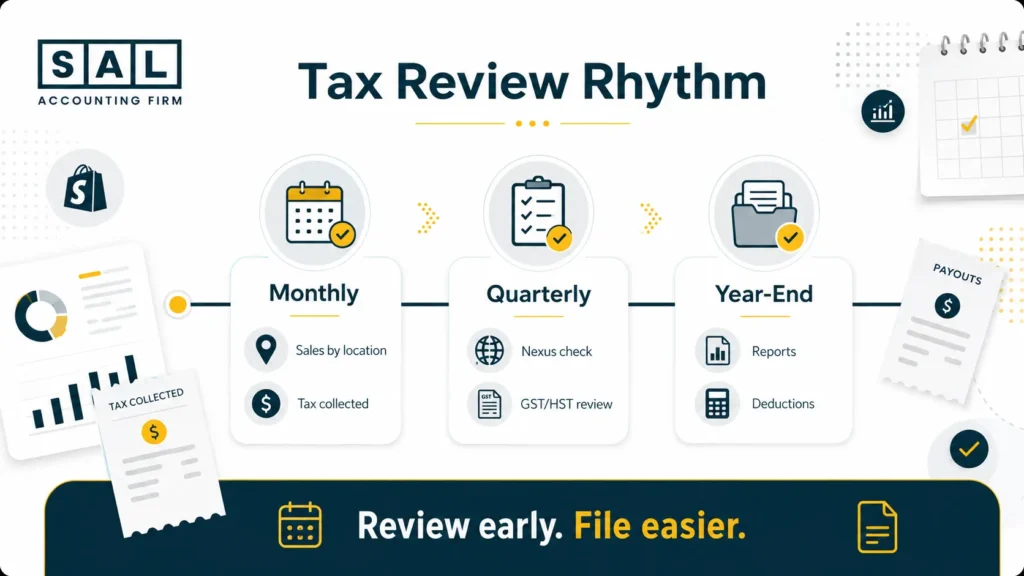
Shopify Tax Calendar for Sellers
A tax calendar helps you avoid last-minute cleanup. The direct answer: review Shopify taxes monthly, even if you only file quarterly or annually. The exact dates depend on your country, state, province, filing frequency, and business structure. Still, most Shopify sellers should not wait until year-end to look at tax reports.
Monthly
- review Shopify sales by location
- check sales tax collected
- compare Shopify payouts to bank deposits
- review refunds and discounts
- save receipts for ads, apps, shipping, and packaging
- move tax collected into a separate account if needed
Quarterly
- check U.S. nexus thresholds
- review GST/HST filing requirements
- review estimated tax needs
- export Shopify tax reports
- check whether sales tax returns are due
- confirm Shopify settings still match registrations
Year-End
- export Shopify tax reports
- export payout reports
- reconcile Shopify sales to bookkeeping records
- review deductions
- confirm income tax forms
- review cross-border sales
- check whether new state or provincial obligations appeared during the year
The sooner you review the numbers, the easier tax time becomes. If tax season usually turns into a scramble, getting an e-commerce store ready for tax season is easier when you are not rebuilding the whole year from Shopify exports and bank deposits.
Are Your Shopify Taxes Clear Enough Before Filing Season?
Shopify taxes do not have to feel impossible, but they do need a setup you can actually trust.You need to know where tax should be collected, what Shopify is tracking, what still needs to be filed, and whether your reports match what really happened in your store. For Canadian Shopify sellers selling into the U.S., this becomes even more important because GST/HST, U.S. sales tax, currency conversion, platform fees, and cross-border reporting can all overlap.
At the end of the day, the goal is not just to file forms. It is to understand what you collected, what you owe, what you kept, and what your store actually made. If your Shopify tax setup feels unclear, get help sorting out your tax setup so you know what needs to be fixed, tracked, or set up next.