
To categorize ecommerce transactions correctly, don’t treat the bank deposit as sales. Your payout can hide refunds, fees, tax, shipping, gift cards, COGS, and inventory movement inside one number. That’s where store owners lose track of what they actually kept.
For ecommerce sellers working with SAL Accounting, the goal is simple: turn messy payout data into numbers you can actually trust. Read to the end and you’ll know where each transaction belongs.
When your Shopify sales report and bank deposit do not line up, the Shopify Fee Calculator gives you a quick way to check whether fees are part of the difference.
Quick Takeaways
- Do not categorize ecommerce payouts as simple sales income.
- Separate sales, refunds, discounts, taxes, fees, shipping, gift cards, inventory, and COGS.
- Use an ecommerce chart of accounts so every transaction has a clear place.
- QuickBooks ecommerce categories and Xero ecommerce mapping should be set up before automation.
- Tools like A2X and Synder can help, but they still need proper mapping.
- Sales tax, GST/HST, and QST collected should usually sit as liabilities, not income.
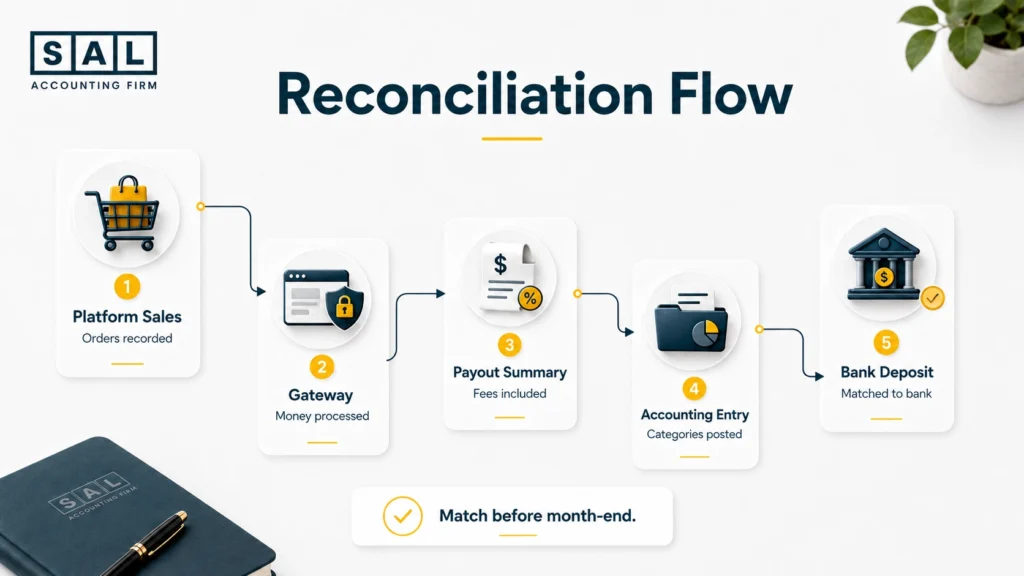
- Ecommerce payout reconciliation helps you match platform reports to bank deposits.
- Clean categories make it easier to see profit by channel, product, and platform.
How Do You Categorize Ecommerce Transactions?
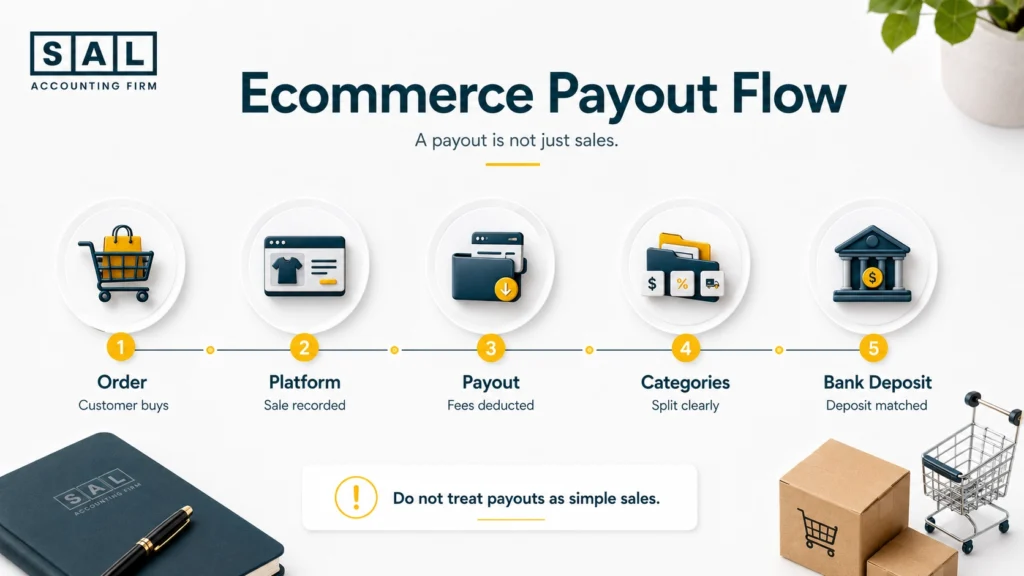
The best way to categorize ecommerce transactions is to avoid recording the bank deposit as the full story.
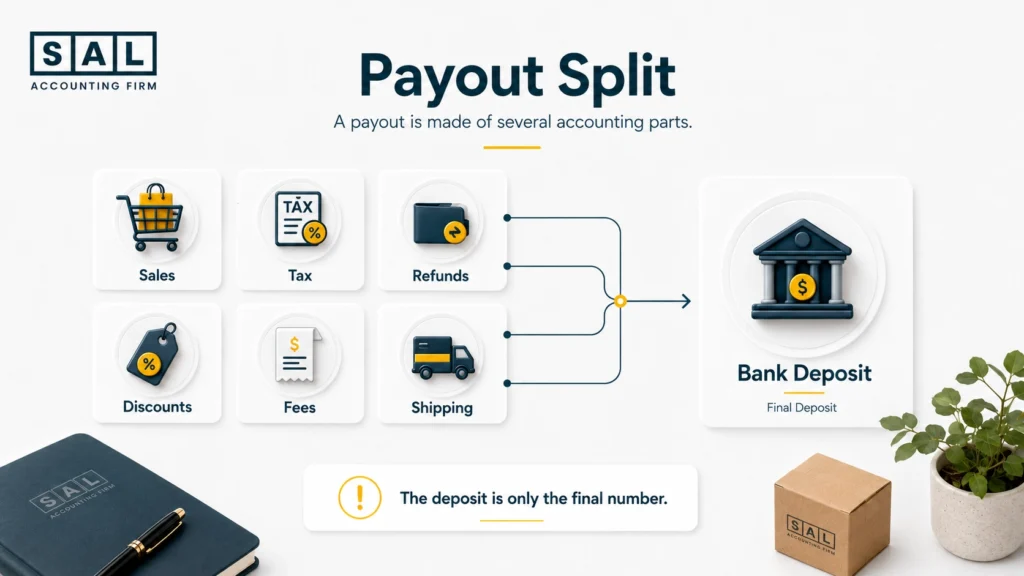
Example: Let’s say Shopify deposits $4,850 into your bank account. That deposit might include:
- $5,600 in product sales
- $200 in tax collected
- $150 in refunds
- $100 in discounts
- $180 in payment fees
- $520 in shipping labels
If you record the full $4,850 as sales, your books may look simple, but they will not show what actually happened. A cleaner setup shows:
- what you sold
- what customers returned
- what fees were taken
- what tax you collected
- what shipping cost
- what finally landed in the bank
The point is not to make your accounting more complicated. It is to make your numbers easier to trust. This often connects to ecommerce payment reconciliation, because the issue is not just the sale. It is what happened between the platform, the payment processor, and the bank.
- Also read: “Shopify payment reconciliation guide“
Start with ecommerce bookkeeping cleanup at SAL Accounting before the same issues carry into next month.
Ecommerce Chart of Accounts: Where Sales, Fees, Taxes, and COGS Go
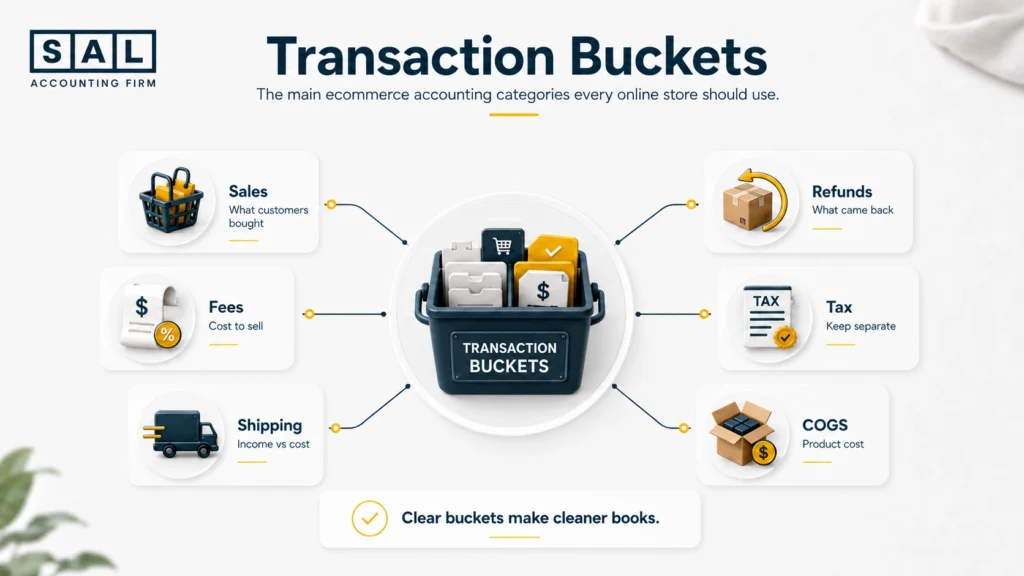
Your ecommerce chart of accounts is the structure that tells QuickBooks, Xero, or your bookkeeping system where each transaction belongs. Think of it like shelves in a stockroom. If every transaction has a clear place, you can find what you need quickly. If everything gets thrown into one big account called “sales” or “expenses,” your reports become harder to trust.
A regular chart of accounts may work for a simple service business. Ecommerce usually needs more detail because your money moves through:
- sales platforms
- payment gateways
- marketplaces
- tax settings
- shipping tools
- inventory systems
For Shopify sellers, this detail matters because platform fees, shipping labels, refunds, gift cards, and taxes can all show up in different places before the final payout reaches the bank. Here is a simple ecommerce chart of accounts to use as a starting point.
| Transaction Type | Category | Account Type | Example |
|---|---|---|---|
| Product sales | Shopify sales, Amazon sales, Etsy sales | Income | $100 product sale |
| Discounts | Discounts | Contra-revenue | 15% promo code |
| Refunds and returns | Refunds / returns | Contra-revenue | Customer refund |
| Shipping charged to customer | Shipping income | Income | Customer pays $12 shipping |
| Sales tax / GST/HST / QST collected | Tax payable | Liability | Tax collected at checkout |
| Gift cards sold | Gift cards outstanding | Liability | Customer buys a $50 gift card |
| Payment fees | Merchant fees | Expense | Shopify Payments, Stripe, PayPal |
| Marketplace fees | Platform fees | Expense | Amazon, Etsy, eBay fees |
| Shipping labels / fulfilment | Shipping or fulfilment expense | Expense | Canada Post, UPS, 3PL |
| Inventory purchased | Inventory | Asset | Stock not sold yet |
| Products sold | COGS | Cost of goods sold | Cost moved when item sells |
| Payout deposit | Clearing account to bank | Asset transfer | Shopify payout hits bank |
What the Accounting Terms Mean
Here’s what each category means before you decide where the transaction should go:
- Contra-revenue: Simply means something that reduces sales. Discounts and refunds belong here because they reduce what you actually earned.
- Liability: Means money you may owe later. Sales tax, GST/HST, QST, and unused gift cards usually sit here because that money is not fully yours yet.
- COGS: Means the cost of goods sold. This is the cost of the products you actually sold, not every product you bought.
- Clearing account: Means a temporary holding place. Platform activity goes in, and the bank deposit clears it out. If the clearing account does not come close to zero, something needs checking.
Gift cards are a good example of why categories matter. A2X explains that Shopify gift card sales may need to be recorded as a gift card liability, not just treated like normal product sales.
For Shopify sellers, the same issue comes up in Shopify inventory accounting, where product cost has to match what was actually sold. If product cost is the messy part, COGS for Shopify goes deeper into what belongs in the cost of goods sold and what does not.
That is the difference between books that only record deposits and books that actually explain the business.
- Read more: “How to calculate COGS for ecommerce stores“
QuickBooks Ecommerce Categories and Xero Ecommerce Mapping
QuickBooks and Xero can both work for ecommerce, but only if the mapping is clean. The software is not the strategy. It just follows the setup you give it. If taxes are mapped to income or fees land in the wrong account, the reports may look finished but still be wrong. A clean setup usually means:
- building an ecommerce chart of accounts
- creating clearing accounts for Shopify, Amazon, Stripe, PayPal, Etsy, or eBay
- mapping sales, refunds, fees, tax, shipping, gift cards, inventory, and COGS
- matching each payout to the bank deposit
If Shopify is already getting hard to track, Shopify accounting gives the store a cleaner structure before sales, fees, refunds, tax, and inventory start mixing together.
QuickBooks users also need to be careful with connector setup. Intuit says the Shopify Connector by QuickBooks can import Shopify transactions and related details into QuickBooks Online, but the categories still need to match how your store actually works.
For Xero users, Shopify Xero integration needs the same kind of review. The data may move across, but the mapping decides whether the numbers make sense.
A2X vs Synder vs Native Connectors: Which Ecommerce Mapping Tool Fits?
Tools can help, but they should not decide your accounting structure for you. A2X mapping, Synder ecommerce workflows, native connectors, and manual imports can all work. The right choice depends on your platforms, order volume, and how much detail you need. Here is a simple way to think about the options.
| Tool | Best For | Main Strength | Watch Out For |
|---|---|---|---|
| A2X mapping | Shopify, Amazon, Etsy, eBay sellers | Clean summarized payout entries | Needs proper COA and tax setup first |
| Synder ecommerce | Stores using multiple gateways | More detailed transaction syncing | Can create too much noise if overused |
| Native connectors | Smaller or simpler stores | Easy starting point | May still need cleanup and review |
| Manual imports | Low-volume stores or cleanup work | More control | Takes more time |
A2X and Synder can both save time, but they should not decide your categories for you. A2X says its Shopify to Xero integration sends summarized Shopify payout data into Xero for reconciliation. Synder can do similar work across multiple platforms, but the same rule applies: the mapping needs to be right first.
A connector can move data into the books. It cannot decide whether your ecommerce accounting categories make sense.
Pro Tip: Choose the categories first, then automate. Otherwise, the software may just repeat the same messy setup faster.
This is where ecommerce accounting automation fits best: after the chart of accounts is clean. For a broader software view, best ecommerce accounting software can help you compare the stack before adding more tools.
- Also read: “A2X for Shopify integration“
How to Reconcile Ecommerce Payouts to Bank Deposits
Ecommerce payout reconciliation means matching your platform reports to your bank deposits. The bank deposit is usually lower than the sales report because the payout may already include:
- payment fees
- refunds
- tax collected
- shipping labels
- timing differences
This can happen with Shopify, Amazon, Etsy, eBay, PayPal, and Stripe. A clean payout flow usually looks like this:
Order → platform report → payment gateway → payout summary → accounting entry → bank deposit
Why the Deposit Is Not the Full Story
The bank deposit only shows what arrived after the platform finished its deductions and adjustments. By the time money reaches the bank, the payout may already include:
- payment fees
- refunds
- tax collected
- shipping charges
- timing differences
That is why the deposit should be matched back to the payout report, not treated as simple sales.
Shopify explains that third-party transaction fees can appear on Shopify bills, while shipping label costs may be billed through shipping label billing. These details are easy to miss if you only look at the bank deposit. Your accounting should show each part clearly, then match the final payout to the bank.
What Changes with Amazon and Marketplace Payouts
Amazon payouts need extra care because the settlement report can include much more than product sales. Depending on your setup, the payout may include:
- referral fees
- FBA fees
- customer refunds
- reimbursements
- ad charges
- reserves
- marketplace-collected tax
Amazon explains that referral fees vary by category and are based on the total sales price. That is why Amazon activity should not be pushed into one generic sales or fee account. If Amazon is a major channel, Amazon seller bookkeeping gives those settlements a cleaner structure before sales, fees, refunds, tax, and inventory disappear into one deposit.
The point is simple: the settlement report matters more than the bank deposit. For the broader process, ecommerce reconciliation best practices connects platform data back to the bank.
Final Thoughts: Clean Ecommerce Categories = Clearer Numbers
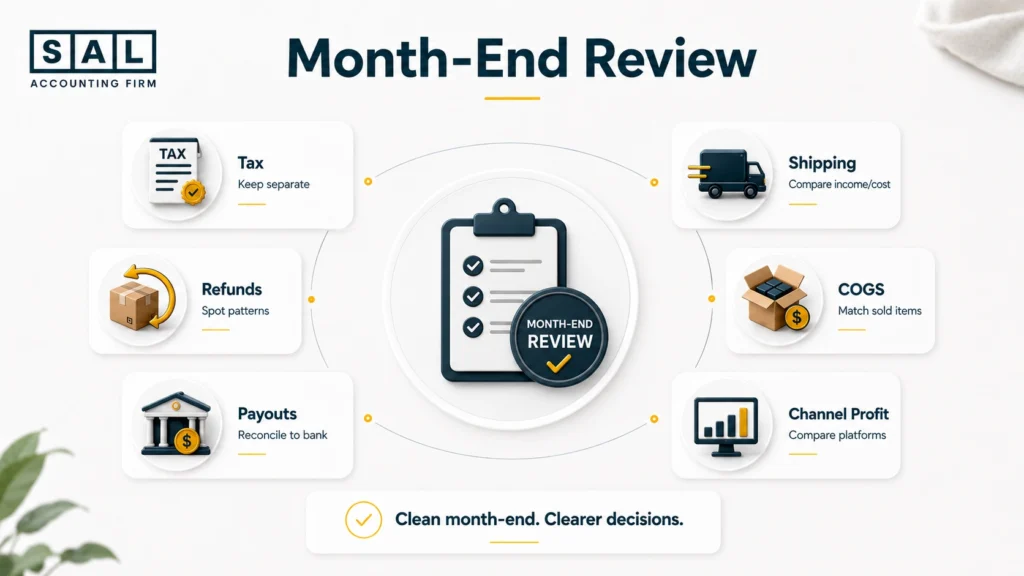
Categorizing ecommerce transactions is not about making your books look fancy. It is about knowing what your store actually earned, spent, collected, refunded, and kept. When sales, fees, refunds, tax, shipping, inventory, COGS, and payouts each have the right place, your reports stop feeling like a pile of deposits. They start showing what actually happened in the business.
The best setup is simple enough to use every month, but detailed enough to trust when you are making decisions. If your numbers still feel messy, schedule a call with SAL Accounting and get a clearer sense of what should be cleaned up, tracked, or set up next.