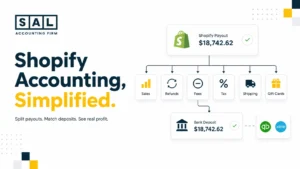

A Shopify sale does not go straight to your bank account. It moves through authorization, capture, fees, tax, inventory, payout timing, and bookkeeping first. That’s why the number in Shopify rarely matches the deposit in your bank.
For SAL Accounting, the real story is in the steps between checkout and cash. Keep reading and you’ll see exactly where the money goes, what gets deducted, and why your bank deposit rarely matches your sales.
Before your next payout review, run one order through the Shopify Fee Calculator and see how quickly fees change the cash that reaches your bank.
Quick Takeaways
- A Shopify sale is not the same as a Shopify payout.
- Your payout is usually lower because of fees, refunds, chargebacks, taxes, and timing differences.
- Sales tax collected from customers is not revenue.
- Inventory and COGS need to be tracked, or profit can look better than reality.
- The bank deposit should be matched back to Shopify, not recorded as simple sales income.
- Clean Shopify bookkeeping separates sales, fees, tax, refunds, inventory, COGS, and cash.
Why Shopify Sales and Bank Deposits Tell Different Stories
Shopify shows sales when customers place orders. Your bank shows cash when Shopify sends payouts. Those two numbers usually do not match, and that is normal. The problem starts when the bank deposit becomes the only number recorded in your books.
For stores that want this handled properly, SAL’s Shopify accounting services keep payouts, fees, taxes, inventory, and reports in one clean flow.
Shopify has the sales story. Your bank has the cash story. Your accounting system needs the full story. A common Shopify order flow looks like this:
| Step | What Happens | What It Affects | Common Miss |
| Order placed | Customer checks out | Sales activity | Treated as cash |
| Payment authorized | Payment is approved | Payment status | Assumed paid too early |
| Payment captured | Funds are collected | Payout flow | Timing ignored |
| Order fulfilled | Product ships | Inventory | COGS missed |
| Fees deducted | Shopify/payment costs apply | Expenses | Hidden inside payout |
| Payout scheduled | Orders get grouped | Clearing account | One sale matched to one deposit |
| Bank deposit lands | Net cash arrives | Cash | Deposit recorded as revenue |
| Books updated | Reports are adjusted | P&L, Balance Sheet, Cash Flow | Reports do not explain profit |
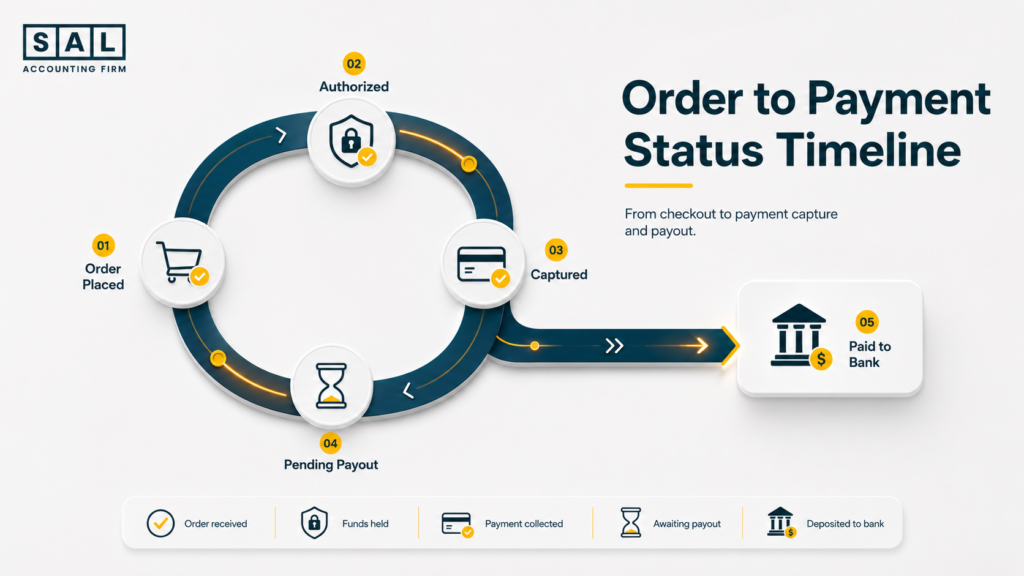
Shopify says capturing payment changes an order’s payment status from authorized to paid, according to Shopify payment capture. That is one reason timing matters before the money reaches your bank.

The Shopify Order Flow From Checkout to Payout
A Shopify order is not one accounting event. It is a chain. Here is the short version:
- The customer places an order.
- Shopify records the gross sale, shipping, discounts, and tax.
- The payment is authorized.
- The payment is captured.
- The order is fulfilled.
- Inventory decreases.
- COGS should be recorded.
- Shopify and payment fees are deducted.
- Transactions get grouped into a payout.
- Net cash lands in your bank.
- Your books need to separate all of those pieces.
This is why categorizing Shopify transactions matters. A payout should not be treated like one simple income line.
Order, Authorization, and Payment Capture
Let’s say a customer buys a product for $100. They also pay $10 shipping and $14.30 HST. Shopify may show a total order value of $124.30. That total includes different things:
- Product sale
- Shipping charged
- Sales tax collected
- Possible discount
- Payment status
- Customer payment method
Technically, all of that sits inside one order. But in your books, those pieces do not all go to the same place.
The Shopify payments payout timing page notes that payouts use business days, and weekends or holidays do not count toward settlement time. So a Friday sale may not hit your bank until the following week.
Pro tip: Do not judge cash flow from daily sales alone. A strong sales day can still sit inside pending payouts.
Fulfillment, Inventory, and COGS
Once the order is fulfilled, the product leaves your business. This is where many Shopify books start to drift. Revenue may be recorded, but the product cost may not be. When that happens, profit looks too high.
Example: A $100 product sale with a $40 product cost is very different from a $100 product sale with a $72 product cost. The sale number is the same. The profit is not.
Your Shopify inventory accounting should keep stock values and product movement aligned.
- Read more: “How to Calculate COGS for Ecommerce Stores”
Shopify Fees, Payouts, and Bank Deposits
After the order is paid, Shopify and payment processing fees reduce the amount that reaches your bank. Those fees are real expenses. They should not disappear inside the deposit.
That is also why hidden Shopify costs can quietly change the margin picture. Fees, apps, shipping tools, payment costs, currency conversion, and refunds can sit in different places.
Shopify’s payout reconciliation report gives a breakdown of transactions, fees, and payouts for a selected date range. That report is one of the cleanest places to start when the payout does not match sales.
Why Shopify Payouts Do Not Match Shopify Sales
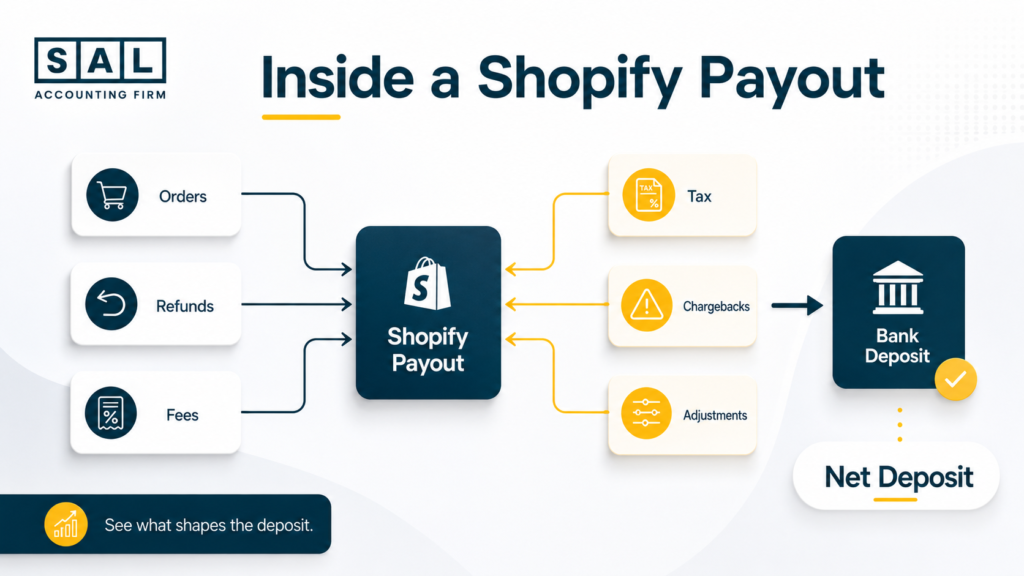
Your Shopify payout usually does not match your sales because it is a net cash number. Sales are the starting point. Payouts are what is left after activity inside Shopify Payments. Here is a simple example:
| Line Item | Amount | Accounting Treatment | Why It Matters |
| Product sale | $100.00 | Revenue | Customer bought the product |
| Shipping charged | $10.00 | Shipping income | Customer paid shipping |
| HST collected | $14.30 | Tax payable | Not revenue |
| Payment fee | -$3.75 | Expense | Reduces cash |
| Net payout | $120.55 | Bank deposit | Cash received |
The payout is not wrong. It is just not the same thing as sales. A payout can include:
- Multiple orders
- Refunds
- Payment fees
- Chargebacks
- Tax collected
- Currency conversion
- Adjustments from another day
That is why ecommerce payment reconciliation is not just a bank-matching task. It is how you prove that Shopify, your bank, and your accounting software are telling the same story.
The CRA also expects businesses to keep proper income and support records. Its business records page says income records should include the date, amount, and source of income.
Pro tip: Match payouts by payout batch, not by individual order. One Shopify deposit often includes many moving parts.
Case Study: How a King West Shopify Store Fixed Its Payout Confusion1
A growing apparel store in King West, Toronto has strong Shopify sales, but the owner keeps wondering why the bank balance feels lower than expected. Shopify shows steady orders. The bank shows smaller deposits. Monthly reports feel hard to trust because every payout needs explaining.
The Problem
The store records Shopify bank deposits as revenue. That makes the bookkeeping look simple, but it hides the actual sales, HST collected, refunds, and payment fees inside each payout.
What We Do
We separate each payout into sales, discounts, shipping income, tax collected, refunds, payment fees, and net cash. Then the Shopify payout reconciliation report gets matched to the bank deposit.
Result
The owner can now read Shopify reports without guessing. Sales, fees, tax, and cash are separated clearly. Instead of asking, “Why does nothing match?” the owner can follow how each payout was built.
How One Shopify Order Affects Your Financial Reports
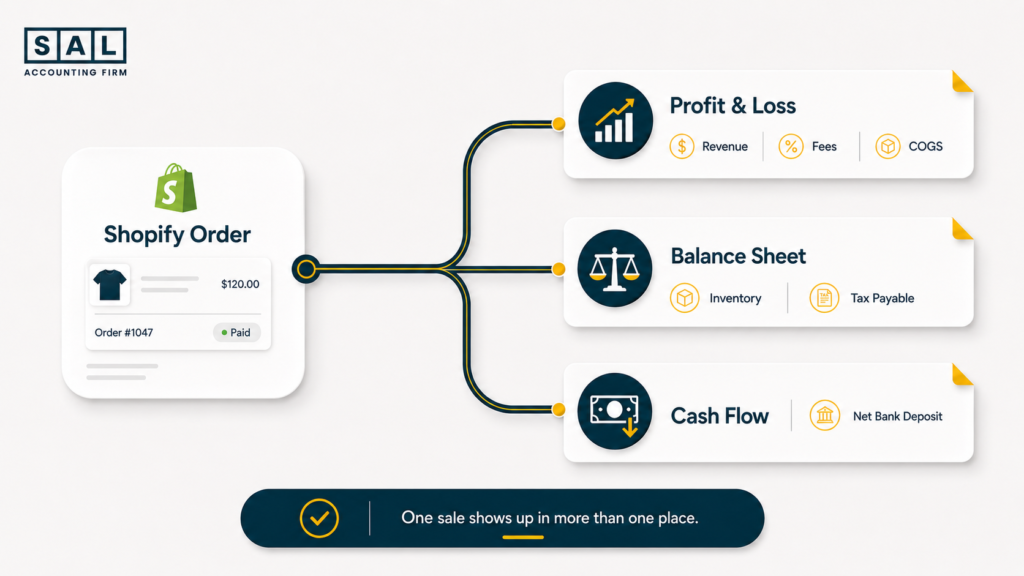
One Shopify order can touch every major financial report. That is why recording only the bank deposit creates problems.
| Financial Area | What Changes | Simple Example | Report Affected |
| Revenue | Sale is recorded | $100 product sale | Profit & Loss |
| Sales tax | Tax collected is owed | $14.30 HST | Balance Sheet |
| Fees | Processing cost is recorded | $3.75 fee | Profit & Loss |
| Inventory | Stock decreases | 1 unit sold | Balance Sheet |
| COGS | Product cost is recorded | $45 product cost | Profit & Loss |
| Cash | Net payout arrives | $120.55 deposit | Cash Flow |
- Revenue tells you what sold.
- COGS tells you what the product cost.
- Fees show what Shopify, payment processors, and apps took.
- Tax collected shows what you may owe, not what you keep.
- Cash shows what landed in the bank.
- Profit shows what is left after the real costs are counted.
The Shopify cash flow statement becomes much easier to understand when payouts are not confused with revenue. Once fees, COGS, and refunds are separated, the Ecommerce EBITDA Calculator gives you a cleaner look at profit beyond the sales number.
- Also read: “Shopify GST/HST Tax Guide for Canadian Sellers”
Accounting Mistakes in the Financial Lifecycle of a Shopify Order
Most Shopify accounting mistakes are not dramatic. They usually come from treating Shopify like a regular bank feed. But Shopify is not just a bank feed. It is sales, payments, tax, refunds, fees, inventory, and cash movement all in one place. The most common mistakes are:
- Recording payouts as revenue
The deposit gets treated as income, so gross sales and fees disappear. - Ignoring Shopify fees
Profit looks stronger because payment costs are missing. - Missing refunds and chargebacks
Sales stay too high when customer money was returned. - Forgetting COGS
Product costs are not matched to the sales that created them. - Mixing sales tax with revenue
Tax collected looks like money the business earned. - Skipping payout reconciliation
Shopify, the bank, and the books slowly drift apart.
This is also where common Shopify profit calculation mistakes show up. The issue is rarely one bad number. It is usually the full flow getting compressed into one bank deposit.
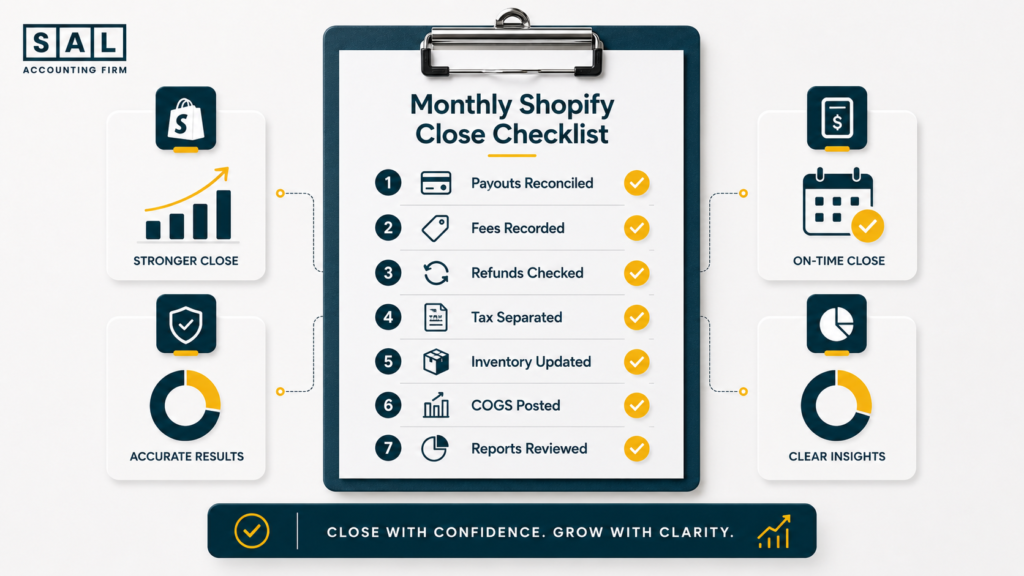
A stronger month-end routine usually includes Shopify accounting best practices, payout reconciliation, inventory review, fee checks, and a clean tax liability review.
Case Study: How a Port Credit Shopify Brand Fixed Its Inventory and COGS Reports2
A Shopify home goods brand in Port Credit, Mississauga has clean-looking sales reports, but the owner does not know which products are actually profitable. Orders are coming in, payouts are reaching the bank, and revenue looks healthy. Still, profit feels unclear.
The Problem
The business records sales and payouts, but COGS is not updated consistently. Inventory values stay too high, product margins look stronger than reality, and product-level profit is hard to trust.
What We Do
We organize the Shopify order flow around product cost, inventory movement, payout reconciliation, and monthly reporting. SKU costs are reviewed, inventory decreases are matched to sales activity, and COGS is recorded in the right period.
Result
The owner gets a cleaner view of product profit. Low-margin products are easier to spot, inventory is no longer a guess, and reports show what the store sold, what it cost, what fees were paid, and what cash arrived.
Best Practices for Tracking Every Shopify Order
You do not need to make Shopify accounting complicated. You need a repeatable system. Start with these checks:
- Reconcile Shopify payouts to bank deposits.
- Separate gross sales from net deposits.
- Record Shopify and payment fees as expenses.
- Keep refunds and chargebacks visible.
- Track sales tax as a liability.
- Update inventory and COGS monthly.
- Review the Profit & Loss and Balance Sheet together.
A clean Shopify month-end close checklist keeps the routine from turning into a last-minute cleanup project. For stores using QuickBooks, Shopify QuickBooks integration should still be reviewed carefully, because automation does not always mean the numbers are categorized correctly.
For some sellers, A2X for Shopify can make payout summaries easier to post into the accounting system. The setup still needs the right accounts, tax treatment, and product cost process.
Pro tip: Automation is useful, but it should not replace review. A clean system still needs someone checking whether Shopify, the bank, and the books agree.
Cash vs accrual also matters here. With cash vs accrual accounting for ecommerce, the timing of sales, payouts, expenses, and inventory can change how profit looks in a given month.
For Shopify sellers also using Amazon, Etsy, or other channels, ecommerce bookkeeping services in Toronto keeps each sales channel from blending into one confusing deposit trail.