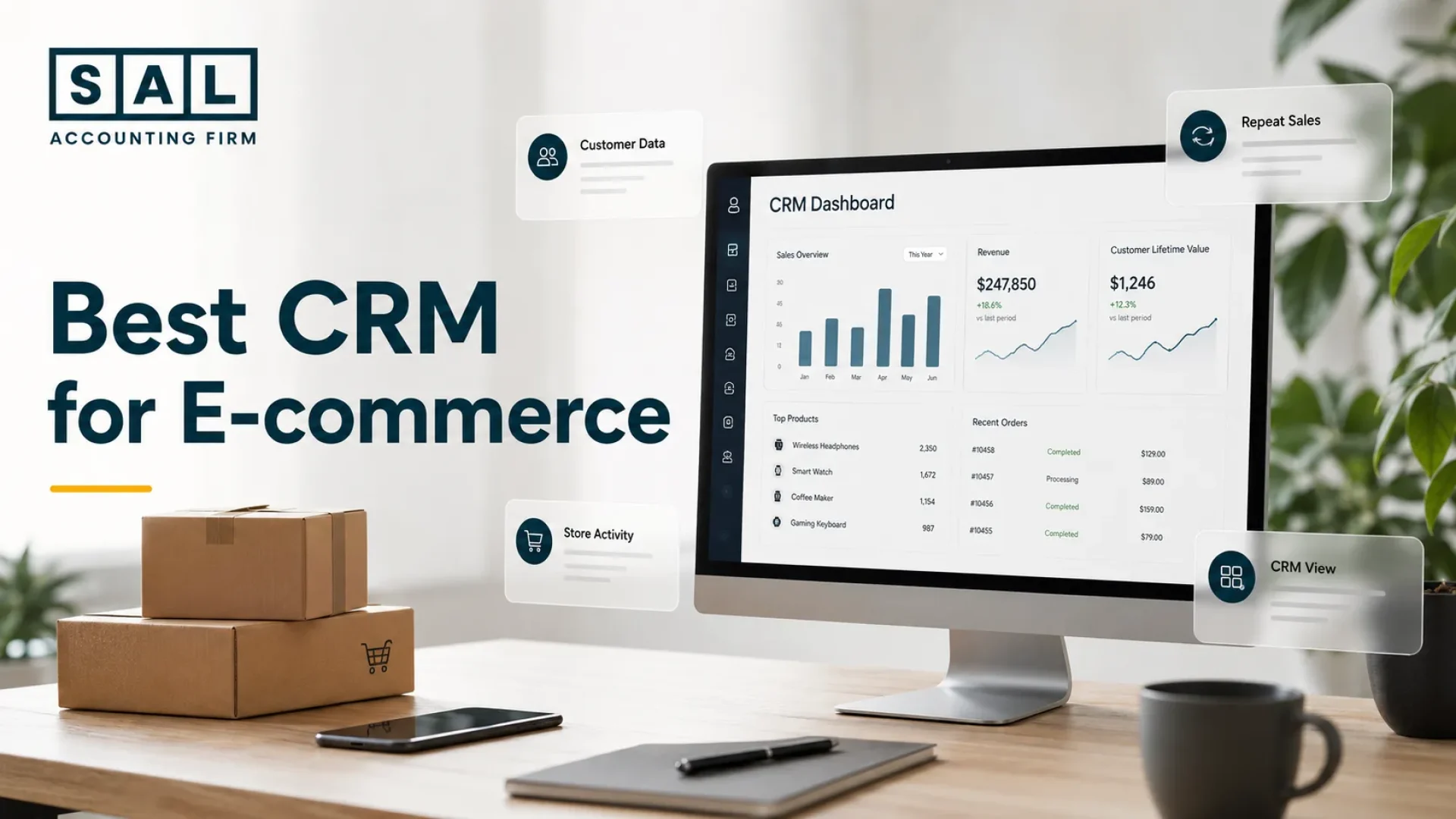
The best CRM software for ecommerce brings customer data, repeat sales, and store activity into one clear view. For many online sellers, top options include Klaviyo, HubSpot, Zoho CRM, ActiveCampaign, and Salesforce. Retention matters too:Bain found a 5% lift in retention can raise profits by 25% to 95%. AtSAL Accounting, we look at CRM through the numbers behind growth.
In this post, you’ll see which CRM fits your store, what each tool is best at, and how to choose one without adding another messy system to your business.
Check your profit first with theEcommerce EBITDA Calculatorbefore adding another CRM or campaign
Quick Takeaways
- The best CRM software for e-commerce depends on your store size, sales channels, customer data, and retention goals.
- Klaviyo is strong for retention, HubSpot works well for smaller teams, and Zoho CRM is useful when you want flexible workflows.
- A good ecommerce CRM should organize customer history, abandoned carts, repeat purchases, support notes, and campaign activity.
- Do not choose a CRM only because it has the longest feature list. Choose the one your team can keep clean and actually use.
- CRM data should make customer behaviour easier to read beside your store and accounting reports.
Messy customer records and monthly numbers? Get them cleaned up with our e-commerce accounting services before tax season
What Is Ecommerce CRM Software?
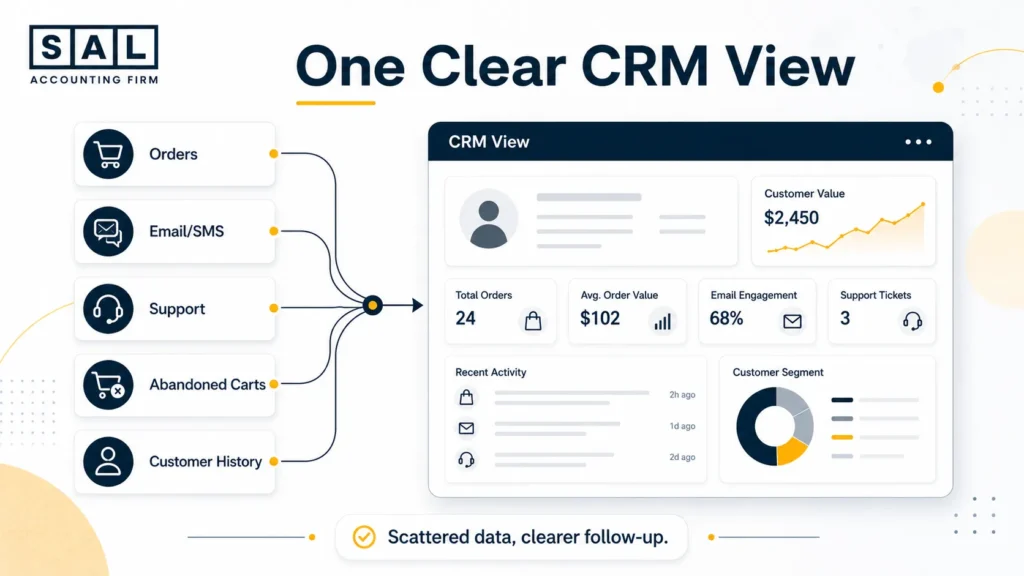
Ecommerce CRM software organizes customer data, order history, marketing follow-up, sales activity, and support conversations in one place. For an online store, that usually means tracking:
- who bought
- what they bought
- when they came back
- who abandoned checkout
- which campaigns they received
- which buyers are worth following up with again
Basically, it turns scattered customer activity into something your team can use.
Example: Your store may show 1,200 customers, your email platform may show 1,500 contacts, and your accounting software may only show the deposit that reached the bank. Those numbers are related, but they do not explain themselves automatically.
That same gap often appears in e-commerce payment reconciliation. The sale is only one part of the story. Refunds, fees, discounts, chargebacks, and payout timing can change what the numbers really mean.
Which Ecommerce CRM Fits Your Store Type?
Not every ecommerce CRM is built for the same job. Some are better for repeat purchases, some are better for messy customer records, and some work better when your store has wholesale leads or multiple sales channels. Use this table to narrow the choice before reading the full tool breakdown:
| CRM Tool | Best For | Strongest Ecommerce Use | Main Watch-Out |
| Klaviyo | Retention | Email/SMS flows | Contact-based cost |
| HubSpot CRM | Small teams | Customer records and follow-up | Paid feature jumps |
| Zoho CRM | Flexible workflows | Custom sales processes | Setup time |
| Salesforce | Large operations | Advanced CRM structure | Cost and complexity |
| Pipedrive | Wholesale/B2B | Visual sales pipeline | Less retention-focused |
| Freshsales | Simple AI CRM | Lead scoring and follow-up | Integration depth |
| Nutshell | Lean teams | Contact and pipeline management | Fewer advanced flows |
| ActiveCampaign | Automation | Email/SMS journeys | Automation overload |
What Features Should an Ecommerce CRM Have?
A CRM demo can look great and still be wrong for your store. The real question is whether it makes customer data easier to use day to day. For ecommerce, your CRM should help you:
- see who bought and who came back
- spot customers who dropped off
- recover abandoned carts
- segment buyers by behaviour, product, or location
- review which campaigns are worth repeating
- keep customer data easier to compare with store and accounting reports
This is especially true if you already use several apps, becausethe best ecommerce integrations are the ones that reduce cleanup instead of creating more tabs to check.
| Feature | What It Tracks | Why It Belongs in Your CRM |
| Store integration | Orders and customers | Less manual cleanup |
| Segmentation | Buyer groups | Better follow-up |
| Abandoned cart flows | Lost checkouts | More recovered sales |
| Email/SMS automation | Customer journeys | More repeat purchases |
| Support history | Customer issues | Better service |
| Location tags | Buyer regions | Cleaner reporting |
| Reporting dashboard | Trends and activity | Easier decisions |
Pro Tip: Test the CRM with real order data before paying for a full year. Sample data will not show how the tool handles refunds, duplicate contacts, discounts, or cancelled orders.
Case Study: How a Liberty Village Ecommerce Brand Cleaned Up CRM Data1
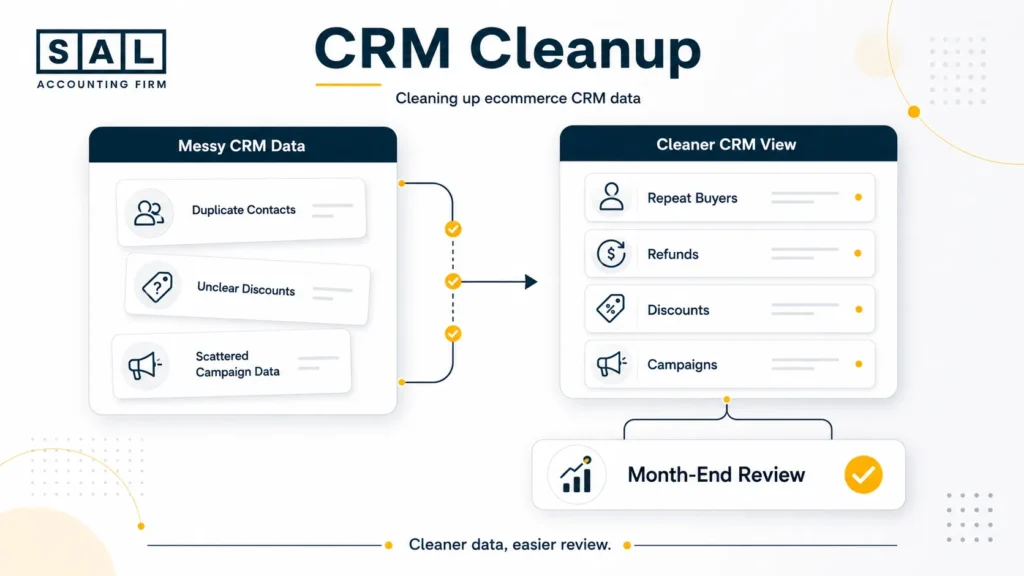
A wellness brand in Liberty Village, Toronto sells through its online store and seasonal pop-up events. Sales are steady, but the CRM, store dashboard, and accounting reports do not tell the same story. Campaign revenue looks strong, but discounts, refunds, and shipping adjustments are hard to review.
The Problem
The owner cannot see which campaigns create profitable repeat purchases. Customer tags are inconsistent, and monthly reporting takes too much manual checking.
What We Do
SAL would organize the CRM around repeat buyers, product groups, discounts, refunds, and order history. For a store running mainly through Shopify, Shopify accounting puts store data and bookkeeping review in the same conversation.
Result
The owner gets a cleaner view of which campaigns deserve attention, which offers need review, and which numbers need cleanup before month-end.
Best CRM Tools for Ecommerce Stores in 2026
Here are the top CRM tools for ecommerce in 2026, what each one is best for, and what to watch before you choose:
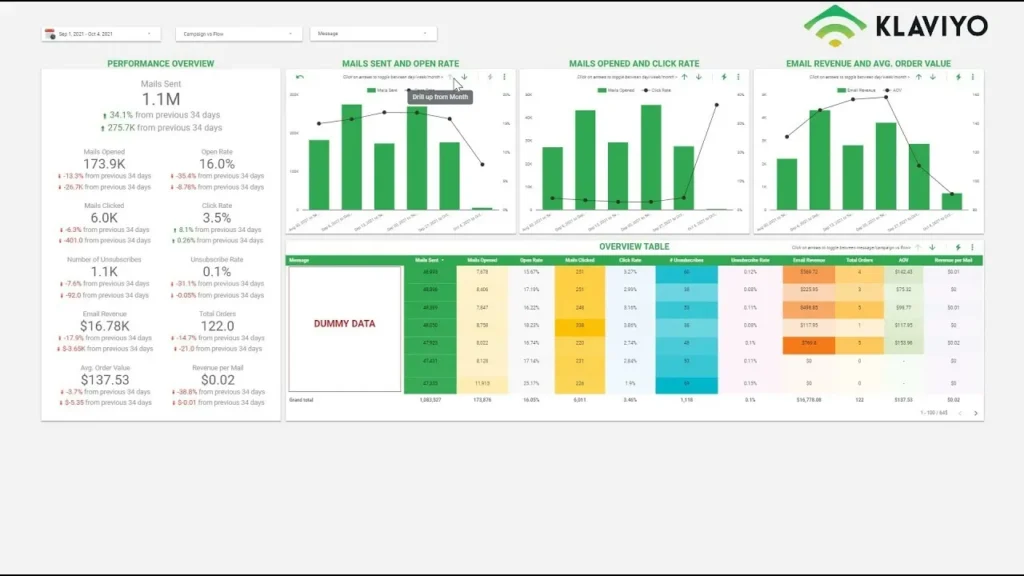
1. Klaviyo — Best for Retention and Repeat Sales
Klaviyo is one of the strongest options for ecommerce brands that rely on email, SMS, abandoned cart flows, win-back campaigns, and customer segmentation.
It fits products people buy more than once, such as skincare, supplements, apparel, home goods, pet products, and coffee. The product overview is on Klaviyo.
Pricing: Klaviyo pricing starts with a free plan for up to 250 profiles, 500 monthly email sends, and 150 mobile message credits. Paid pricing scales as your list and usage grow.
Best for:
- repeat-purchase brands
- email and SMS campaigns
- abandoned cart recovery
- customer segmentation
Watch out for list costs, messy tags, and campaign revenue that looks strong before refunds, discounts, and product costs are reviewed. That same issue comes up in top ecommerce pricing strategies, where sales volume alone does not show what the store actually keeps.
2. HubSpot CRM — Best Free CRM for Small Ecommerce Teams
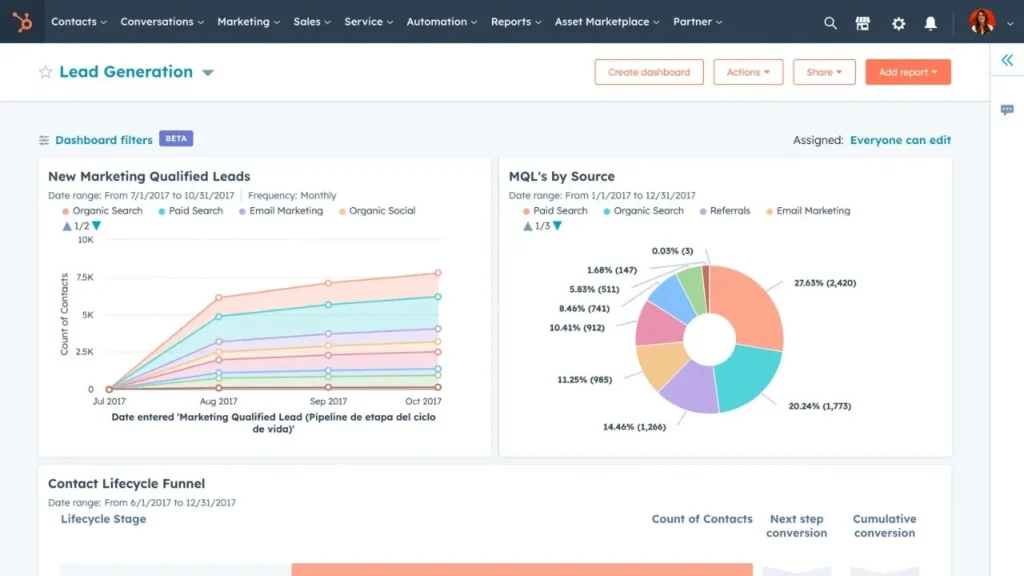
HubSpot CRM works well when your store has outgrown spreadsheets but does not need a heavy system yet.
It gives small teams one place for customer records, sales activity, support notes, and simple follow-up. The product page for HubSpot CRM is the best place to see how the free CRM works.
Pricing: HubSpot pricing includes free CRM tools, with paid plans depending on the hub, seats, contacts, and features you choose.
Best for:
- small ecommerce teams
- simple customer tracking
- support notes
- early sales follow-up
Watch out for paid features becoming necessary later, especially once you need stronger automation or reporting. If your CRM is part of a broader software stack, best ecommerce accounting software is a useful place to compare what should sit beside your books.
3. Zoho CRM — Best Budget CRM for Flexible Workflows
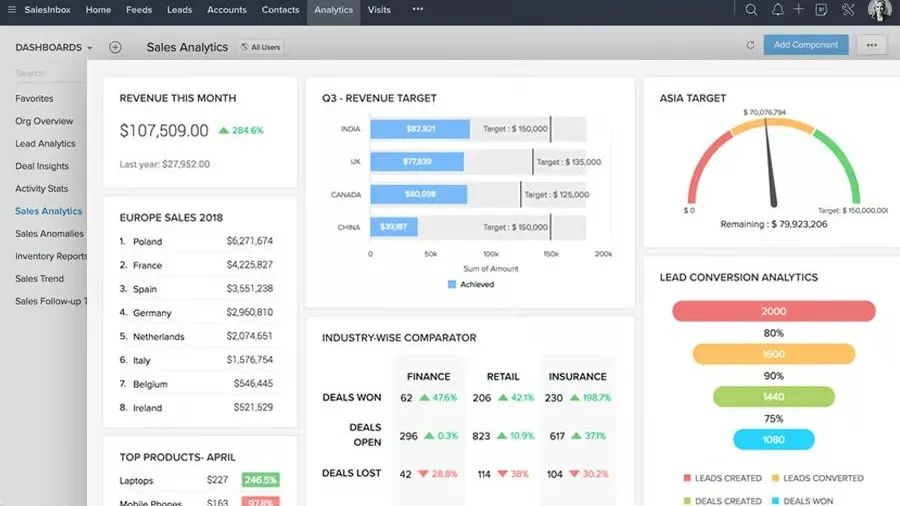
Zoho CRM is a good fit when you want more customization without jumping into enterprise software. It can work for online stores with direct sales, marketplace orders, wholesale inquiries, and support follow-up. The mainZoho CRM page shows the product range.
Pricing: Zoho CRM pricing includes a free option and paid editions. Pricing can vary by region and billing choice, so check the currency and plan before comparing it with other CRMs.
Best for:
- growing stores
- custom workflows
- mixed sales channels
- teams already using Zoho apps
Watch out for over-customizing too early. Too many fields and workflows can slow the team down.
4. Salesforce — Best for Large Ecommerce Operations
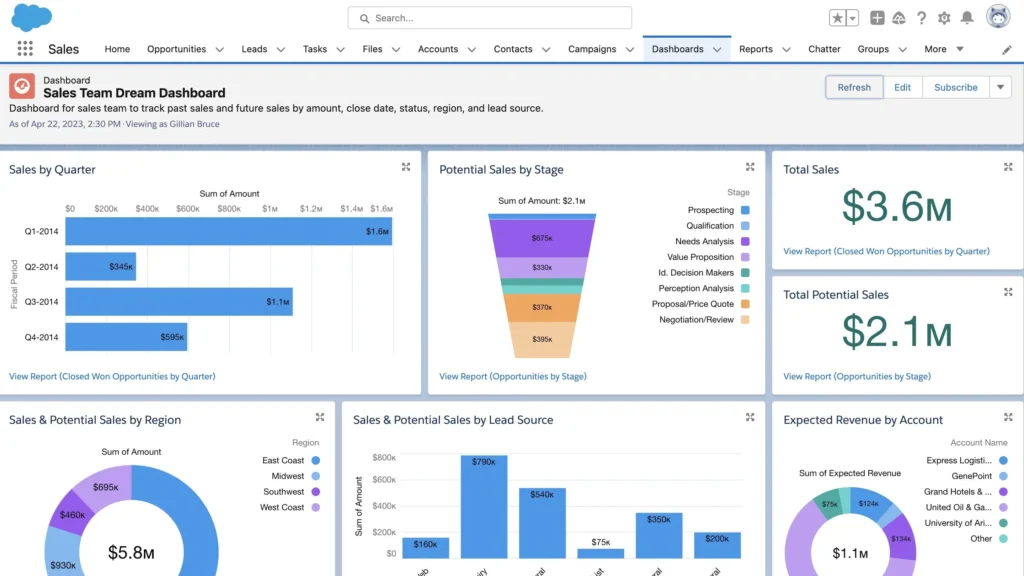
Salesforce usually makes sense for larger ecommerce teams with complex customer journeys, multiple departments, and deeper reporting needs. It can be powerful, but it is rarely the simplest choice for a smaller store. The relevant product overview isSalesforce Sales Cloud.
Pricing: Salesforce pricing starts with a free suite and paid plans from $25 per user/month, with higher tiers for more advanced sales, automation, AI, and reporting features.
Best for:
- larger ecommerce operations
- multi-team sales or support
- advanced reporting
- complex customer journeys
Watch out for setup cost, admin time, and training. At this stage, CRM reports and financial reports usually need more structure, which is where ecommerce financial statements become more useful.
5. Pipedrive — Best for Wholesale and B2B Ecommerce Sales
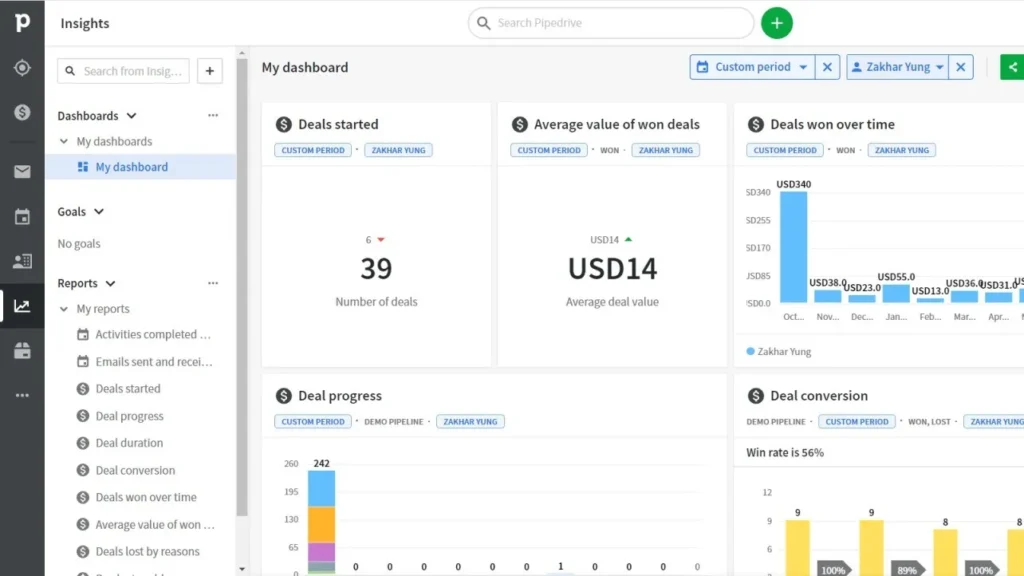
Pipedrive is useful when your ecommerce business also has wholesale, B2B, custom orders, or retail partnerships. It is less about retention marketing and more about seeing where each deal or conversation stands. The product overview onPipedrive shows the pipeline style clearly.
Pricing: Pipedrive pricing starts at US$14 per seat/month when billed annually, with a 14-day free trial available.
Best for:
- wholesale leads
- B2B ecommerce
- retail partnerships
- custom quotes
Watch out for weaker retention tools. You may still need a separate email or SMS platform.
6. Freshsales — Best Simple AI CRM for Ecommerce Sellers
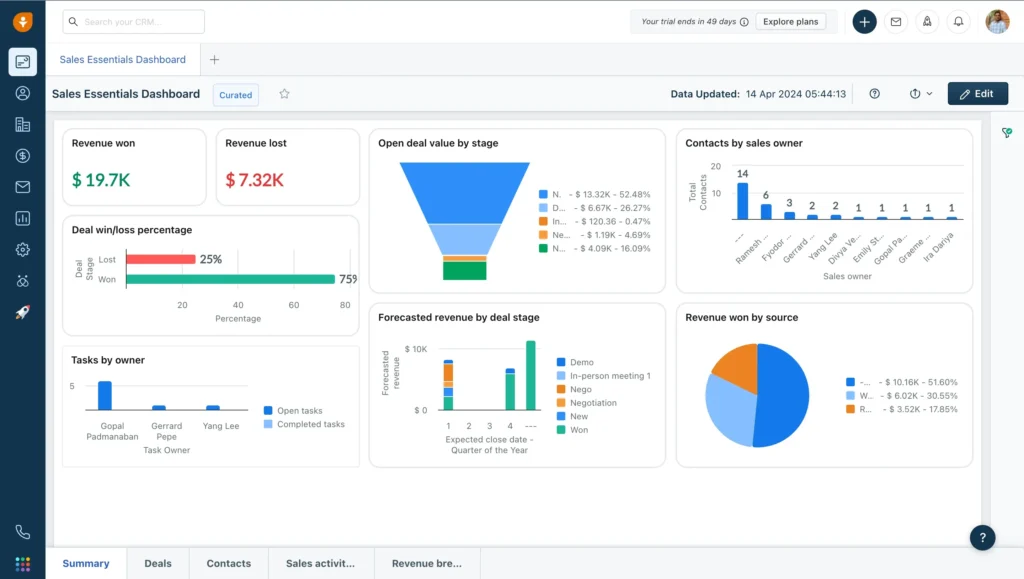
Freshsales is a lighter CRM for teams that want lead scoring, follow-up reminders, and basic AI support without a heavy setup. It fits ecommerce businesses that get customer inquiries, quote requests, or partnership leads. TheFreshsales page covers the product.
Pricing: Freshsales pricing starts at $9 per user/month when billed annually. A 21-day free trial is available.
Best for:
- simple sales tracking
- lead scoring
- follow-up reminders
- smaller teams
Watch out for ecommerce depth depending on the integrations you use. Freshsales is better for organized follow-up than advanced ecommerce retention.
7. Nutshell — Best Affordable CRM for Lean Ecommerce Teams
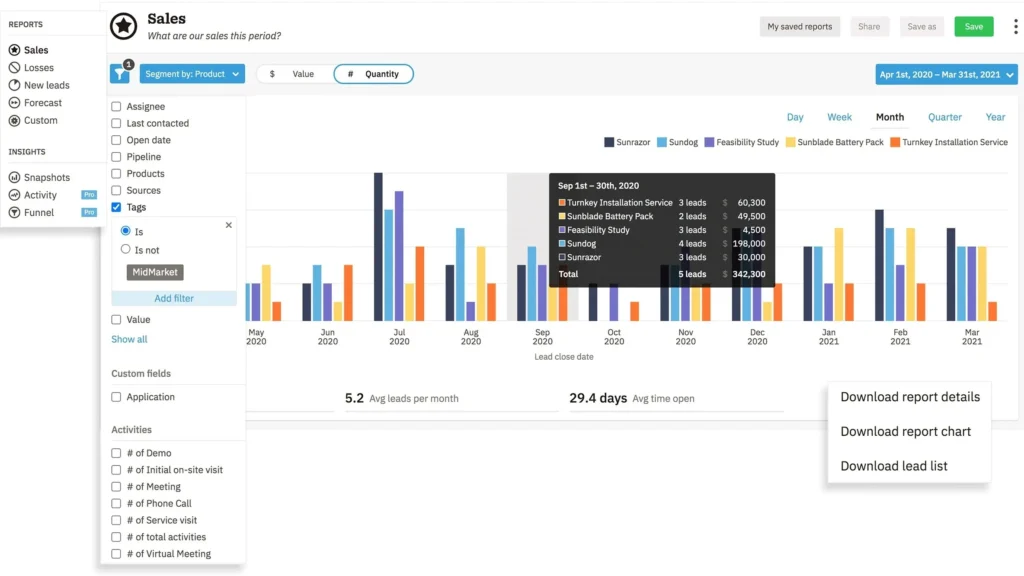
Nutshell is a practical CRM for small teams that want contact management, pipeline tracking, and simple reporting without too many extra layers. It is a good fit when the goal is customer organization, not a complicated automation system. The mainNutshell page gives the product view.
Pricing: Nutshell pricing starts at $13 per user/month with annual billing, with a 14-day free trial and optional add-ons.
Best for:
- lean teams
- simple customer records
- basic pipeline tracking
- owners who want less software noise
Watch out for fewer advanced ecommerce automations. A simple CRM used properly is still better than a powerful one no one updates.
8. ActiveCampaign — Best for Advanced Email and SMS Automation
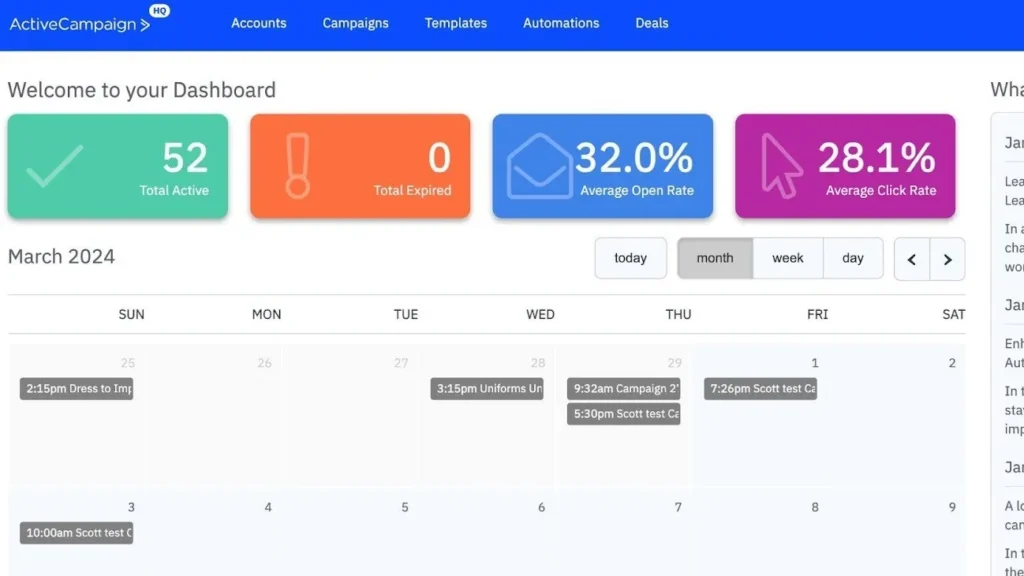
ActiveCampaign works well for ecommerce stores ready to build more detailed customer journeys. It can handle welcome flows, abandoned cart emails, win-back campaigns, VIP segments, and product-based follow-ups. Start withActiveCampaign for the platform overview.
Pricing: ActiveCampaign pricing is based on plan, contacts, and selected features. The pricing page uses a plan customizer, so confirm the final monthly cost based on your list size and feature needs.
Best for:
- advanced email automation
- SMS campaigns
- customer journeys
- segmentation
Watch out for overbuilt automations. If the team cannot explain a flow in one sentence, it is probably too complicated.
Best CRM for Online Stores by Business Type
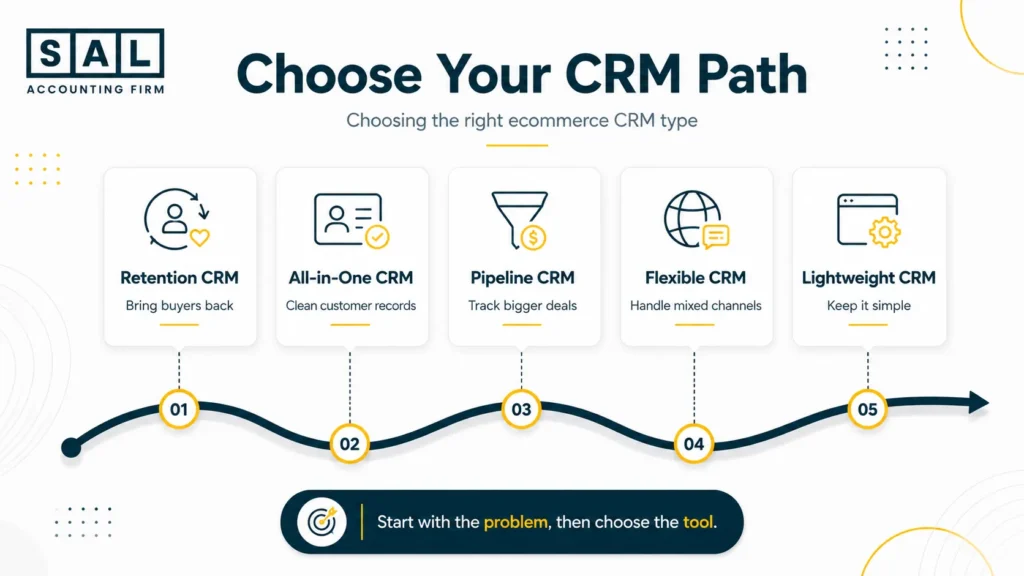
The best CRM depends on what your store is trying to fix first. A brand struggling with repeat purchases does not need the same CRM as a store managing wholesale leads, messy customer records, or several sales channels.
| Store Situation | Best CRM Direction | Tools to Consider | Watch For |
| Customers buy once and disappear | Retention CRM | Klaviyo, ActiveCampaign | Email/SMS costs and flow setup |
| Customer data is scattered | All-in-one CRM | HubSpot, Zoho | Too many unused features |
| Wholesale leads need tracking | Pipeline CRM | Pipedrive, HubSpot | Manual updates after each deal |
| The store has multiple channels | Flexible CRM | Zoho, Salesforce | Setup time and reporting cleanup |
| The team wants something simple | Lightweight CRM | Nutshell, Freshsales | Limited ecommerce automation |
Do not start with the longest feature list. Start with the clearest problem:
- Are customers coming back?
- Is customer data spread across too many tools?
- Are leads slipping through the cracks?
- Are campaigns hard to review?
- Are reports messy because every app tells a different story?
Once you know the problem, the CRM decision gets much easier. And if the bigger issue is disconnected tools, it may be worth reviewing your ecommerce automation setup before adding another platform.
How CRM Software Improves Ecommerce Retention?
CRM software improves retention by making follow-up more timely and more relevant. Useful flows include:
- abandoned cart emails
- win-back campaigns
- post-purchase emails
- replenishment reminders
- VIP offers
- review requests
For example, say 1,000 people bought from your store this year, but only 160 bought again. Your CRM can show what those repeat buyers purchased and which campaign brought them back. That is much more useful than sending the same offer to everyone.
Shopify’s abandoned checkout guidance is Shopify-specific, but the lesson works across ecommerce: missed checkouts need fast, relevant follow-up.
Pro Tip: Review discounts, refunds, shipping costs, and product costs beside CRM revenue. A campaign can look strong inside the CRM while the margin stays thin.
How CRM Data Fits With Accounting Reports
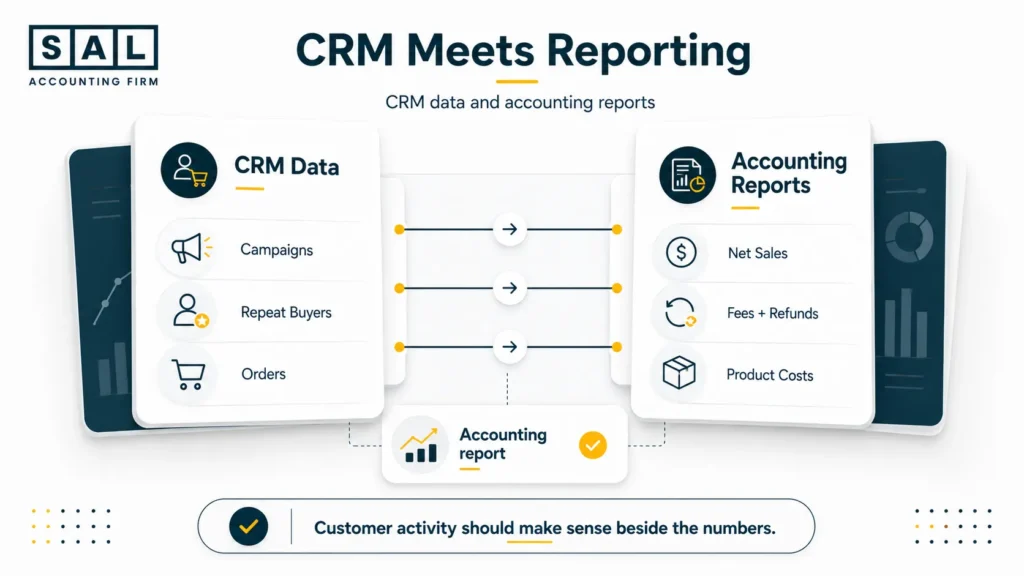
Your CRM shows what customers did. Your accounting reports show what those actions actually left behind.
For example, your CRM may show:
- $10,000 from an email campaign
- 300 returning customers
- strong abandoned cart recovery
- higher repeat purchase activity
But your accounting reports should help answer the next question:
- How much was refunded?
- How much went to discounts?
- What did payment fees cost?
- What did shipping cost?
- What was left after product costs?
That is why ecommerce reconciliation best practices matter here. CRM data tells you what happened with customers. Reconciliation helps you see whether that activity turned into clean, useful numbers.
For sellers with US customers, location data also matters. Use the US Economic Nexus Threshold Checker for a quick first look before reviewing state sales tax questions more closely.
Case Study: How a Port Credit Seller Organized Marketplace and CRM Reports2
A home goods seller near Port Credit in Mississauga sells through its website, a marketplace channel, and a small wholesale list. Customer follow-ups happen in one tool, marketplace orders are reviewed somewhere else, and wholesale leads still sit in a spreadsheet.
The Problem
Customer records are duplicated, website and marketplace buyers are mixed together, and the owner cannot easily see which channel creates the strongest repeat sales.
What We Do
SAL would structure the CRM around sales channel, customer type, location, and order history. If Amazon is one of the main channels, Amazon seller bookkeeping gives marketplace reports a cleaner path into the books.
Result
The team can follow up with the right customers, reduce duplicate records, and see which channels deserve more attention.
Conclusion: Which Ecommerce CRM Should You Choose?
The best CRM software for e-commerce is the one that fits how your store actually sells. If repeat sales are weak, start with retention. If customer records are messy, start with data cleanup. If reports do not line up, review the setup before adding more tools.You do not need the biggest CRM. You need the one your team can keep clean and actually use.
If you are unsure which CRM setup fits your ecommerce business,contact SAL Accounting and get a clearer sense of what needs to be organized, reviewed, or cleaned up next.