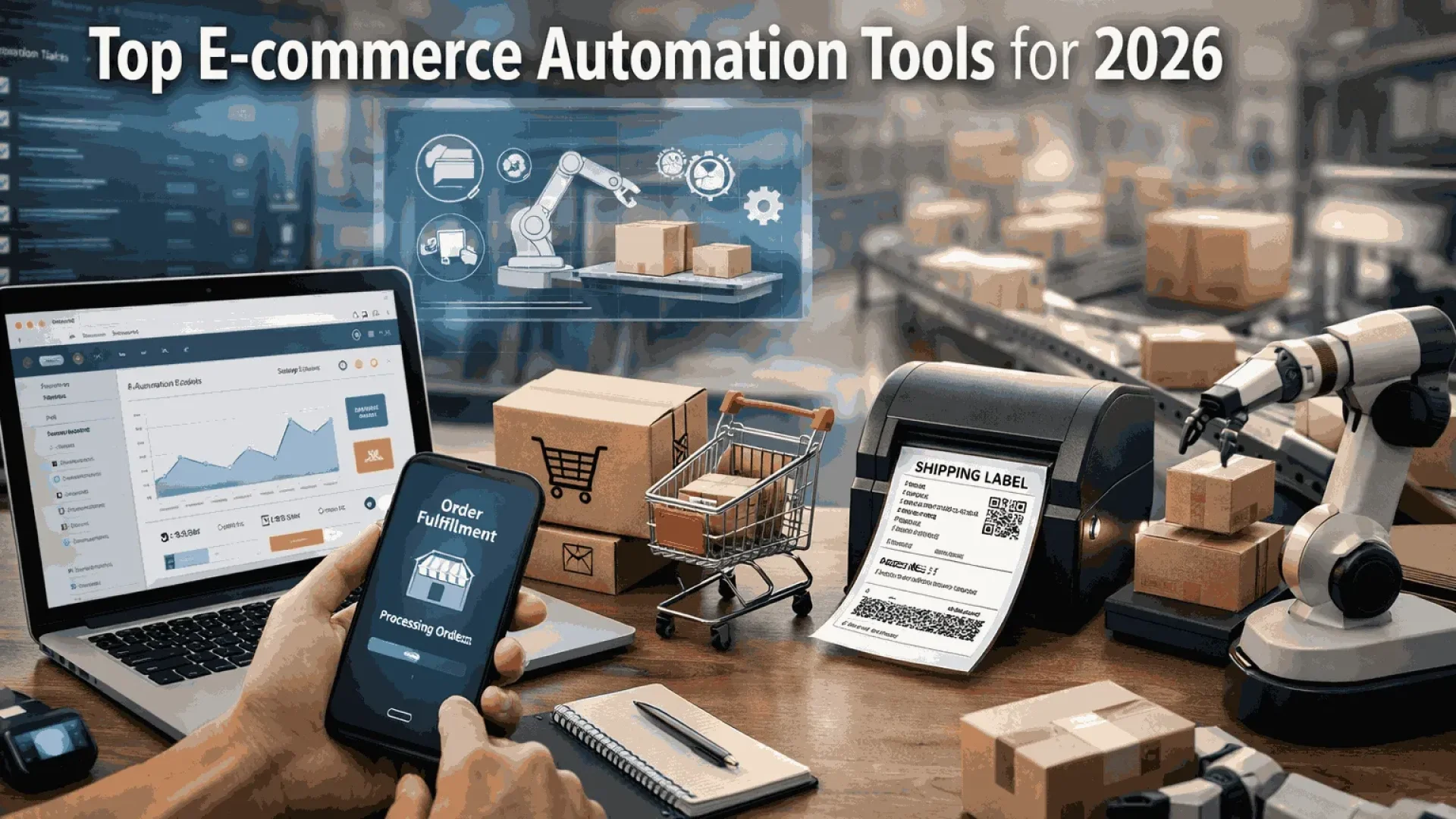
In 2026, the smartest e-commerce stores are using automation tools to handle the boring stuff and actually grow faster. We want to show you the ones that really work for your online shop, so you save time and make more money without burning out. Surprisingly, shops that use AI this way see revenue go up 10–12% on average, and 69% of retailers say they can directly tie extra profit to these tools.
SAL Accounting walks you through the best eCommerce automation options right now, explains what each one really does, shares quick real-store examples of how they save time or boost sales, and gives you straightforward steps to pick the right ones.
Quick Takeaways
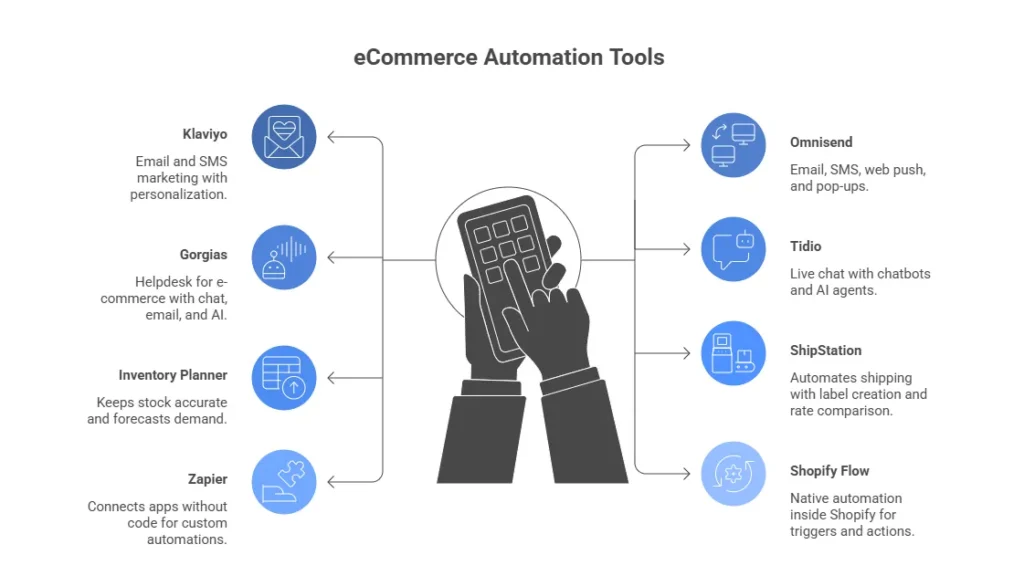
- Top e-commerce automation tools in 2026: Klaviyo, Gorgias, ShipStation, Zapier, Omnisend.
- Automation cuts manual work by 40–60% and reduces errors.
- Stores gain 10–12% average revenue increase from automated flows.
- Start with your biggest pain: marketing, support, inventory, shipping, or app connections.
- Test one tool with a free trial for 2–4 weeks and track results—no tech skills needed.
Why Automate Your Online Store or Small Business?
An online store deals with repetitive tasks daily: answering repeated customer questions, manually updating stock, sending reminder emails, tracking shipments, fixing small errors that keep appearing, and e-commerce bookkeeping and accounting. This is when automation tools come to your aid and do the following:
- You save a ton of time: Tools cut manual work by 40–60%. You get hours back each week for strategy, creative ideas, or family.
- Fewer mistakes and happier customers: Automated inventory prevents overselling. Faster order routing gets packages out quicker. Chatbots answer 60–80% of simple questions right away.
- More sales with less effort: Personalized recommendations and abandoned cart flows bring in extra revenue easily. Many businesses see 10–12% average sales increases. In some stores, product suggestions drive up to 30% of total sales (source: Brilliance).
- Scaling becomes much easier: Tools handle way more orders as your store grows. You don’t have to hire a big team right away. (e.g., Shopify automation does lots of favors)
Here’s a quick look at the main differences automation makes:
| Benefit | Without Automation | With Automation | Typical Result |
| Time | Hours lost on repetitive tasks | 40–60% less manual work | Hours back for growth or family |
| Mistakes | Overselling, late shipping, missed carts | Automated checks stop most errors | Fewer refunds and upset customers |
| Customer Service | Slow replies, repeating answers | Instant answers for 60–80% of questions | Happier customers, more repeat buys |
| Sales | Lost revenue from no follow-ups | Flows recover 20–30% of carts | 10–12% average revenue increase |
| Scaling | Need to hire quickly as orders grow | Tools handle 10x volume without extra staff | Grow smoothly without stress |
Which E-commerce Processes Should You Automate First?
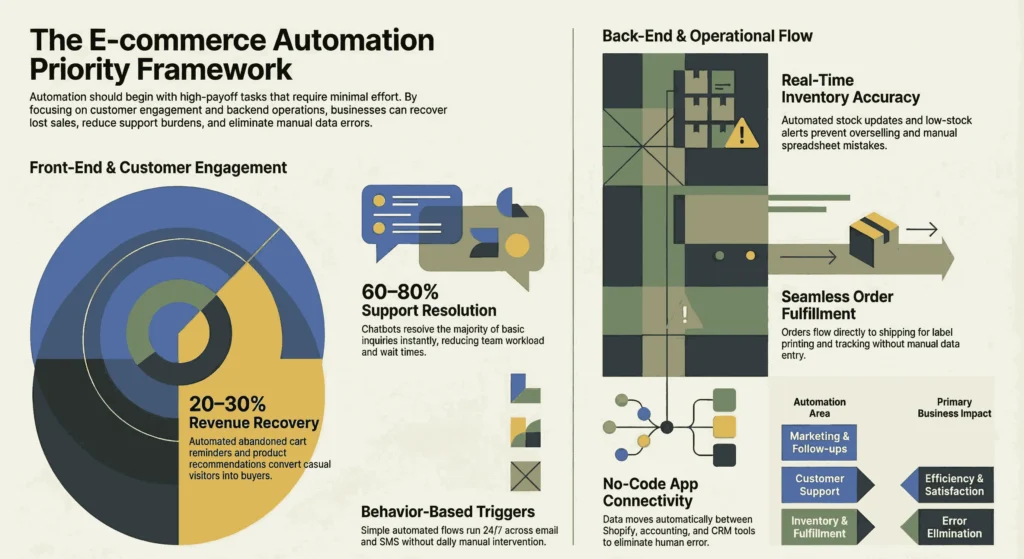
You don’t need to automate everything at once. Start with the tasks that give you the biggest payoff with the least work. These areas save you the most time, cut down on headaches, and quickly help your sales or customer happiness.
Marketing and Customer Follow-Ups
Automate welcome emails, abandoned cart reminders, and product recommendations based on what people browse.
These are the must-have tools for e-commerce platforms like Shopify, usually the easiest to set up. Many stores recover 20–30% of lost sales just from automated cart reminders. The flows run on simple triggers and work across email or SMS without you doing anything daily. They turn casual visitors into buyers more often.
Customer Support and Engagement
Automate answers to common questions like “Where is my order?” or “What’s your return policy?” with chatbots or ticket routing.
Tools reply to 60–80% of basic questions right away, at any time of day. Customers wait less, feel taken care of, and complain less. Your team only handles the tricky stuff instead of repeating the same answers.
Inventory and Stock Management
Automate real-time stock updates across all sales channels, demand forecasts, low-stock alerts, and reorder suggestions.
This stops you from overselling and upsetting customers. It also prevents running out of popular items and losing sales. Everything stays accurate automatically. For instance, you can handle inventory accounting for Shopify with zero hassle. no more daily manual checks or spreadsheet mistakes.
Order Fulfillment and Shipping
Automate order processing, label printing, carrier choice, tracking updates, and customer notifications.
Orders go straight from your store to shipping without you typing anything. Packages leave faster, tracking arrives automatically, and buyers stay informed. You get fewer errors and more repeat customers, especially when things get busy.
Workflow Connections Between Apps
Automate data moving between your tools, like sending a new order to your accounting software, CRM, or shipping app.
No-code options connect everything without copy-pasting. One sale can update inventory, send confirmations, and create invoices all at the same time. This saves hours every week and stops silly human errors.
Pro tip: Pick the one that bugs you the most or costs you money right now (like lost carts or constant stock checks). Automate that first. You see results fast, then move to the next one.
The Best Automation Tools for Your eCommerce Store Right Now
Here are some great tools that lots of store owners use daily. Some are the best software for e-commerce accounting, some others for other purposes. We explain what each one does best in simple terms, list the main pros and cons, say who it’s good for, and give current pricing.
1. Klaviyo
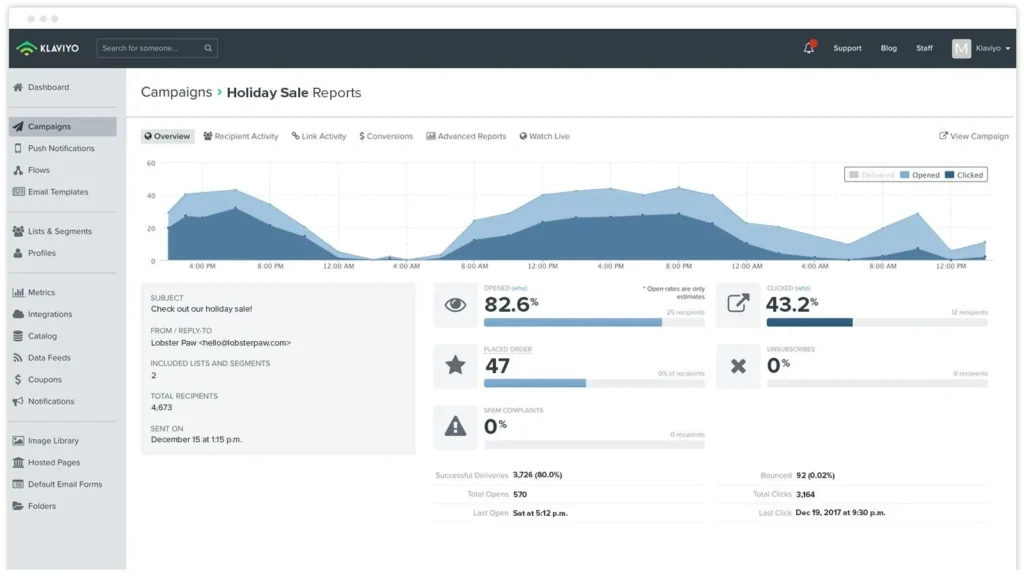
This tool handles email and SMS marketing with lots of personalization. Klaviyo connects to your store, pulls customer data, and builds automatic flows like abandoned cart reminders, welcome emails, post-purchase messages, or product suggestions based on what people viewed or bought. Stores often recover 20–30% of lost sales with these sequences.
- Pros: Great segmentation and analytics that show real revenue impact. Easy drag-and-drop builder. Proven to grow sales.
- Cons: Costs go up as your contact list grows. Advanced features take a bit to learn.
- Good for: Growing stores that want marketing to bring in steady extra revenue through personalized follow-ups.
- Pricing: Free plan (up to 250 active profiles, 500 emails/month). Paid starts around $20/month for 251–500 profiles (email only). Email + SMS plans cost more (e.g., $30+ for 1,000 profiles).
2. Omnisend
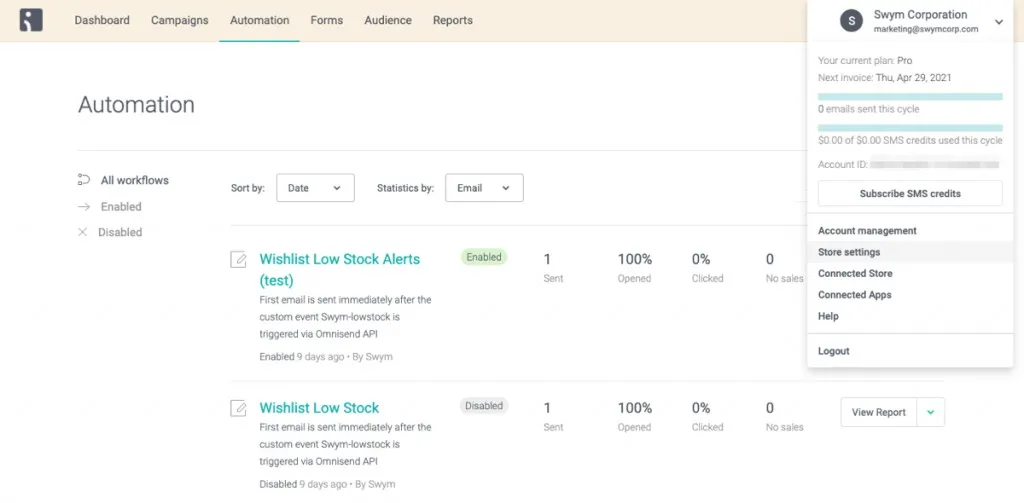
This tool covers email, SMS, web push notifications, and on-site pop-ups. Omnisend has ready templates and automation recipes so you can set up cart recovery, welcome flows, or win-back campaigns fast. You will also be able to track the e-commerce expenses for your store.
- Pros: Cheap to start. Unlimited push notifications on paid plans. Very beginner-friendly. Works well with Shopify.
- Cons: Lower plans have email send limits. Analytics aren’t as detailed as Klaviyo for heavy users.
- Good for: Small to medium stores that want simple multi-channel follow-ups without a big learning curve or high cost.
- Pricing: Free plan (limited sends). Standard around $16/month (up to 6,000 emails). Pro starts around $59/month (unlimited emails + more features).
3. Gorgias
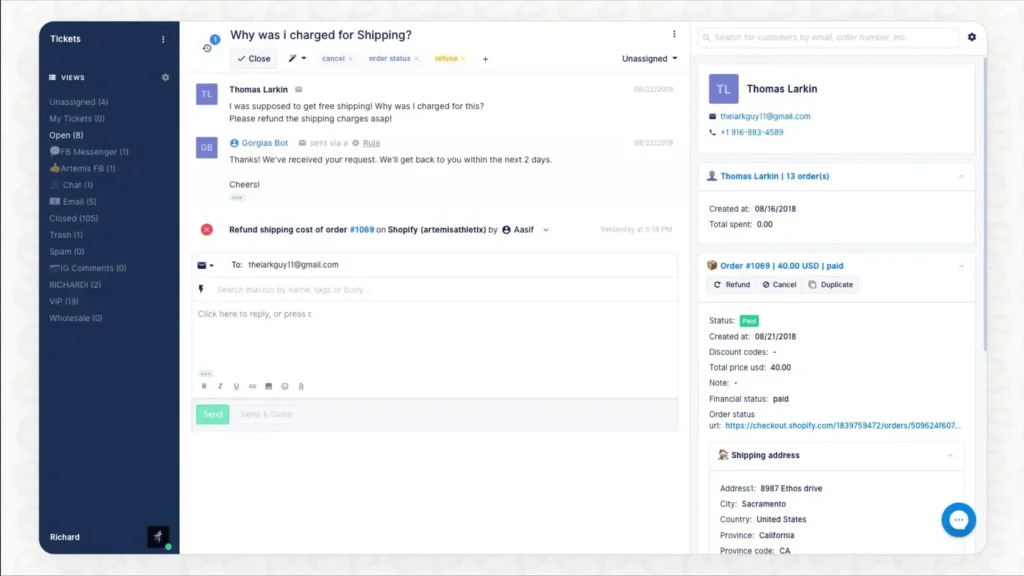
Gorgias is a helpdesk made for e-commerce. It brings chat, email, social messages, and AI replies into one place. It pulls order details automatically, so answers come fast and accurately.
- Pros: Cuts support time a lot. Keeps all messages in one inbox. AI suggests replies and handles basics. Can tie support to sales (upsells or refunds).
- Cons: Pricing is based on tickets, so extra volume adds fees quickly. Higher tiers are needed for bigger stores.
- Good for: Stores with many customer questions that need organized, efficient support that still feels personal.
- Pricing: Starter around $10/month (50 tickets). Basic around $50–$60/month (300 tickets). Pro around $300–$360/month (2,000 tickets). Extra tickets cost about $0.36–$0.40 each.
Read More: “Best Business Bank Accounts for E-commerce Stores: Top Options to Manage Your Finances”
4. Tidio
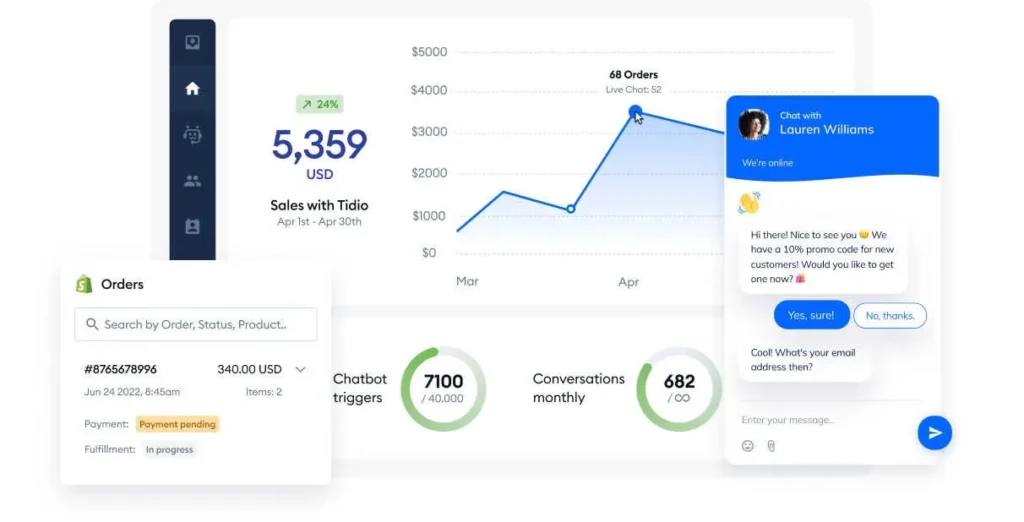
This is a simple live chat with chatbots and AI agents that answer basic questions 24/7. You set Tidio up quickly and switch to human chat when needed.
- Pros: Fast to install. Very affordable. Free plan covers basics. Good for instant replies.
- Cons: Lower plans limit conversations. AI extras cost more. Not the best for huge volumes or very complex issues.
- Good for: Small stores that want cheap, quick customer support without a big team.
- Pricing: Free plan (limited conversations). Starter around $24–$29/month (100 conversations). Growth around $49+/month. Higher plans for unlimited or advanced AI.
5. Inventory Planner (or similar to Cin7/Extensiv)
These tools keep the stock accurate. Inventory Planner syncs inventory in real time across channels, forecasts demand from trends, sends low-stock alerts, and suggests when to reorder. Check the types of e-commerce taxes in Canada for more.
- Pros: Stops overselling and stockouts. Saves money by avoiding too much stock. Ends daily manual checks and spreadsheet errors.
- Cons: Pricing usually needs a quote (not always clear upfront). Better for medium to large inventories.
- Good for: Sellers who lose money or customers because of inventory problems, especially if they sell on multiple channels.
- Pricing: Custom/quote-based (often starts around $59–$244+/month based on SKUs, sales volume, and features. Cin7 Core starts around $349/month for Standard. Extensiv offers similar quote-based or $99+/month for some plans).
6. ShipStation
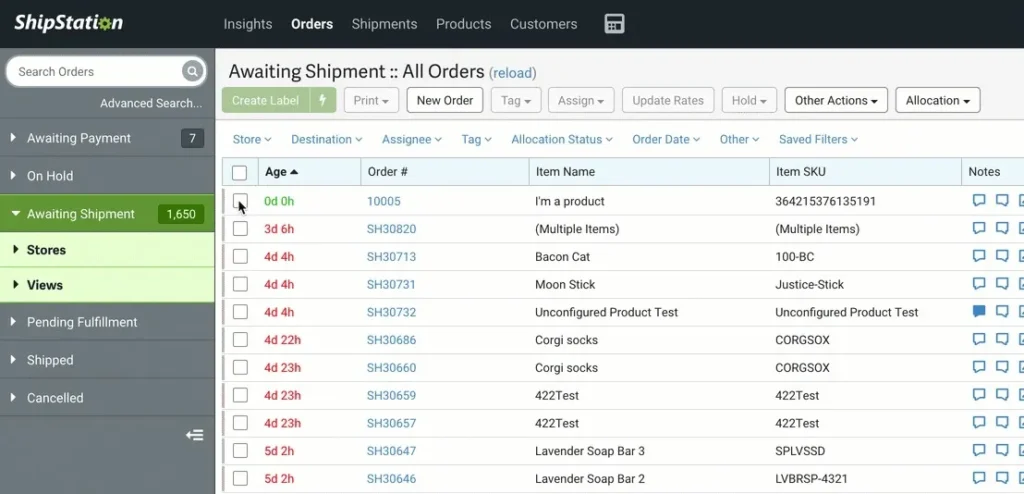
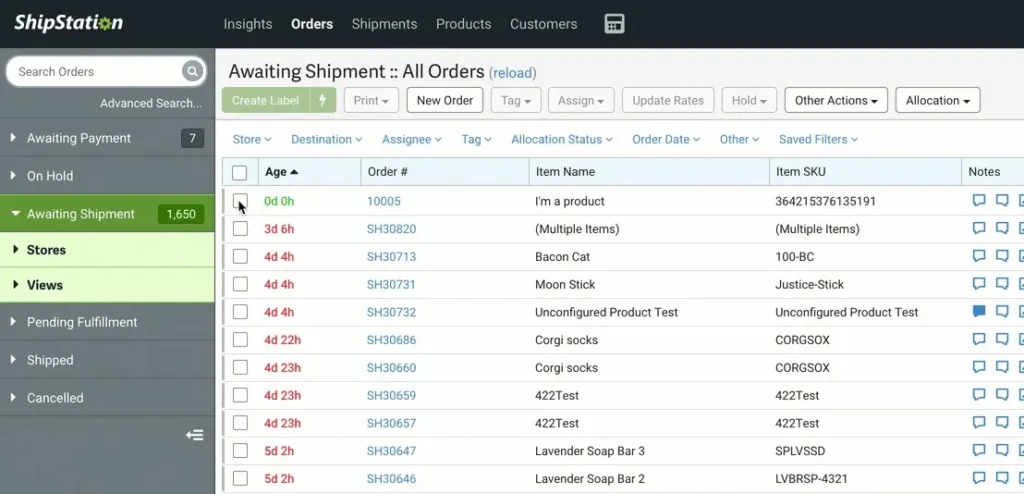
This tool automates shipping. This is helpful if you ship products between Canada and the US. ShipStation imports orders, creates labels, compares carrier rates, prints in batches, updates tracking, and sends customer notifications.
- Pros: Saves hours on packing and shipping. ShipStation gives discounted carrier rates. Works with most stores and carriers.
- Cons: Fees increase with more shipments. Advanced features are available on higher plans.
- Good for: Stores with 50+ orders per month that want faster, error-free shipping.
- Pricing: Starter around $10–$15/month (lower shipments). The standard is around $30/month. Higher tiers up to $350+/month based on volume.
7. Zapier
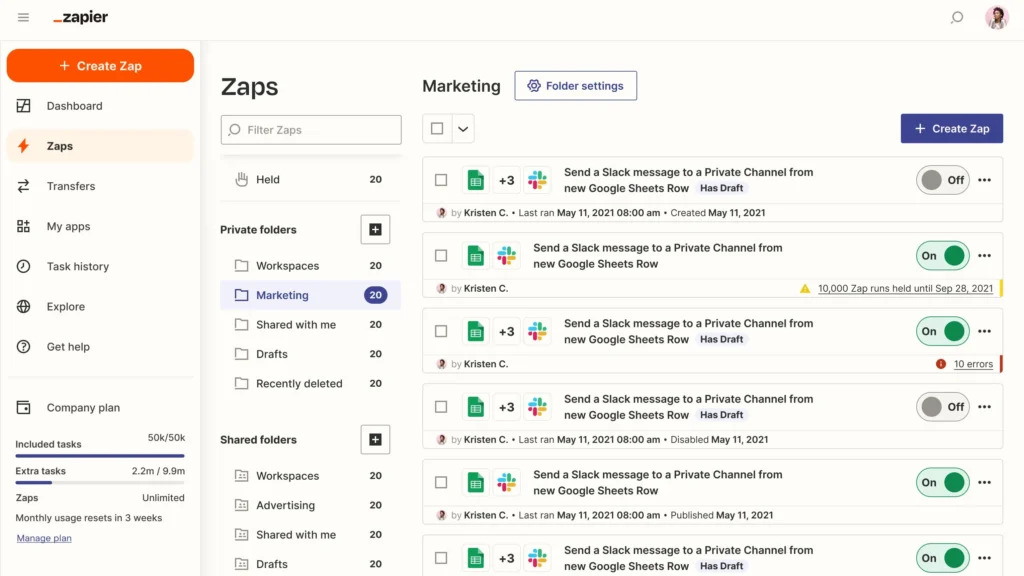
This tool connects your apps without any code. You build simple automations called “Zaps.” For example, when a new order comes in on Shopify, Zapier can automatically update inventory in another app, send a message to Slack, and create an invoice, all at the same time. If you do dropshipping on Shopify, this can be helpful.
- Pros: Connects thousands of apps. Super flexible for custom needs. No-code and easy to use.
- Cons: Charges per task/action run each month. The free plan is very limited for real use.
- Good for: Stores using several tools that want them to work together automatically without a developer.
- Pricing: Free (limited tasks). Professional around $20–$30/month (more tasks + multi-step). Team around $69+/month. Enterprise custom.
8. Shopify Flow (built-in for Shopify users)
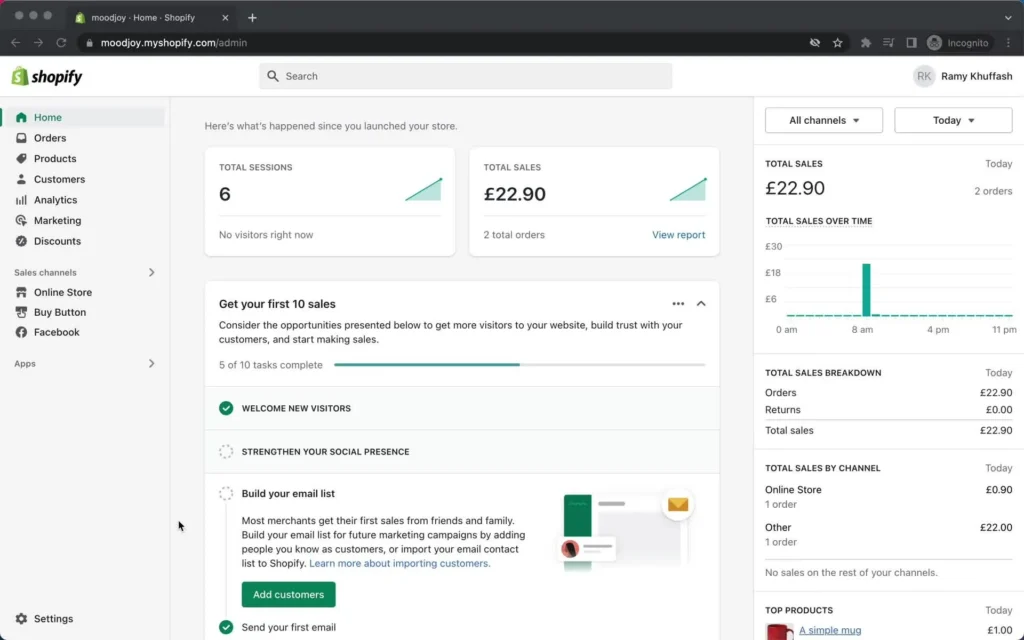
Shopify Flow is native automation inside Shopify. You set triggers like low stock → email supplier or tag special orders automatically.
- Pros: Free with your Shopify plan. Perfect fit with Shopify. Simple setup for basic to medium automations.
- Cons: Only works inside Shopify. Fewer advanced options than Zapier.
- Good for: Shopify stores that want easy, no-extra-cost automations without third-party tools.
- Pricing: Free—included in most Shopify plans (no separate charge).
Pro tip: Grab free trials for the tool that fixes your biggest headache right now. Use it for 2–4 weeks. Track easy wins (like time saved, carts recovered, fewer tickets). Then decide if you keep it before adding more.
A glimpse of all tools
Here’s a fast look at starting costs for each tool:
| Tool | Free Plan? | Starting Paid Price | Scales With | Typical Cost (Small Store) |
| Klaviyo | Yes (limited) | ~$20/mo | Contacts / emails | $20–$60 |
| Omnisend | Yes (limited) | ~$16/mo | Emails / sends | $16–$50 |
| Gorgias | No | ~$10–$60/mo | Tickets | $50–$150 |
| Tidio | Yes (limited) | ~$24/mo | Conversations | $24–$60 |
| Inventory Planner | No | Quote (~$59+) | SKUs / volume | $100–$300+ |
| ShipStation | No | ~$10–$30/mo | Shipments | $10–$50 |
| Zapier | Yes (limited) | ~$20/mo | Tasks / actions | $20–$50 |
| Shopify Flow | Yes (built-in) | Free | Included with Shopify | $0 |
Case Study: Toronto Fashion Boutique Recovers $6,200 in Lost Sales1
A small fashion boutique in Toronto’s Queen West area lost thousands monthly from abandoned carts and low repeat purchases. Manual emails took hours and missed the right timing.
Problem
Abandoned carts averaged 65% of sessions. No automated follow-ups meant lost revenue and wasted time chasing sales manually.
What We Do
We helped them set up Klaviyo with automated abandoned cart flows, welcome series, and personalized recommendations based on browsing history. SAL Accounting also streamlined their e-commerce bookkeeping so they could focus on growth without financial headaches.
The Result
Within three months, they recovered 27% of abandoned carts, adding $6,200 in monthly revenue. Repeat buyer rate rose 19%. The owner now spends time sourcing new collections instead of manual emails. “Klaviyo turned lost sales into real money—effortless,” she says.
How to Choose and Set Up the Right Tools for Your Store
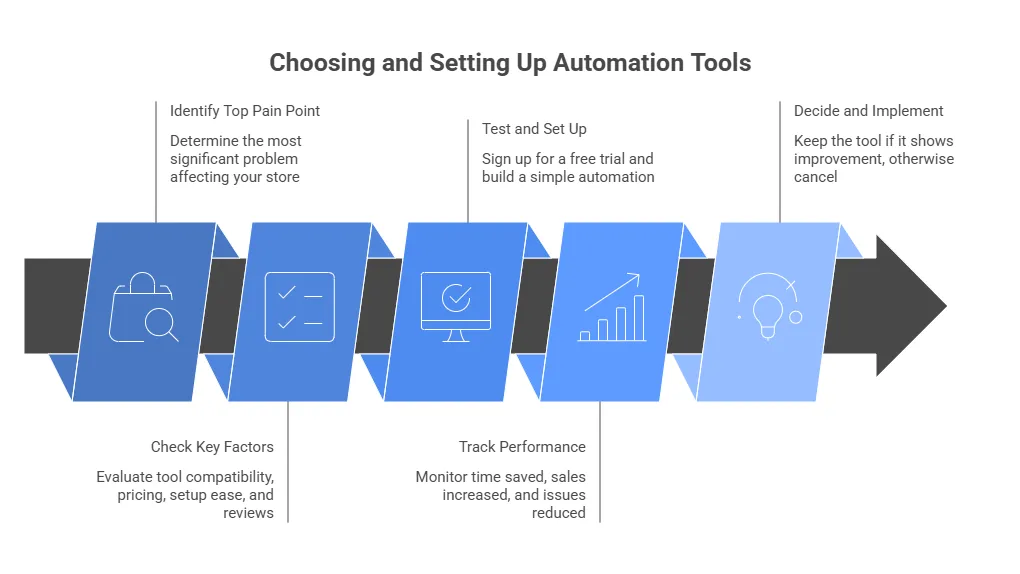
Pick the right automation tools without any stress. Focus on your biggest pain point first. Then test one or two tools at a time. Here is a simple step-by-step way to do it.
Step 1: Identify your top pain
Take a quick look at what costs you the most time or money right now. You may choose a practical plan for Shopify as a beginner. For example:
- If lost carts or weak follow-ups hurt your sales, start with marketing tools like Klaviyo or Omnisend.
- If customer questions keep piling up in your inbox, try Gorgias or Tidio for support.
- If stockouts or overselling cause problems, look at Inventory Planner or similar.
- If shipping takes forever, ShipStation can speed things up.
- If your tools do not talk to each other, Zapier or Shopify Flow can connect them.
Choose the one that bothers you the most today. Fix that single issue first. You get quick wins and build momentum.
Step 2: Check key things before you commit
Before you buy or sign up, quickly check these basics: Make sure the tool connects well with your platform (like Shopify or WooCommerce). Look at the starting price and how costs rise with more contacts, orders, or tickets. Check if the setup seems easy, especially if you’re not very technical. Finally, read a few recent reviews on G2 or Capterra to see what other store owners say.
Step 3: Test and set up
Sign up for the free trial right away. Spend just an hour or two to build one simple automation, like a basic abandoned cart flow or an auto-reply for common questions. Let it run for 2–4 weeks. Track a couple of easy numbers:
- The time you save each day or week
- Extra sales or recovered carts
- Fewer support tickets or stock issues
If you see real improvement, keep the tool. If not, cancel and try something else. Trials carry no big risk.
Quick checklist to decide fast
- Does it solve my biggest problem?
- Does it connect to my store?
- Can I afford the starting price?
- Does setup seem easy?
- Do recent reviews look good?
Pro tip: Start super small. Fix one problem with one tool. You get quick wins and feel more confident before you add anything else. If you need more help, consult our bookkeepers now.
Case Study: Mississauga Home Goods Store Saves 14 Hours Weekly2
A home goods store near Square One in Mississauga struggled with support tickets and slow shipping during peak seasons. Manual replies and packing caused delays and errors.
Problem
Support tickets piled up daily. Shipping took 40 minutes per batch, errors frustrated customers, and holiday volume overwhelmed the small team.
What We Do
We guided them to implement Gorgias for AI-powered support (auto-replies and ticket routing) and ShipStation for automated fulfillment (labels, tracking, notifications). SAL Accounting handled clean bookkeeping and tax tracking so they could scale without stress.
The Result
Support tickets dropped 62%, response time fell to minutes, shipping errors decreased 78%, and they processed 2.8× more orders during holidays without hiring. Monthly revenue grew 16% while the owner reclaimed 14 hours weekly. “We finally have breathing room,” the owner says.
Final Thoughts
Automation tools make life easier for online store owners in 2026. They save you hours, cut down on mistakes, keep customers happy, and help sales grow without extra work. Start small. pick one tool that fixes your biggest headache right now. Test it out and see the difference. You don’t need to be a tech expert or spend a lot. Take that first step today.
If you need help with automation or your e-commerce bookkeeping, SAL Accounting has you covered. Contact us and book a chat or grab our quick checklist today.
FAQs on E-commerce Automation Tools 2026
Klaviyo handles marketing flows. Gorgias takes care of customer support. ShipStation manages shipping and fulfillment. Zapier connects your apps. Omnisend does multi-channel marketing.
They cut manual work by 40–60%. They reduce errors. They speed up processes. They free up hours for growth. Many stores notice real-time savings within weeks.
Chatbots and AI answer 60–80% of basic questions instantly. Customers wait less. Satisfaction goes up. Your team handles only the tough issues.
Marketing follow-ups like abandoned carts and emails come first. Customer support for basic questions ranks high. Inventory syncing helps a lot. Order fulfillment and shipping save time. App connections tie everything together. Pick whatever bugs you most or costs you money right now.
Match the tool to your biggest pain point. Check if it connects to your platform. Look at the starting price. See how easy the setup looks. Read recent reviews. Test it with a free trial for 2–4 weeks.
Many tools offer free plans or trials. Paid plans usually start at $10–$60 per month. Costs grow with contacts, tickets, orders, or shipments. Plan to spend $50–$300 total per month across 2–4 tools.
Yes. Most tools connect directly with Shopify, WooCommerce, BigCommerce, and others. Zapier links almost any app when no native integration exists.
Yes. Shopify Flow comes free with Shopify. Zapier has a free limited plan. Tidio offers free basic chat. Omnisend has a free tier. Klaviyo gives free access up to 250 contacts.
Entry-level plans start at $0–$60 per month. Small to medium stores usually spend $20–$150 per tool. Total monthly cost often lands between $50–$300 across several tools.
Shopify Flow works great and comes free. Klaviyo or Omnisend leads for marketing. Gorgias tops support. ShipStation handles shipping best. Zapier covers custom connections.
Pick a tool with templates and a free trial like Omnisend, Tidio, or Shopify Flow. Follow the step-by-step guide. Start with one simple automation. Test it for 2–4 weeks. Adjust as needed. No coding required.