
Your Amazon store can look busy from the outside. Orders are coming in. Your listings seem fine. Seller Central might even look okay at first.
But when you check your bank account, the money doesn’t feel right. Ads are costing more. Inventory is getting harder to plan. And even though you’re making sales, you’re not always sure if the business is actually making money.
You’re not the only one. A lot of sellers we work with at SAL Accounting run into this exact problem. Most of the time, the product isn’t the real issue. The problem is the math behind each sale: Amazon fees, ad spend, shipping, returns, storage, and taxes slowly eating into profit.
That’s why most Amazon sellers fail. This guide breaks down the biggest Amazon seller mistakes, the warning signs to watch for, and how to fix the most common problems in 90 days.
Quick Takeaways
- Why most Amazon sellers fail: their sales look good, but fees, ads, shipping, returns, and storage leave too little profit.
- The biggest Amazon FBA failure reasons are weak margins, poor product fit, high PPC costs, inventory problems, and account health issues.
- Revenue is not enough. Track CM2 so you know what’s left after Amazon fees, ad spend, and shipping.
- To avoid Amazon suspension, check IPI score, ODR, and late shipment rate every week, not just when there’s a warning.
- For Canadian sellers on Amazon US, FBA inventory can create US sales tax issues. Use the US economic nexus threshold checker to see where you may need to pay attention.
We boost ecommerce profits by 21% by saving you US and Canadian taxes. Do you want to book a free consultation with our eCommerce Stores Tax accountants?
Why Do Amazon Businesses Fail? The Short Answer
Most Amazon businesses don’t fail from one big mistake. They usually struggle because small problems build up over time.
A product can look like it’s selling well, but profit can shrink once costs are counted. Small account health issues can also become bigger problems if they’re not checked early.
The sellers who do well are usually the ones who look beyond sales. They know which products are actually making money, which ones are draining cash, and what needs fixing before it becomes harder to manage.

Amazon FBA Failure Reasons: The 8 Mistakes We See Most
Most of these mistakes are common with new and growing Amazon sellers, and they’re usually fixable once you know what to check. We’ve grouped them into four buckets so you can quickly see where the business may be losing money.
Product and Unit Economics
This is where many Amazon FBA failure reasons start. A product can look good during research, but once it’s live on Amazon, the real question is simple: is there enough money left after all the costs?
1. Picking the wrong product
Some products are hard to make profitable on Amazon from the start. Usually, the problem is one of four things:
- The category is too crowded
- The product doesn’t stand out
- Search demand is too low
- The price is too low to cover Amazon costs
A simple check: if your gross margin before Amazon fees is under 40%, the FBA fee stack may eat the rest. Before you commit to a SKU, it’s worth looking at comparing Shopify vs Amazon FBA so you can see how Amazon changes your costs.
2. Unit economics that don’t survive Amazon
This is one of the most common Amazon seller mistakes. A lot of sellers count COGS and Amazon’s referral fee, then stop there. They forget FBA fees and long-term storage fees, inbound shipping, returns, PPC, refunds, and storage.
Example:
Sale price: $30
Amazon + selling costs: $23
Money left before other costs: $7 CM1
So the product still looks profitable, but only barely. If storage costs rise, returns increase, or PPC gets more expensive, that “good” SKU can quickly stop making money.
The fix: build a real COGS view for your e-commerce store that includes everything Amazon takes, then review profitability by SKU every quarter.
Pro Tip: Run your real numbers through the ecommerce EBITDA calculator once a quarter. Most sellers find one or two SKUs that look fine in Seller Central but are actually losing money.

PPC and Listings
A weak listing kills conversion, which raises ACOS, which kills margin. These two issues usually travel together.
3. PPC eating your margin
PPC is where a lot of Amazon profit quietly disappears.
- ACOS shows how much you spend on ads compared to ad sales.
- TACOS shows how much you spend on ads compared to total sales.
A simple target is:
Launch SKUs: ACOS can be higher because you’re trying to build ranking and get early sales.
Mature SKUs: aim for about 15–25% ACOS and keep TACOS under 10–12%.
If an older SKU is above those numbers and sales are not growing, ads may be taking too much of your profit.
4. Listing and SEO neglect
Most failing listings have the same issues: keyword research was done once and never updated, photos do not clearly show the product in use, and there is no A+ content. Amazon listing optimization is not a one-time task. It needs a quarterly review.

Inventory and Cash Flow
A lot of sellers manage inventory by gut feeling. That can work at the start, but it gets risky once sales, storage fees, and Amazon payouts become harder to predict.
5. Inventory mistakes: IPI, storage, stockouts
Your IPI score on Amazon, or Inventory Performance Index, shows how well you manage FBA inventory. If it drops below 400, Amazon may limit your storage space. That can lead to stockouts, lost ranking, and missed sales. Long-term storage fees also kick in at 181 days.
The fix: check IPI weekly, not monthly. Watch sales speed, clear slow inventory early, and avoid waiting until storage fees or stockouts become a problem.
6. Cash flow surprises from settlements
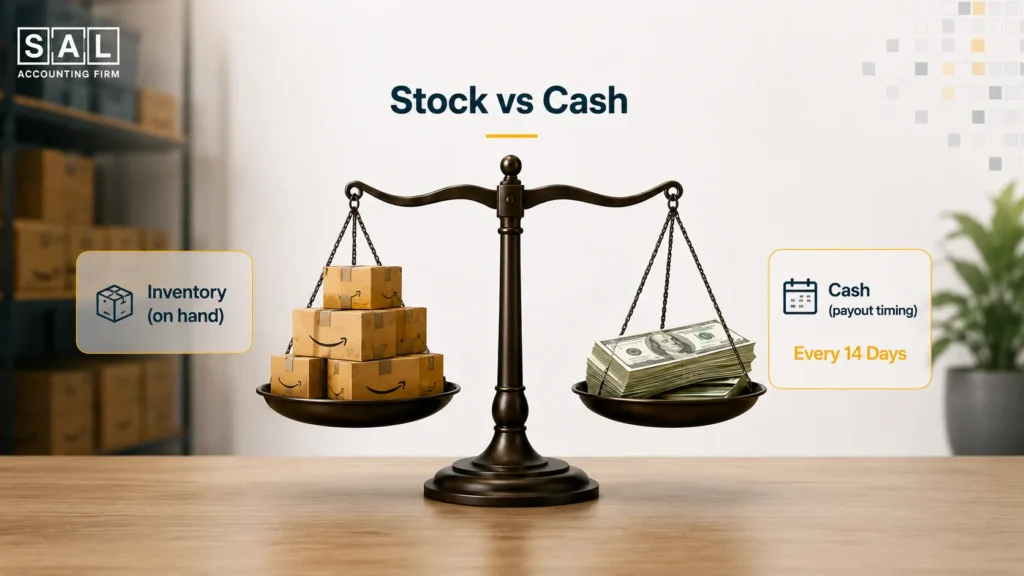
Amazon usually pays sellers every 14 days, and one payout can cover sales from two different months. That makes cash flow harder to read. You may have strong sales but still run short on cash for your next inventory order if you’re not tracking when money actually arrives.
If you’re not splitting Amazon settlements by month and matching them properly, you’re guessing at cash flow. Our bookkeeping for Amazon sellers team handles this side natively.
Pro Tip: If your Seller Central “available balance” is regularly higher than two weeks of normal sales, something may be held back. It could be a reserve issue or a delivery confirmation problem. It’s worth checking before the next payout.
- Also Read: “Amazon FBA Accounting Best Practices”
Account Health and Compliance
This is the part that can hit hardest because it can put the whole business at risk.
7. Review velocity and compliance issues
Trying to speed up reviews through incentivized programs, friends, or services outside the Amazon Communication Guidelines is one of the fastest paths to suspension.
The fix is boring but works: use Amazon Vine for new launches, use the “Request a Review” button after delivery, and keep product inserts clean and policy-friendly.
8. Tax and cross-border surprises
This catches Canadian sellers more often than they expect. If you sell through Amazon US, FBA inventory may create a nexus in multiple states. Marketplace facilitator rules help, but they don’t always remove every responsibility.
For example, some states may still expect registration or returns, even if Amazon collects sales tax for you.
If you’re selling to the US, our cross-border accountants can give you a clear picture of what you are dealing with. Our team specifically works with growing ecommerce businesses across borders, so you’ll be in good hands.

- Also Read: “US Sales Tax Requirements for Canadian Sellers”
How to Avoid Amazon Suspension? Account Health Basics
Amazon suspensions usually don’t happen out of nowhere. Most of the time, small account health issues build up first. The good news is that these numbers are easy to check in Seller Central. You just need to look at them regularly.
| Metric | Healthy | Warning | At Risk |
| Order Defect Rate (ODR) | Under 1% | 1–2% | Over 2% |
| Late Shipment Rate (LSR) | Under 4% | 4–10% | Over 10% |
| Pre-Fulfillment Cancel Rate | Under 2.5% | 2.5–5% | Over 5% |
| Valid Tracking Rate | Over 95% | 90–95% | Under 90% |
| IPI Score (FBA) | Over 450 | 400–449 | Under 400 |
The point is, don’t wait until Amazon sends a warning. Check these numbers every week so you can fix small issues early.
Three policy areas matter most:
- Amazon dropshipping policy: Amazon allows dropshipping only if you are the seller of record on all packing slips, invoices, and packaging. Buying from a retailer like Walmart and shipping it to an Amazon customer usually breaks the rule.
- Review manipulation: Don’t pay for reviews, ask friends to leave reviews, or use anything outside Amazon’s approved review options. Stick with Amazon Vine and the “Request a Review” button.
- Restricted products: Some categories, like supplements, beauty, and electronics, may need approval before you list. Check the rules before you sell, not after there’s a problem.
Pro Tip: Keep one simple folder for each product. Add supplier invoices, brand approval if needed, shipping records, and any compliance documents. If Amazon asks for proof, you’ll have everything ready instead of rushing to find it later.
Amazon Seller Mistakes: The KPIs Most Sellers Don’t Watch
Revenue only tells you how much you sold. It doesn’t tell you if the business is actually healthy. These are the numbers that show what’s really happening behind the sales.
| KPI | What It Tells You | Healthy |
| CM2 per SKU | What’s left after fees, shipping, and ad spend | Positive and above 15% |
| ACOS / TACOS | Whether ads are helping profit or eating it | 15–25% / under 10–12% |
| Buy Box win rate | How often your listing wins the sale | Above 90% |
| IPI score | How well you’re managing FBA inventory | Over 450 |
| ODR / LSR | Whether your account health is at risk | Under 1% / under 4% |
| Return rate | Whether the product matches buyer expectations | Under 5% |
| 30-day repeat rate | Whether customers are coming back | Above 8% |
A lot of Amazon sellers have strong revenue but weak CM2. That means sales are coming in, but too much money is leaving through fees, ads, shipping, returns, or inventory costs.
Pro Tip: Build a simple weekly dashboard with these seven numbers. Check it every Monday. It’s one of the easiest ways to catch problems before they become expensive.
The 90-Day Amazon Turnaround Plan
Here’s a simple 90-day plan you can actually use. The goal is to find what’s losing money, fix the biggest problems first, and build a weekly routine so the same issues don’t come back.
Days 1 to 30: Find the Problems
Use the first month to understand what’s really happening.
- Check CM2 by SKU
- Find products losing money
- Review account health
- Check your top listings
- Save supplier documents
Days 31 to 60: Fix the Biggest Leaks
Use the second month to stop the easiest money leaks.
- Reprice weak products
- Pause costly ads
- Clear slow inventory
- Improve weak listings
Days 61 to 90: Build a Simple Routine
Use the third month to make this easier to manage going forward.
- Check account health weekly
- Review CM2 monthly
- Test one price change at a time
- Plan inventory from past sales
If you’re stuck on whether to handle this in-house or hand it off, our in-house vs. outsourced e-commerce accounting breakdown is a useful starting point.

Case Study: How a Liberty Village Seller Recovers a $4,200 Monthly Loss1
Jordan runs a supplements brand on Amazon US from Liberty Village, Toronto. He sells about 1,800 units a month, mostly to US customers.
Revenue looked steady, but the bank account kept feeling tighter. Once SAL reviewed the numbers, the issue became clearer: a few products looked busy on Amazon but barely left profit after fees, ads, and storage costs.
SAL helped Jordan see which products were worth keeping, which ones needed a price change, and where the numbers were quietly working against him.
With that clarity, Jordan raised the main product price, stopped pushing products that were not paying off, cleared slow-moving stock, and started checking the numbers weekly.
The result: he moved from losing about $4,200 a month to making about $3,100 a month within 90 days. Revenue dipped slightly, but the business became healthier because the weak products stopped dragging everything down.
- Also Read: “Common eCommerce Errors You Must Avoid”
Ready to Stop Guessing on Your Amazon Numbers?
If a few of these problems sound familiar, your Amazon business may have outgrown basic bookkeeping. That doesn’t mean you’ve done anything wrong. It usually means your numbers need a clearer setup: CM2 by SKU, weekly account-health checks, and a better way to read Amazon reports.
That’s where we help. At SAL Accounting, we work with Canadian e-commerce sellers, including Amazon and cross-border businesses, to make the numbers easier to understand and act on.
Book a free tax strategy call and we’ll help you see where the money is going, what’s hurting profit, and what to fix first.
- Hypothetical scenario. Numbers are illustrative. ↩︎