
Canadian online sales tax gets messy fast once orders come from different provinces and platforms. In short, ecommerce stores may need to charge GST/HST after passing the $30,000 small supplier threshold, while Quebec QST, BC PST, Saskatchewan PST, or Manitoba RST may also need review depending on where customers are.
At SAL Accounting, we see Shopify, Amazon, Etsy, and WooCommerce sellers struggle to match tax collected, refunds, fees, and deposits. This guide helps you understand what to register for, what to collect, and what to keep clean before filing.
Want a quick gut check before you file? SAL’s GST/HST Refund Calculator for ecommerce stores can help you see whether your tax collected, tax paid, and possible refund are in the same ballpark.
Quick Takeaways
- Most Canadian ecommerce stores need to review GST/HST once taxable sales pass $30,000.
- GST/HST is only one part of the picture. Quebec QST, BC PST, Saskatchewan PST, and Manitoba RST may also matter.
- Shopify, WooCommerce, Amazon, and Etsy can help with tax collection, but they do not replace registration, filing, or recordkeeping.
- Marketplace-collected tax and direct website tax should be tracked separately.
- Sales tax collected is not revenue. It needs to be separated from sales, refunds, shipping, platform fees, and payouts.
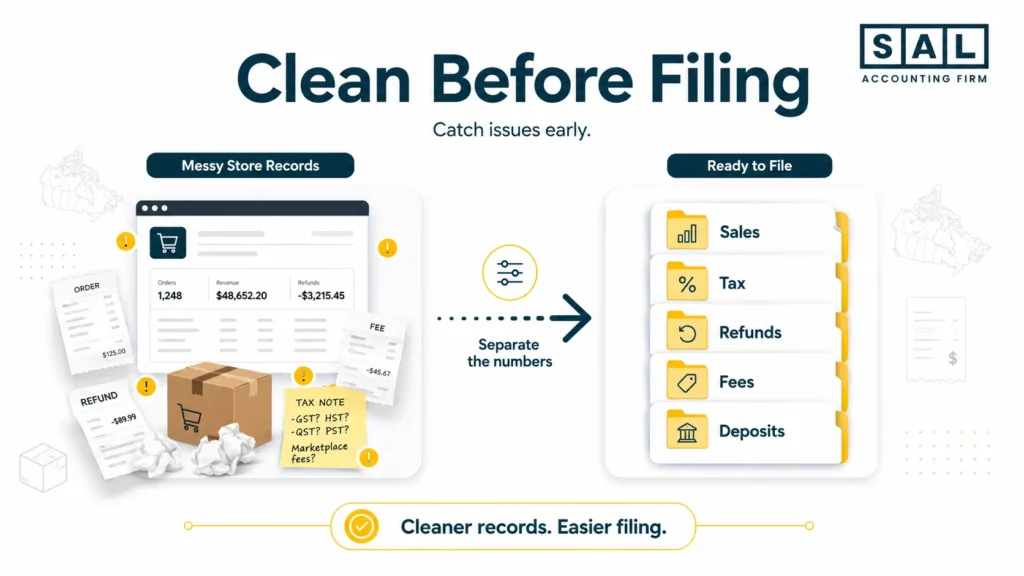
If your store reports already feel hard to trust, e-commerce bookkeeping can help you separate sales, tax, refunds, fees, and deposits before filing becomes a cleanup project.
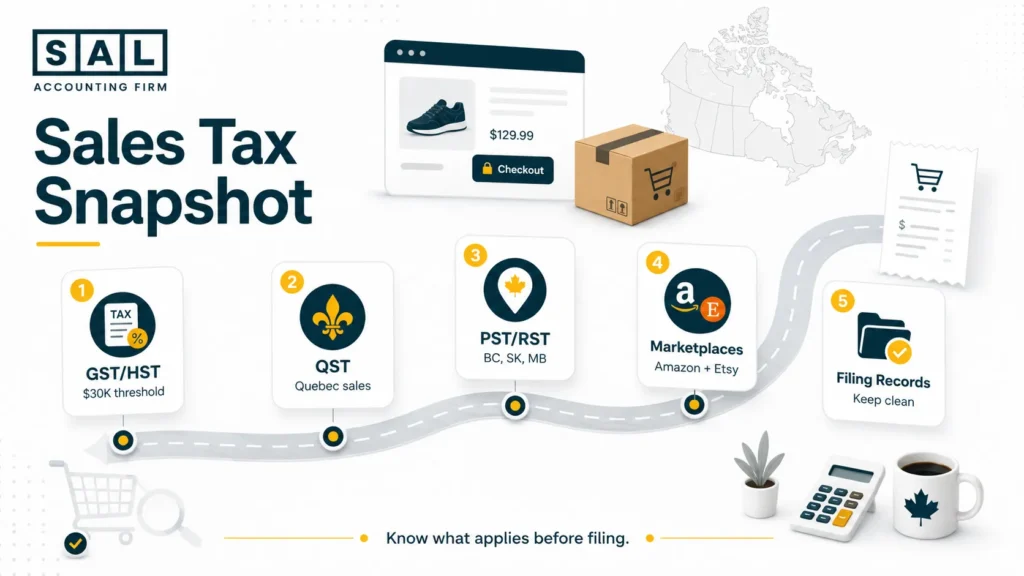
GST/HST Compliance for E-commerce Starts With the $30,000 Small Supplier Threshold
For most Canadian ecommerce stores, the first question is simple:
Have your taxable sales passed $30,000?
The CRA says you generally need to register for GST/HST when you are no longer a small supplier and you make taxable sales in Canada. Under the CRA’s GST/HST registration rules, that usually means watching the $30,000 small supplier threshold. You may need to register if your taxable sales go over $30,000:
- in a single calendar quarter, or
- over four consecutive calendar quarters
Basically, online sales still count. Selling through Shopify, WooCommerce, Amazon, or Etsy does not automatically keep you outside the GST/HST system. If your store sells taxable products and crosses the threshold, you may need to register, collect GST/HST, file returns, and remit the tax collected.
Example: Passing the Threshold Mid-Year
Let’s say your Shopify store sells taxable skincare products and passes $30,000 in taxable sales during the summer.
If GST/HST registration is required, waiting until year-end may create a problem. You may need to look back and ask:
- When did the store pass the threshold?
- When should GST/HST collection have started?
- Did Shopify collect the right tax after registration?
- Were any sales made before the tax setup was fixed?
This is where many ecommerce sellers get stuck. It is not usually because they ignored the rule. It happens because the store grows, orders keep coming in, and no one stops to check whether registration has become required.
For stores that may have crossed the line already, unregistered GST/HST issues for ecommerce sellers can become more urgent than a regular year-end tax task.
What Counts Toward the $30,000 Threshold?
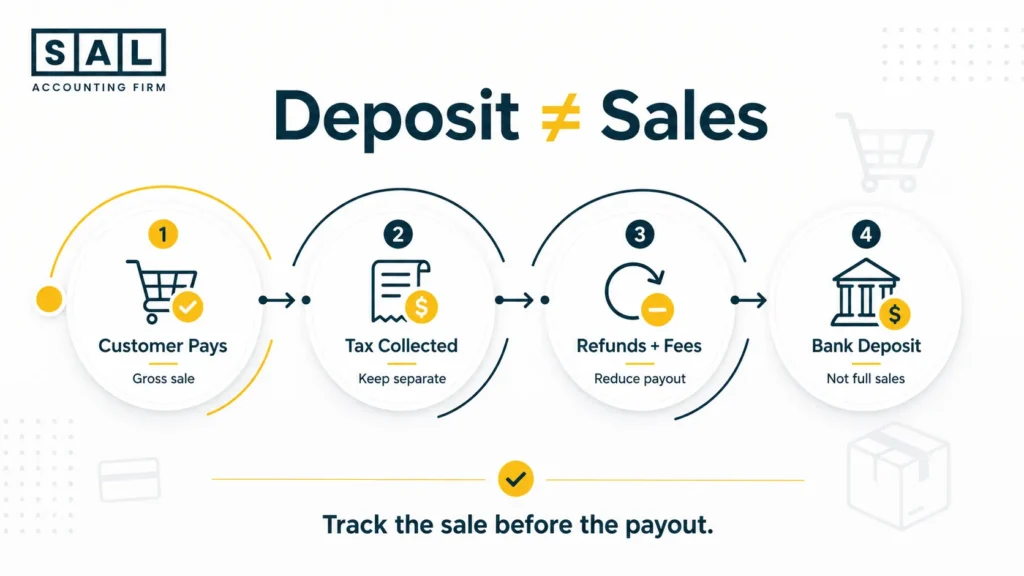
The $30,000 threshold is based on taxable sales, not just the amount that lands in your bank account. That matters because ecommerce deposits are usually net deposits. By the time money reaches your bank, the platform may have already removed:
- payment processing fees
- refunds
- chargebacks
- marketplace fees
- shipping adjustments
- sales tax collected
So if Shopify shows $32,000 in taxable sales, but only $28,000 hits your bank, that does not automatically mean you stayed under the threshold.
This is why e-commerce payment reconciliation matters before tax filing. You need to know what customers actually paid, not just what arrived in the bank.
What Happens After You Register?
Once registered, you generally need to:
- charge GST/HST on taxable sales
- keep proper records
- file GST/HST returns
- remit the tax collected
- claim eligible input tax credits where applicable
The filing side matters because GST/HST return filing in Canada can be monthly, quarterly, or annual depending on your reporting period. The safest habit is to review taxable sales every month, especially if your store is growing quickly.
Provincial Sales Tax Canada E-commerce Rules: QST, PST, and RST
GST/HST is not the full sales tax story in Canada. Some provinces use HST, which combines the federal and provincial portions into one tax. Other provinces use GST plus a separate provincial tax. That is where provincial sales tax Canada e-commerce rules can start to feel confusing. Here is the simple version:
| Province Type | What It Means | Examples |
| GST-only | Only 5% GST usually applies | Alberta, Yukon, Northwest Territories, Nunavut |
| HST provinces | One combined HST rate applies | Ontario, New Brunswick, Newfoundland and Labrador, Nova Scotia, PEI |
| Separate provincial tax | GST plus QST, PST, or RST may apply | Quebec, BC, Saskatchewan, Manitoba |
The customer’s province matters because GST/HST rates often depend on where the goods are delivered. The CRA explains this under its place-of-supply rules, which is why a Toronto business shipping across Canada cannot only think about Ontario HST.
If your store is also selling internationally, global ecommerce accounting becomes part of the same bigger picture because domestic tax, FX, duties, shipping, and marketplace reports all need to stay clean.
QST Registration for Online Sellers in Quebec
Quebec has its own sales tax system called QST, so selling into the province may need a separate review. If you sell to Quebec customers, Revenu Québec says suppliers outside Quebec may need to register under the general QST system or the specified QST system, depending on their setup and sales activity.
That means Quebec should not be treated like just another GST/HST province. You may need to look at QST registration, collection, remittance, and filing separately.
For Shopify sellers, QST should be reviewed alongside Shopify GST/HST setup because your store can only collect properly when registrations, tax regions, and product settings are set up correctly.
PST Compliance BC SK MB E-commerce Sellers Should Review
PST compliance BC SK MB e-commerce rules are easy to miss because they sit outside the regular GST/HST system. BC, Saskatchewan, and Manitoba each have their own rules:
| Province | Tax | General Rate | What to Review |
| British Columbia | PST | 7% | Whether BC PST registration applies to taxable sales into BC |
| Saskatchewan | PST | 6% | Whether taxable goods or services sold into SK create PST obligations |
| Manitoba | RST | 7% | Whether RST applies to taxable retail sales or rentals into Manitoba |
British Columbia, Saskatchewan, and Manitoba each have their own provincial sales tax rules, so GST/HST registration does not automatically cover everything:
- BC PST: Some out-of-province sellers may need to register if they sell taxable goods, software, or services to BC customers and meet the province’s conditions.
- Saskatchewan PST: PST can apply when taxable goods or services are bought, rented, or brought into the province for use there.
- Manitoba RST: Manitoba uses RST instead of PST. It generally applies to many retail sales and rentals before GST is added.
Pro Tip: Not every seller automatically needs every registration. But if you sell into Quebec, BC, Saskatchewan, or Manitoba, GST/HST alone may not be enough to review.
Case Study: Queen West Shopify Store Fixes GST/HST and QST Confusion1
A skincare brand near Queen West in Toronto sells through Shopify and ships orders across Canada. At first, the owner assumes the store is fine because Shopify shows sales tax at checkout. But as orders grow in Quebec and the store passes the GST/HST threshold, the owner starts to worry that the registrations, tax settings, and reports may not match.
The Problem
The store has GST/HST collection turned on, but the owner is not sure whether QST registration needs review. Shopify reports, bank deposits, refunds, and tax collected are also hard to match clearly.
What We Do
SAL reviews sales by province, checks when GST/HST registration should have happened, and helps the owner understand what Shopify is collecting versus what still needs attention. Shopify payment reconciliation also becomes part of the review because tax cannot be checked properly from messy payout deposits.
The Result
The owner gets a clearer sales tax setup, cleaner monthly reporting, and a better way to check GST/HST and QST before filing time. Instead of guessing from deposits, they can see what was sold, what tax was collected, and what still needs review.
Marketplace Facilitator Rules Canada: Amazon, Etsy, and Direct Website Sales
Marketplace sales can make tax feel easier at first.
Amazon, Etsy, and other marketplaces may collect and remit certain taxes on some sales. The CRA’s digital economy guidance explains situations where a platform operator may be responsible for collecting GST/HST on qualifying platform sales of goods.
But marketplace collection does not mean every sales tax question is solved.
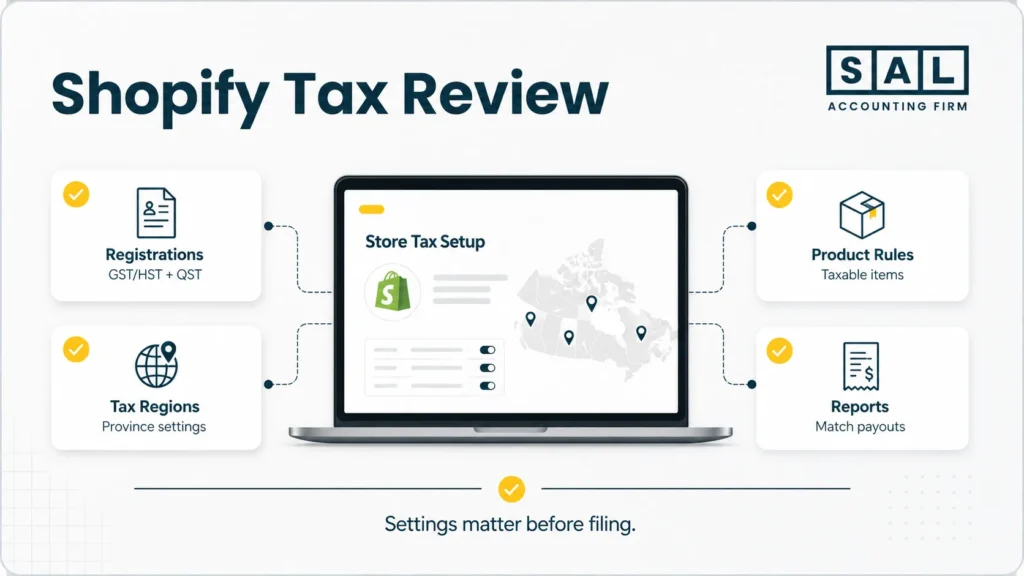
An Amazon order, an Etsy order, and a direct Shopify order can have different reporting paths. If Amazon collects tax on one sale, that does not automatically mean your direct website sale into the same province is handled the same way.
For example, an Amazon seller may need to understand which tax was collected by Amazon, which sales still belong in their own reports, and how marketplace fees affected the payout. That is why Amazon seller taxes should be reviewed separately from direct Shopify or WooCommerce sales.
Etsy sellers face the same issue when marketplace-collected tax, seller-collected tax, shipping, refunds, and deposits show up in different reports. Clean Etsy seller tax reporting helps stop those numbers from becoming one confusing pile.
What to Separate Each Month
A clean monthly review should separate:
- marketplace sales
- direct website sales
- shipping charges
- refunds and returns
- tax collected by the marketplace
- tax collected by your store
- platform fees
- final bank deposits
The goal is simple: do not file from one blended number.
Shopify Tax Setup Canada GST/HST QST: What to Check Before Filing
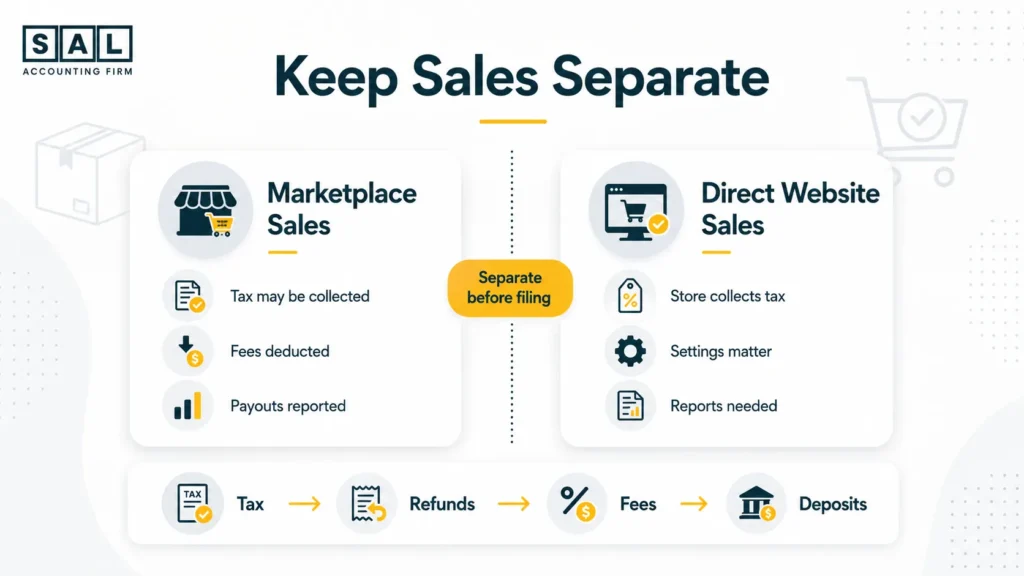
Shopify tax setup is not just a switch you turn on once. Shopify says merchants need to determine whether they should charge sales tax, register with the right tax agencies, and set up the regions where they are registered in Canadian tax setup. Before filing, check whether:
- your GST/HST number is added correctly
- QST, PST, or RST settings need review
- taxable and non-taxable products are set correctly
- shipping tax settings make sense
- refunds are showing properly
- tax reports match your accounting records
A checkout that charges tax is only the first step. The filing work depends on whether your reports can support the numbers. For many store owners, Shopify sales tax reporting is where checkout data becomes filing data. It helps you see what was collected, what was refunded, and what should be reviewed before the return is prepared.
WooCommerce sellers have the same basic issue. The platform can calculate tax based on your settings, but it will not decide which registrations apply to your business. If WooCommerce is your main store, WooCommerce tax setup should be checked before you rely on the numbers for filing.
How to File GST/HST and QST Online and Keep Sales Tax Records Clean
Once you are registered, filing becomes part of your regular workflow.
The CRA says monthly and quarterly GST/HST filers generally have a filing and payment deadline one month after the end of the reporting period. Annual filers have different timing, so it is worth checking the CRA’s GST/HST filing deadlines instead of assuming every business has the same due date.
QST, PST, and RST may also have separate filing or remittance steps depending on your registrations.
What to Keep Before Filing
For ecommerce stores, the hard part is usually not opening the filing portal. The hard part is knowing whether the numbers are clean before you file.
Keep records for:
- Shopify, WooCommerce, Amazon, Etsy, and payment processor reports
- invoices and receipts
- sales by province
- refunds and returns
- shipping charges
- tax collected
- fees and payout deductions
- filing confirmations
- payments made to tax authorities
A smoother filing process starts well before the deadline. If the records are organized throughout the year, preparing your ecommerce business for tax season becomes much less stressful.
Why Sales Tax Collected Is Not Revenue
Sales tax collected may show up in your store reports or deposits, but it is not money your business earned. For example, if a customer pays $113 on a taxable Ontario order, that may include:
- $100 of product sales
- $13 of HST
Treating the full $113 as revenue makes sales look higher than they really are. That mistake can affect more than the tax return. If tax, refunds, fees, and product costs are not separated, your ecommerce financial statements may not show what the store actually kept.
Case Study: Port Credit Seller Cleans Up Marketplace and Website Sales Tax2
A home goods seller in Port Credit, Mississauga sells through Amazon, Etsy, and a small WooCommerce store. At first, the owner thinks the setup is simple because Amazon and Etsy collect tax on some orders. But direct website sales are growing, and orders are now going into several provinces.
The Problem
Marketplace sales, WooCommerce sales, shipping, refunds, tax collected, and deposits are being tracked in one spreadsheet. The owner cannot clearly see which tax was collected by the marketplace and which tax may still need to be handled by the business.
What We Do
SAL helps separate marketplace-collected tax from direct website sales, reviews sales by province, and organizes monthly reports by channel. For Amazon activity, Amazon FBA bookkeeping gives the owner a clearer way to understand marketplace deposits beyond the bank amount.
The Result
The seller gets a cleaner way to track tax by province and platform. Amazon, Etsy, and WooCommerce sales no longer sit in one confusing pile, making filing easier and reducing the risk of double-counting tax.
Province-by-Province GST/HST, QST, and PST Overview
Here’s a simple planning table for Canadian ecommerce sellers. Always check current government guidance before changing store settings, because rates and registration rules can change.
| Province / Territory | Main Sales Tax Setup | General Rate | What Online Sellers Should Check |
| Alberta | GST only | 5% | No separate PST |
| British Columbia | GST + PST | 5% + 7% | Review BC PST rules |
| Manitoba | GST + RST | 5% + 7% | Review Manitoba RST rules |
| Saskatchewan | GST + PST | 5% + 6% | Review Saskatchewan PST rules |
| Ontario | HST | 13% | Charge HST if registered and taxable |
| Quebec | GST + QST | 5% + 9.975% | Review QST registration |
| New Brunswick | HST | 15% | HST province |
| Newfoundland and Labrador | HST | 15% | HST province |
| Nova Scotia | HST | 14% | Rate changed April 1, 2025 |
| PEI | HST | 15% | HST province |
| Yukon | GST only | 5% | No separate PST |
| Northwest Territories | GST only | 5% | No separate PST |
| Nunavut | GST only | 5% | No separate PST |
For stores shipping across the border or into several provinces, cross-border ecommerce shipping can affect how clearly you track shipping charges, duties, customer location, and landed costs.
Common GST/HST and Provincial Sales Tax Mistakes E-commerce Stores Should Avoid
Most sales tax mistakes are fixable once you know where to look. The problem is usually that the store grows faster than the accounting setup. Sales come in. Platforms keep running. Payouts hit the bank. Then tax time arrives, and the owner has to figure out what happened months ago. Common issues include:
- waiting too long after crossing the $30,000 threshold
- assuming Shopify or WooCommerce handles everything automatically
- forgetting QST when Quebec sales grow
- missing BC, Saskatchewan, or Manitoba PST/RST review points
- mixing marketplace tax with direct website tax
- treating tax collected as revenue
- filing from bank deposits instead of gross sales reports
- not separating refunds, chargebacks, shipping, and platform fees
- leaving sales tax checks until year-end
A lot of ecommerce accounting mistakes only become obvious when a return is due. By then, the owner is not just filing tax. They are trying to rebuild months of sales, refunds, fees, and payouts.
Need a Clearer Way to Handle E-commerce Sales Tax?
If your Shopify, WooCommerce, Amazon, or Etsy reports are getting harder to trust, you are not the only one. Sales tax becomes confusing when tax, fees, refunds, payouts, and platform reports all start mixing together.
SAL Accounting helps ecommerce sellers understand what tax was collected, what still needs to be reviewed, and what needs to be cleaned up before filing. If you are unsure what your store should be charging or how your reports should line up, contact SAL Accounting and get a clearer sense of what needs to be checked next.