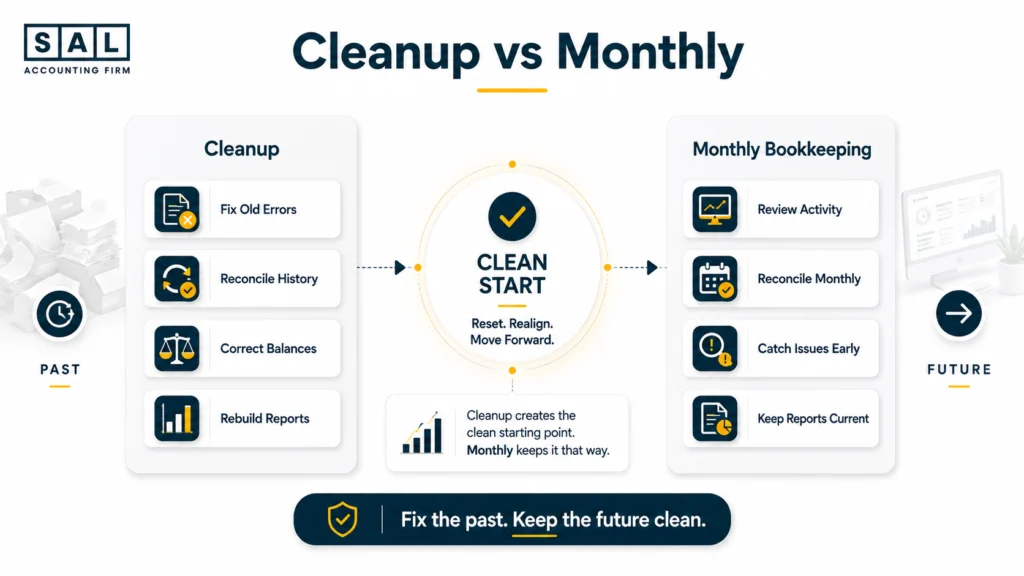
If your Shopify books are already messy, start with a one-time cleanup before ongoing monthly bookkeeping. Cleanup fixes old errors; monthly bookkeeping keeps new ones from piling up. For growing ecommerce stores, SAL Accounting focuses on getting the numbers back to a point where you can actually trust them.
Keep reading before choosing one over the other, because starting with the wrong option can leave the real problem sitting in your books.
Want a quick reality check on one common source of payout differences? Run your Shopify fees through the Shopify Fee Calculator.
Quick Takeaways
- A one-time Shopify bookkeeping cleanup fixes historical errors and unreliable balances.
- Ongoing monthly bookkeeping keeps clean books current after that starting point is fixed.
- Catch-up bookkeeping is different: it completes periods that were never finished.
- You may need cleanup and catch-up bookkeeping together.
- Shopify sales and bank deposits aren’t supposed to match dollar for dollar in every period.
- Growing transaction volume, inventory, refunds, fees, and cross-border sales can make old bookkeeping processes harder to rely on.
- The right choice depends on whether your books are wrong, behind, or both.
What Is a One-Time Cleanup, and What Is Ongoing Bookkeeping?
A one-time bookkeeping cleanup goes backward.
It looks at the books you already have and fixes things that shouldn’t be there, fills gaps that should be there, reconciles accounts, and gets the historical numbers back to a reliable starting point.
Ongoing monthly bookkeeping goes forward.
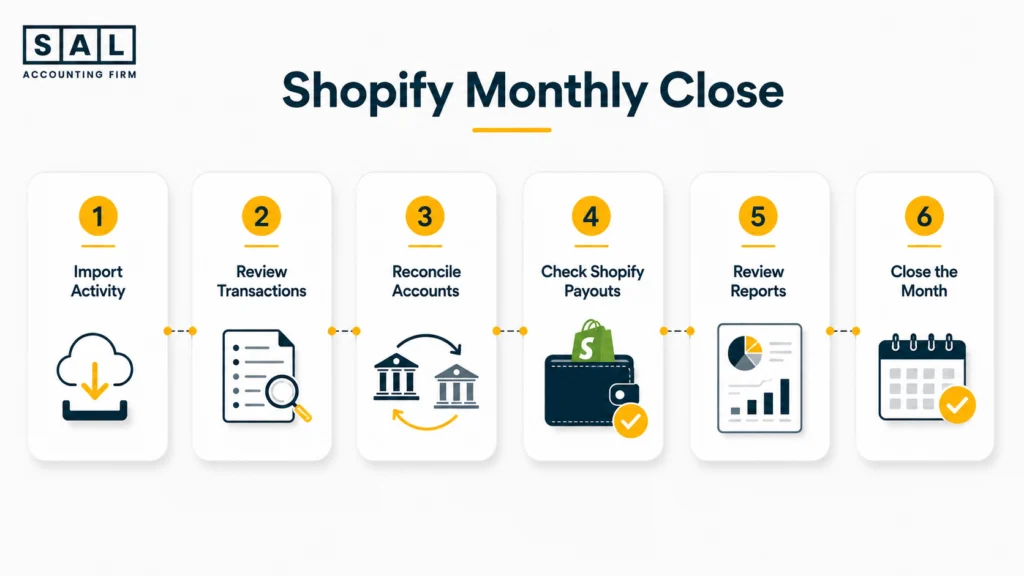
Each month, new transactions are reviewed, accounts are reconciled, Shopify activity is checked, and financial reports are closed out while the information is still fresh.
Here’s the simplest comparison.
| Area | One-Time Cleanup | Monthly Bookkeeping | Best For |
|---|---|---|---|
| Main job | Fix old issues | Maintain clean books | Different stages |
| Timing | One-off | Every month | Current needs |
| Reconciliations | Repair gaps | Keep them current | Reliable balances |
| Shopify activity | Correct old records | Review new activity | Clearer reporting |
| Reports | Rebuild accuracy | Keep reports usable | Better decisions |
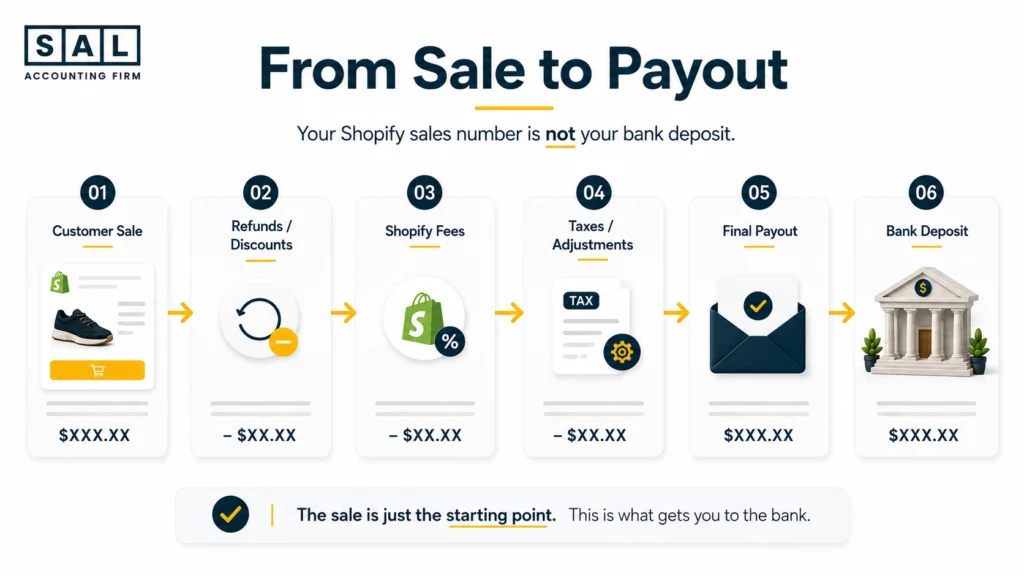
The difference becomes especially important with Shopify because the deposit hitting your bank isn’t automatically your sales number.
Shopify’s own payout reconciliation report separates balance activity, transactions, fees, and payouts. Shopify also states that the report reflects funds received and isn’t itself a statement of accounting revenue.
So, if $80,000 lands in the bank, that doesn’t automatically mean the store made $80,000 in sales.
There may be processing fees, refunds, disputes, adjustments, timing differences, and other activity sitting between the order and the payout.
That’s why Shopify payment reconciliation is such an important part of keeping ecommerce books trustworthy.
Signs Your Shopify Books Need a Cleanup First
A cleanup isn’t only for businesses with years of chaos. Sometimes the books look fine until you start asking basic questions about where the numbers came from.
1. Missing Transactions
You see an expense on the bank statement, but it isn’t in the accounting file. Or an entire account wasn’t connected properly for part of the year. Missing transactions can distort expenses, balances, tax records, and profit. The first goal isn’t to categorize everything quickly. It’s to figure out what is missing and why.
2. Duplicate Transactions
This often happens when software imports a transaction and someone also adds it manually. One duplicate isn’t a disaster.
Hundreds of small duplicates across several months are a different story. They can overstate expenses, understate profit, and make reconciliations harder to finish.
This is one reason categorizing ecommerce transactions correctly involves more than choosing an expense category from a dropdown.
3. Uncategorized Transactions
A long uncategorized list usually means decisions have been postponed. Some are obvious. Others aren’t.
For example, a $10,000 transfer between two business bank accounts shouldn’t suddenly become $10,000 of extra income in one account and a $10,000 expense in another.
Cleanup means tracing what the transaction actually was before deciding where it belongs.
4. Unreconciled Accounts
Reconciliation asks a simple question: Does the balance in your books agree with the real account? That includes your bank accounts, credit cards, loans, and relevant payment accounts.
When several months haven’t been reconciled, small differences start stacking on top of one another. The longer you wait, the harder they become to trace.
Our ecommerce reconciliation best practices go deeper into what should be matched and how often.
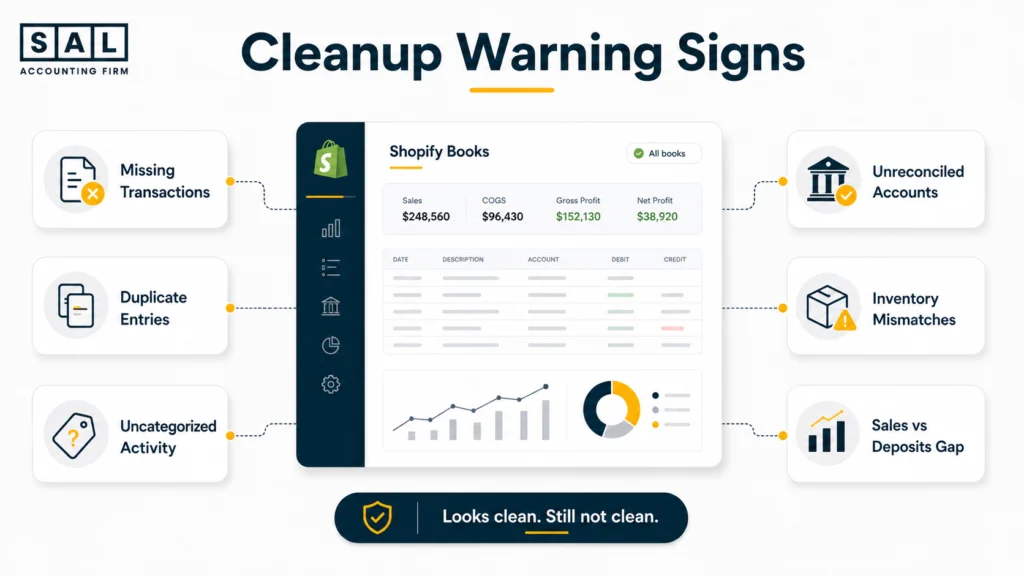
5. Inventory That Doesn’t Match
Inventory problems can make a profitable-looking Shopify store much less profitable than it appears.
Suppose you sold $100,000 this month. That sounds great. But if the cost attached to the products sold isn’t being captured properly, your gross profit may tell you very little about what you actually earned.
Returns, damaged stock, landed costs, freight, and purchasing timing can make the gap even larger.
For stores carrying physical products, Shopify inventory accounting and landed cost accounting are worth getting right before trusting the margin.
6. Incorrect Financial Reports
A financial report can look polished and still be wrong. Open the profit and loss statement and balance sheet and ask:
- Do the bank balances make sense?
- Are there negative balances where you wouldn’t expect them?
- Is profit much higher than the amount of cash the business seems to generate?
- Are old accounts still carrying balances?
- Are expenses obviously missing?
- Are sales numbers believable?
That gap between what a report says and what the founder experiences is often the first sign something underneath needs fixing.
The problem is worth investigating before using those numbers to make decisions. Unreliable ecommerce financial statements can affect everything from inventory planning to tax estimates.
7. Sales That Don’t Match Deposits
This is one of the biggest Shopify cleanup clues.
Let’s say Shopify shows:
Sales: $100,000
Bank deposits: $91,800
That doesn’t mean $8,200 disappeared.
The difference may include fees, refunds, disputes, reserves, adjustments, or payout timing.
Shopify lets merchants review payout details and export transaction data, including fee information, from the admin.
The mistake is taking the $91,800 deposit and recording it as $91,800 of sales. That’s where gross sales, fees, refunds, and actual profit start getting blurred together.
You can see the wider problem in the financial lifecycle of a Shopify order, from checkout to the final amount showing up in your books.
8. Tax Filing Issues
Tax deadlines have a way of exposing bookkeeping problems. You may suddenly realize that:
- sales totals don’t match reports
- GST/HST balances don’t make sense
- expenses can’t be supported
- inventory numbers look wrong
- bank accounts aren’t reconciled
- prior periods still contain errors
The CRA requires businesses to maintain organized accounting and financial records, with requirements depending on factors such as business type, ecommerce activity, and GST/HST registration.
For Shopify sellers, preparing your ecommerce business for tax season becomes much easier when cleanup happens before the filing deadline rather than during it.
Want to see what paperwork is actually missing? Build your tax file with SAL’s Ecommerce Tax Document Checklist.
Pro Tip: Don’t use a tax deadline as your cleanup deadline. The earlier you identify the first unreliable month, the easier it is to trace what changed.
Cleanup vs. Catch-Up Bookkeeping: They’re Not the Same Thing
Cleanup fixes bookkeeping that was done incorrectly. Catch-up bookkeeping completes bookkeeping that wasn’t done. You can also need both. This quick diagnosis keeps the distinction simple.
| What You Find | Cleanup | Catch-Up | Both |
|---|---|---|---|
| Existing transactions are wrong | Yes | No | Possible |
| Several months are missing | No | Yes | Possible |
| Old reconciliations don’t work | Yes | No | Possible |
| Books stopped completely | No | Yes | Possible |
| Old books are wrong and new months are missing | No | No | Yes |
When You Need a Cleanup
You need a cleanup when the bookkeeping exists, but the numbers aren’t reliable. For example:
- deposits were recorded as revenue
- duplicate expenses appear
- accounts haven’t been reconciled
- old balances don’t make sense
- fees and refunds are missing
- transaction categories are inconsistent
- reports don’t reflect what happened in the store
Basically, the information exists. It just needs to be fixed. That is different from simply falling behind.
When You Need Catch-Up Bookkeeping
Let’s say the books were properly completed through December.
Then January gets busy. February is worse. By June, nobody has touched the accounting file for six months. Those six months aren’t automatically wrong. They’re incomplete.
Catch-up bookkeeping records and reconciles those missing periods so you can get current again.
A practical ecommerce bookkeeping checklist is useful once you’re trying to work out which pieces have actually been completed and which haven’t.
Can You Need Both?
Yes, and this is common. Imagine your 2025 books already contain reconciliation problems. Then bookkeeping stops completely in February 2026. You now have two jobs:
- Fix the unreliable historical period.
- Complete everything that came afterward.
Trying to catch up first without fixing the starting balance means you’re building new months on top of old errors.
Pro Tip: Find the last month you genuinely trust. That date often tells you where cleanup ends and catch-up begins.
Case Study: A Shopify Cleanup in Leslieville, Toronto1
A home-goods Shopify brand in Leslieville is growing quickly through paid social campaigns. Orders look healthy, but the founder keeps asking the same question: why doesn’t the cash feel as strong as the profit report? Shopify deposits have been treated too closely to sales, several credit cards haven’t been reconciled properly, and refunds and processing costs aren’t consistently separated.
The Problem
The founder has accounting records, but can’t confidently explain the difference between Shopify sales, deposits, expenses, and reported profit.
What We Do
We review the historical accounting file, trace Shopify payout activity, reconcile the relevant accounts, correct duplicated or miscategorized transactions, and rebuild the records from the first unreliable period forward.
The Result
The business gets a cleaner starting point for monthly bookkeeping and reports that are easier to understand. The founder can finally look at sales, fees, refunds, and expenses as separate pieces instead of one confusing bank-deposit number.
For a Toronto store at this stage, SAL’s Shopify accounting services in Toronto are built around the platform activity behind those numbers, rather than treating Shopify like a regular bank-feed business.
When It’s Time to Hire a Cleanup Expert
You don’t need professional cleanup every time you find an uncategorized transaction. The question is whether you can still follow what happened without creating more uncertainty.
Years of Backlogged Books
A few missing months may be manageable.
Two years involving multiple bank accounts, credit cards, payment processors, inventory, refunds, Shopify data, and changing software is another situation.
Historical cleanup gets harder because you’re no longer dealing with one problem. You’re trying to establish what the correct starting point was across several connected accounts.
That is often where a specialist Shopify accountant versus a general accountant becomes a more useful comparison than simply asking who charges less.
Preparing for Tax Filing or an Audit
Once the books are being used for a return, review, financing request, or audit, “close enough” isn’t a comfortable place to be. The records behind the totals need to make sense.
For Canadian sellers registered for GST/HST, cleanup may also reveal differences between what was collected, what was paid on eligible purchases, and what appeared in prior filings.
You can estimate your current position with SAL’s GST/HST Refund Calculator for ecommerce stores before digging into the underlying records.
The calculation is only as useful as the numbers going into it, though. That’s another reason clean books come first.
Rapid Business Growth
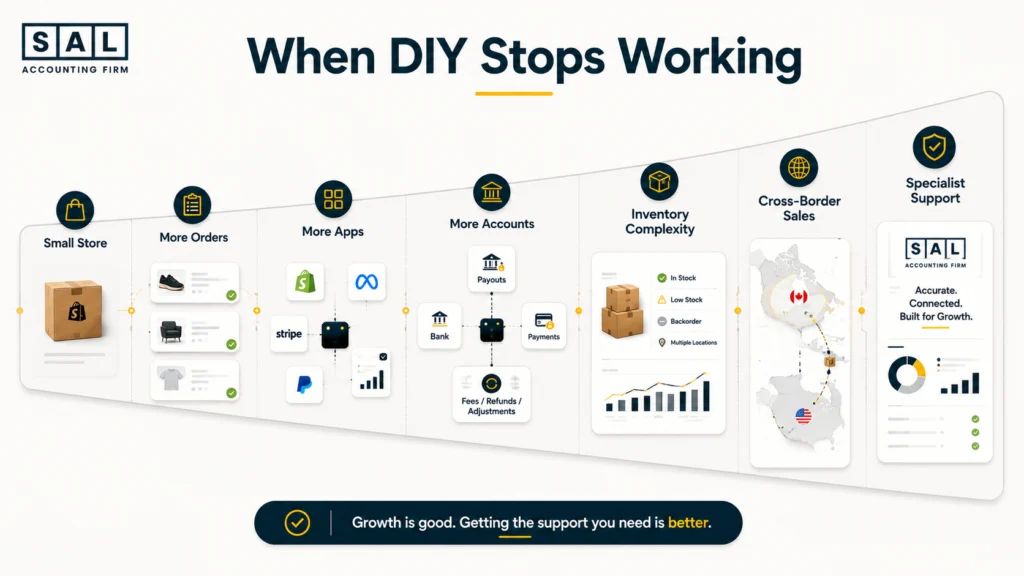
Growth usually doesn’t create bookkeeping weaknesses. It exposes them.
A store might manage comfortably with one payment method, one bank account, and a small product range. Then it adds:
- higher transaction volume
- more SKUs
- more returns
- additional apps
- contractors or employees
- larger inventory orders
- multiple currencies
- U.S. customers
What worked at $15,000 a month may become hard to trust at $100,000 a month.
That’s why knowing when an ecommerce brand needs a better bookkeeper is often less about company age and more about how complicated the money flow has become.
For ecommerce businesses that have outgrown the DIY stage, SAL’s ecommerce bookkeeping focuses on keeping those moving parts organized month after month.
What Ongoing Monthly Bookkeeping Actually Involves
Once the historical books are clean, the job changes. Instead of asking, “What happened eight months ago?” you’re dealing with the information while it’s still current.
Monthly Close
A monthly close finishes the books for a specific period.
That normally means transactions are recorded, accounts are reconciled, unusual items have been reviewed, and the period’s reports are ready to use.
For Shopify sellers, a consistent Shopify month-end close creates a repeatable rhythm instead of rebuilding the process every month.
Transaction Review
Automation saves time. It doesn’t remove the need to think. Transactions still need review for things such as:
- duplicates
- transfers
- owner transactions
- unusual purchases
- refunds
- fees
- incorrectly mapped categories
- items requiring clarification
For example, software might see two similar transactions and treat both as expenses. One could actually be a transfer. The software did its job. Someone still needs to understand the business.
That’s also why automating Shopify accounting works best when the rules underneath the automation are already clean.
Account Reconciliation
Every month, the balances in your books should be compared with the underlying records.
For Shopify Payments users, Shopify specifically provides a payout reconciliation report to show how balance activity, fees, and payouts moved through the account. That gives you a clearer trail between customer activity and the money hitting the bank.
When Shopify is connected to accounting software, the setup matters too. A poor Shopify and QuickBooks integration can create duplicates and mapping problems faster than a person could enter them manually.
Pro Tip: Automation should reduce repetitive work, not remove the monthly review. The faster transactions enter your books, the faster a bad rule can multiply too.
Financial Reporting
The end product isn’t a tidy accounting file. It’s numbers you can use. A founder should be able to ask:
- Did we actually make money this month?
- Why did expenses jump?
- Why did cash drop while sales increased?
- Are refunds getting heavier?
- Are Shopify fees eating more margin?
- Can we comfortably place the next inventory order?
That is where ecommerce management reporting becomes more useful than simply receiving a profit and loss statement and filing it away.
The same distinction explains why ecommerce profit and cash flow can move in very different directions even when sales are growing.
Keeping Your Shopify Books Clean After a Cleanup
A successful cleanup shouldn’t become something you repeat every year.
The better outcome is fixing the historical starting point and putting enough structure around the future that the same problems don’t pile up again.
Monthly Reviews
Review the books while you still remember what happened. An unusual $4,000 payment from three weeks ago is much easier to explain than the same payment eleven months later.
Monthly review also gives you a chance to notice changes before year-end. Maybe refund costs are rising. Maybe software subscriptions have quietly multiplied. Maybe a payment processor is taking more than expected.
That kind of detail is easy to miss when everything waits until tax season.
Regular Reconciliations
Reconcile the accounts consistently rather than waiting until something looks wrong. Depending on the business, that may include:
- operating bank accounts
- business credit cards
- loans
- Shopify Payments
- other payment processors
Shopify’s financial reports and payout reports may show different totals because they answer different questions and can use different timing.
The goal is to understand those differences, not force every report to show the same number.
Also read: “Ecommerce Payment Reconciliation: How to Match Sales, Fees and Deposits“
Internal Controls and Automation
Keep the system simple. You might have rules for:
- who reviews uncategorized transactions
- how refunds are recorded
- when reconciliations happen
- who approves large expenses
- how Shopify and accounting software sync
- where supporting documents are stored
Then automate the repetitive pieces.
For businesses comparing platforms and workflows, accounting software for Shopify sellers is worth choosing around the way the store actually operates, rather than choosing software first and forcing the store into it.
The point is consistency. A straightforward system followed every month beats an elaborate system nobody maintains.
Case Study: From Catch-Up to Monthly Bookkeeping in Port Credit, Mississauga2
A skincare Shopify store in Port Credit has a different problem. The older books aren’t completely broken, but bookkeeping falls several months behind during a busy launch. Sales keep coming in, inventory purchases increase, and the founder starts using the bank balance as a shortcut for understanding performance. When they return to the books, they also find older reconciliation gaps.
The Problem
The business needs catch-up work for the missing months, but it also has older errors that need to be corrected before those months can be completed properly.
What We Do
We identify the last reliable period, fix the historical discrepancies first, then complete the missing months. Once the closing balances are dependable, the store moves into a monthly process covering transactions, Shopify activity, reconciliations, and reporting.
The Result
The founder stops reopening old periods every time a new discrepancy appears. Each month starts from a cleaner baseline, so the bookkeeping becomes a routine rather than another backlog.
Which One Do You Actually Need Right Now?
You don’t need to know the accounting terminology before deciding what to investigate. Start with what your books look like today.
| Your Books Today | Start With | Then Move To | Main Goal |
|---|---|---|---|
| Current and reliable | Monthly bookkeeping | Keep monthly | Stay clean |
| Current but wrong | Cleanup | Monthly bookkeeping | Fix history |
| Behind but reliable | Catch-up | Monthly bookkeeping | Get current |
| Behind and wrong | Cleanup + catch-up | Monthly bookkeeping | Rebuild first |
Choose cleanup when the books are there but you don’t trust them.
Choose catch-up when the historical books are trustworthy but recent periods simply haven’t been completed.
Choose both when you’re behind and you already know the older numbers contain problems.
And move straight into monthly bookkeeping when the opening balances, reconciliations, Shopify activity, and reports are already in good shape.
- Read more: “How to Choose the Right Ecommerce Bookkeeper“