
Selling internationally on Shopify is one of the smartest moves a Canadian e-commerce business can make in 2026. Whether you’re already getting traffic from the US, UK, or Europe, or just starting to think about it, Shopify lets you reach global customers from a single store.
But most guides skip what actually matters to Canadian sellers: payout fees that quietly eat your margins, the right (and wrong) way to set up a US entity, and how to handle cross-border tax compliance.
This Shopify international sales guide from SAL Accounting covers everything, from choosing your first market to avoiding the mistakes that cost real money.
Quick Takeaways
- You can sell globally from one Shopify store with Shopify Markets.
- Start with 1–2 markets. For Canadians, the US is usually the best first move.
- Always collect duties/taxes at checkout (DDP) to avoid returns from surprises.
- The biggest hidden cost for Canadians: a 1.5% international payout fee on every USD sale.
- Good localization can boost your conversion rate from 30% up to 70% according to Emplicit.
This guide shows you how to sell globally on Shopify, step by step.
Why Sell Internationally on Shopify + Where Should You Start?
According to Capital One Shopping, global e-commerce reached about $1.2 trillion in 2025 and is expected to hit $1.84 trillion by 2030. Around 30% of Shopify store traffic comes from outside your home country. That’s real demand, not casual browsing.
For Canadian sellers, the US stands out. It’s massive, right next door, and shares a language. Many Canadian brands see 30 to 100% revenue growth in their first year of selling internationally on Shopify into the US market.
Beyond more sales, going global spreads your risk, opens bigger markets, and builds a stronger brand. And Shopify’s built-in tools mean you don’t need expensive custom work to get started.
Don’t guess on taxes for international sales. Use automation or work with a Shopify tax accountant who understands cross-border e-commerce.
How to Pick Your First Market?
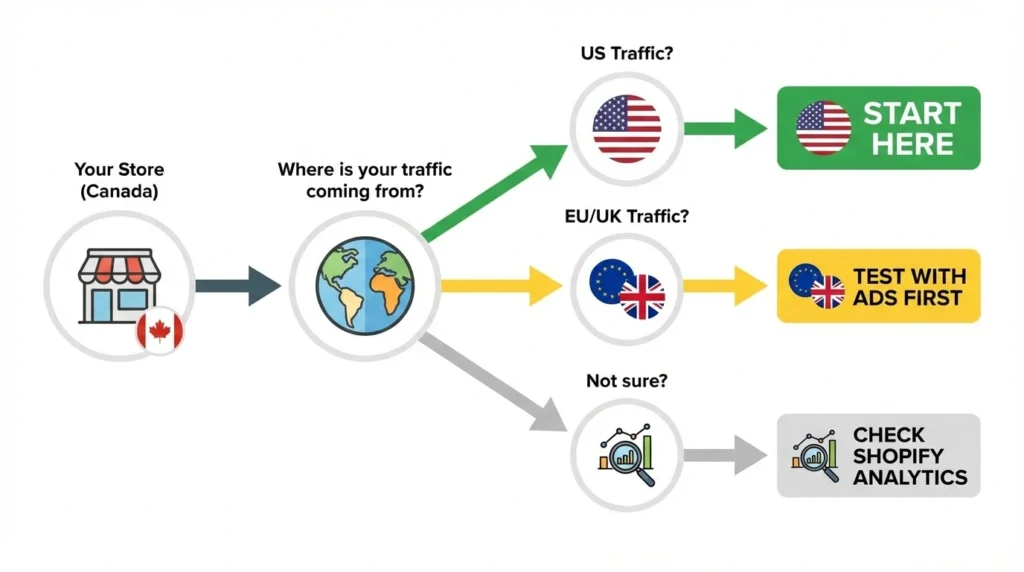
Don’t try to sell everywhere at once. Start with one market where success is realistic.
For most Canadian sellers, the US is the obvious first choice. Shared language, similar buying habits, fast shipping, and a customer base 10 times Canada’s size.
Here’s how to validate your decision:
- Check your data: Go to Shopify Analytics → Reports → Sessions by Location. Consistent US traffic is a green light.
- Look for demand signals: Repeat visitors, abandoned carts from foreign IPs, and direct customer inquiries all point to real interest.
- Use free tools: Google Trends shows whether people in your target country are searching for products like yours.
- Factor in logistics: Shipping costs, delivery times, customs complexity, and return handling all affect whether a market is worth the effort.
Pro tip: Test with a small ad budget ($500–1,000) in your target country before fully committing. If it works small, it works bigger.
How Do You Set Up Your Shopify Store for International Sales?
Shopify gives you three paths to sell globally. Once you pick the right one, setting up currencies and pricing takes just a few steps.
- Read More: “Best Shopify Dropshipping Apps in 2026“
Which Shopify Selling Option Is Right for You?
The right path depends on your budget, your target markets, and how much control you need.
1. Shopify Markets (Free, Built-In)
This one is free and built into every Shopify plan. You can sell in multiple currencies, translate your store, calculate duties at checkout, and group countries into ‘markets’ with custom settings for each.
Most plans include 3 markets. Advanced and Plus let you scale up to 50 (additional markets on Advanced come at an extra cost). For most sellers testing a few new countries, Markets is all you need.
2. Managed Markets (Powered by Global-e)
Managed Markets goes a step further. Shopify (through Global-e) acts as your merchant of record, handling tax registration, duty remittance, and more. You pay for the convenience: a 1.5% currency conversion fee plus a 3.5% Managed Markets fee on each international order, on top of your standard Shopify Payments transaction fees.
Currently only available to merchants with a US-based Shopify Payments account. Not an option for your Canadian store directly, but worth knowing if you set up a US entity (more on that later).
3. Expansion Stores (Shopify Plus)
Expansion Stores on Shopify Plus let you run up to 9 additional independent stores under one account, each with separate branding, catalogs, pricing, and local teams. Powerful but complex, and best for brands already generating high international revenue.
Which one to choose? For most Canadian sellers, start with Shopify Markets. It’s free, fast, and lets you test before committing. Upgrade when volume demands it.
- Read More: “Best Shopify Integrations for E-commerce“
How Do You Set Up Multi-Currency on Shopify?
33% of international shoppers leave if they can’t see prices in their local currency. This step isn’t optional.
Here’s how to handle your Shopify multi-currency setup:
- Go to Settings → Payments → Manage in your Shopify admin.
- Enable the currencies you need.
- Set rounding rules so prices look clean.
- Choose automatic exchange rates or manual rates.
Two fees to know about:
- Currency conversion fee: 1.5% (US stores) or 2% (Canadian stores). Built into the customer’s price, not taken from your margin.
- International payout fee: 1.5% (1.25% on Plus) on every non-CAD payout to your Canadian bank. This one comes out of your pocket, and at high volume it adds up fast.
What Are the Best International Shipping Options for Shopify Sellers?
Shipping can make or break your international expansion. Here’s what you need to decide.
- Read More: “Shopify Payment Reconciliation Guide“
Pricing Your Shipping
You have three main options:
- Free shipping (or free above a threshold like $75 USD): Converts best but eats into margins.
- Carrier-calculated rates: Real-time prices at checkout; but variable costs can scare buyers.
- Flat-rate: Simple and predictable, but risks over or undercharging.
Picking Your Carriers
When it comes to international shipping options for Shopify, you get discounted rates with USPS, UPS, DHL Express, Canada Post, and FedEx (discounts range from 58% to 88% depending on the carrier).
If you want to compare rates across multiple carriers or need extras like customs documents and landed cost calculations, look at Easyship, ShipStation, or ShipBob (a 3PL option with warehouses closer to your customers).
Collecting Duties at Checkout (DDP vs. DDU)
This is one of the most critical choices in cross-border Shopify selling:
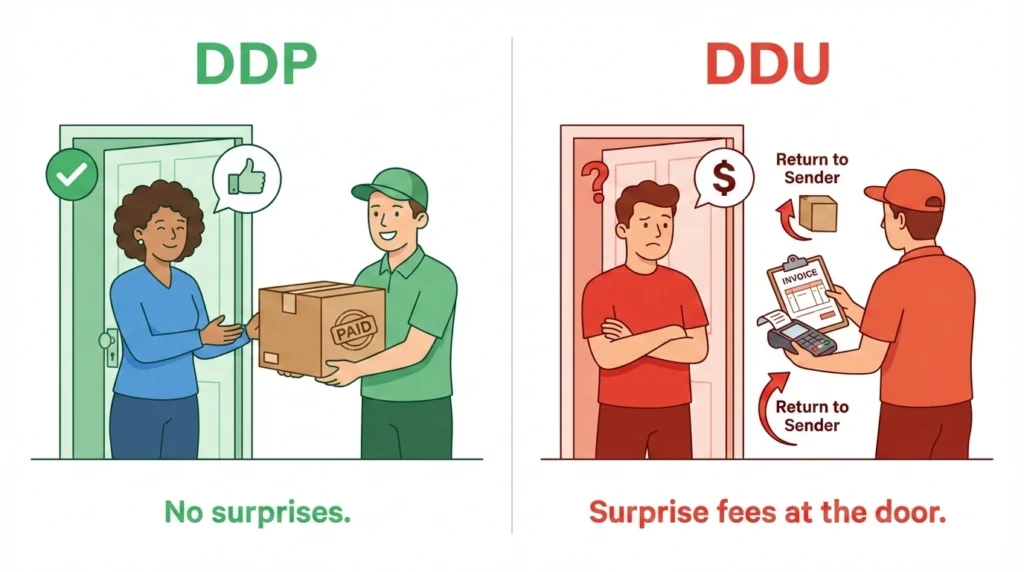
- DDP (Delivered Duty Paid): Duties collected at checkout. Customer pays everything upfront, no surprises.
- DDU (Delivered Duty Unpaid): Customer gets charged at delivery. Leads to refused packages, returns, and bad reviews.
Always go DDP. Shopify Markets supports it. And since August 2025, the U.S. requires duties to be prepaid on all shipments under US$800, including those sent through Canada Post.
What About Taxes, Duties, and Compliance for International Sales?
This is where mistakes cost the most.
How Taxes Work
Every country handles taxes differently:
- EU and UK: VAT, included in the displayed price.
- Canada and Australia: GST/HST.
- US: State-level sales tax, added at checkout, varies by state.
Shopify auto-calculates based on your customer’s location. For most countries, this works out of the box.
US Sales Tax for Canadian Sellers
You may need to register and collect sales tax in a US state if:
- You store inventory there.
- You have employees there.
- You exceed certain sales thresholds.
This is called sales tax nexus, and it catches a lot of Canadian sellers off guard.
- See our guide: “US sales tax requirements for Canadian sellers“
Customs duties for e-commerce are the other piece. Every product needs a correct HS code (Harmonized System code) to determine the duty rate. Wrong codes mean held packages or overcharged customers.
So how do you stay compliant? Managed Markets handles tax registration and remittance for you (US merchants only). For everyone else, Avalara automates calculations across jurisdictions. Pair these tools with dedicated e-commerce bookkeeping to keep your multi-currency transactions clean and audit-ready.
How to Avoid Shopify International Payout Fees as a Canadian Selling to the US?
Most guides skip this, but for Canadian sellers it could be the most important section here. Shopify charges Canadian stores a 1.5% payout fee (1.25% on Plus) on every USD transaction.
Solution 1: Use a USD Bank Account
Open a USD account through Wise Business or RBC Cross-Border Banking and add it as a payout account on Advanced or Plus plans.
Warning: The fee is based on your store’s domestic currency (CAD), not your bank’s currency. This reduces conversion losses but doesn’t delete the payout fee unless your Shopify entity is US-based.
Need help setting up a US bank account? Here’s how to open a US bank account as a Canadian.
Solution 2: Set Up a US Entity (Avoid the LLC Trap)
A US-based store can receive USD payouts fee-free. But most Canadians open a US LLC, which is a costly mistake. (Before you go that route, talk to our US LLC formation experts to understand when it actually makes sense.) The IRS treats it as pass-through while the CRA treats it as a foreign corporation, meaning the same income gets taxed twice.
We break down exactly why this happens: US LLC tax problems for Canadians
The better structure: A US C-Corporation owned through a Canadian holding company, paired with a management fee strategy to shift profits back to Canada at small business tax rates. Our US business incorporation experts can give you more details if you are still confused.
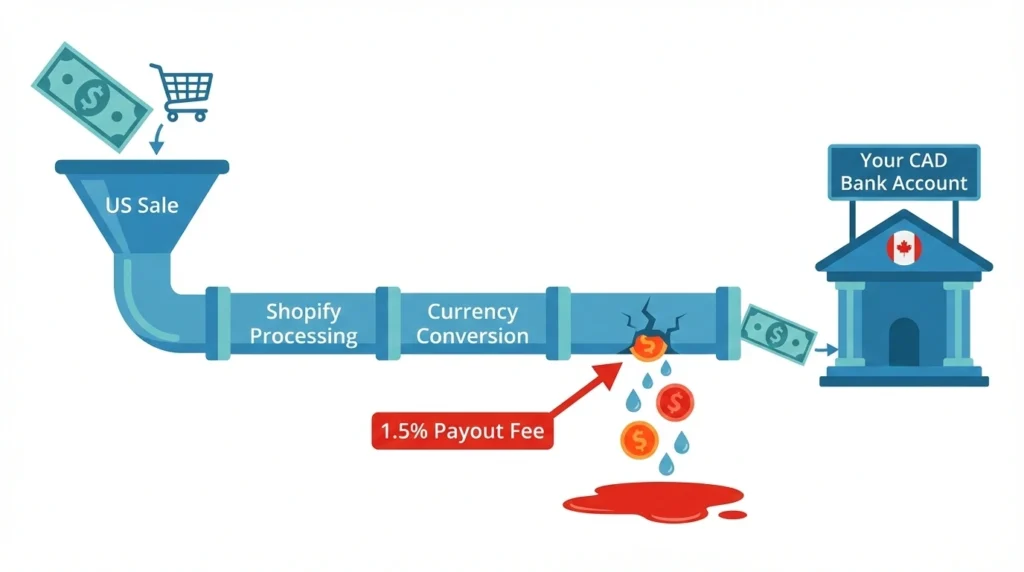
| Real Client Example1 A Canadian Shopify seller generating $20M USD in annual revenue had no idea they were losing $300,000 CAD every year to the 1.5% payout fee. It wasn’t showing up as a line item, it was just quietly eating into every single transaction.After working with our cross-border business tax team to restructure through a US C-Corp and management fee strategy, that fee dropped to zero. $300K back in the business, every year. |
Pro Tip: Talk to a cross-border tax accountant before setting up any US entity. The wrong structure costs far more than the fees you’re trying to save.
How Do You Localize Your Shopify Store for Global Buyers?
Localization is what separates stores that sell internationally from stores that do it well. The right Shopify localization strategies make your store feel local.
Market to US Shoppers
Run geo-targeted ads on Google and Meta for US audiences, partner with US-based influencers. Adjust your promotions around American shopping events like Black Friday, Memorial Day, and Fourth of July. What works in Canada won’t always land the same way south of the border.
Show Up in Local Search
You have two main options for your international URLs:
- Subdomains: (us.yourstore.com) for separate SEO authority
- Subfolders: (yourstore.com/us/) to keep your existing domain strength
Shopify Markets adds hreflang tags automatically so search engines show the right version to the right audience. This becomes especially important if you expand beyond the US into multilingual markets later.
Let Them Pay Their Way
US shoppers expect options like Shop Pay, Apple Pay, and Google Pay alongside standard credit cards. If your checkout doesn’t offer what they’re used to, they’ll leave. Make sure these are enabled in your Shopify Payments settings.
- Read More: “Shopify Tax Exemption Explained“
What Are the Most Common Mistakes When Selling Globally on Shopify?
Even with the right tools, cross-border Shopify selling comes with avoidable mistakes:
- Going too wide too fast. Start with 1–2 markets. Spreading thin means doing nothing well.
- Translating but not localizing. Good Shopify localization strategies go beyond words. Adapt content, imagery, sizing, and SEO keywords.
- Using DDU shipping. Surprise duties at the door = returns and chargebacks. Use DDP.
- Ignoring payout fees. That 1.5–2% on every sale adds up. Factor it into pricing from day one.
- Opening a US LLC as a Canadian. Without proper planning, this costs more than it saves.
- Forgetting data protection. GDPR, CCPA, and other privacy laws apply when you sell to those regions. Use Shopify’s built-in compliance tools.
Most of these are easy to avoid if you plan for them before you launch.
What Tools and Apps Make International Selling Easier?
You don’t need dozens of apps. Here are the ones that actually matter:
| Category | Top Tools | What They Do |
| Cross-border | Shopify Markets, Managed Markets | Multi-currency, localization, duty collection |
| Tax compliance | Avalara | Automated tax calculation across jurisdictions |
| Translation | Weglot, Langify, Shopify Translate & Adapt | Multilingual storefronts |
| Shipping | Easyship, ShipStation | Multi-carrier rate comparison and label printing |
| Fulfillment | ShipBob | 3PL network across US, Canada, UK, EU, Australia |
| Banking | Wise Business, Loop | USD bank accounts for Canadian sellers |
This applies whether you’re selling through Shopify, Amazon, Etsy, or multiple platforms at the same time.
Conclusion
Selling internationally on Shopify is easier than most Canadian sellers think, especially when the US is your first market. The tools are there and the demand is real.
But the sellers who do well are the ones who start small, localize properly, collect duties at checkout, and keep a close eye on fees that quietly eat into profits. Once your international setup is running, don’t overlook the deductions available to you; here’s our guide to e-commerce tax deductions.
If you’re expanding to the US and want to make sure your setup isn’t costing you more than it should, SAL Accounting’s e-commerce accounting team can help you get it right. Contact us now for a FREE consultation!
FAQs
Go to Settings → Markets in your Shopify admin, add your target countries, enable multi-currency through Shopify Payments, set up shipping zones and rates, and add translations if needed. Shopify Markets handles most of the heavy lifting.
Yes. Shopify Payments supports a wide range of currencies. You enable the ones you need, set rounding rules, and Shopify handles the conversion. Customers see prices in their local currency throughout checkout.
Set up international shipping zones in Settings → Shipping and Delivery. Use Shopify’s integrated carriers (USPS, UPS, DHL, Canada Post, FedEx) for discounted rates, or connect third-party apps like Easyship or ShipStation for more options.
Shopify charges a currency conversion fee of 1.5% (US stores) or 2% (Canadian and other international stores) on transactions in a non-domestic currency. Canadian sellers also face a 1.5% Multi-Currency Payout fee on non-CAD payouts (1.25% on Plus).
Cross-border selling means selling products or services to customers in a different country than where your business is based. It involves managing international shipping, currency conversion, tax compliance, and customs duties for e-commerce transactions. It’s one of the fastest-growing areas of global e-commerce.
Yes. Canadian Shopify sellers can use Canada Post directly through Shopify Shipping, with discounts of up to 58% on shipping rates. You can also integrate other carriers alongside Canada Post.
Yes. Through Shopify Markets, you can set price adjustments per market, either as a percentage increase/decrease or as fixed prices in each local currency.
Enable Shopify Payments and activate the currencies you want to accept. Shopify handles the conversion and deposits funds in your payout currency. Make sure US-friendly options like Shop Pay, Apple Pay, and Google Pay are enabled in your Shopify Payments settings.
It depends on the country. In the US, sales tax nexus rules determine whether you need to register in specific states. In Canada, our GST/HST experts make sure everything is registered is in order before expanding. Managed Markets handles this for eligible merchants, or you can use Avalara for automated compliance.
Yes, if you’re on Shopify’s Advanced or Plus plan. Multi-Currency Payouts lets you add up to 8 bank accounts in different currencies. A payout fee applies for non-domestic currencies. Canadian sellers on Basic or Grow plans can also choose USD as their default payout currency, though a 1.5% fee still applies.
- Hypothetical scenario ↩︎